已更新
Auto Center Chart
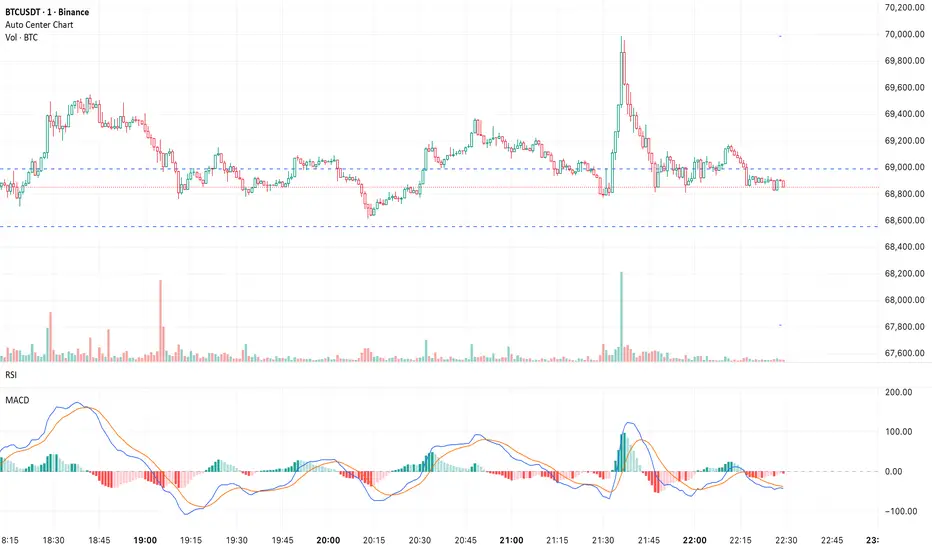
Automatically centers the chart within the current visible chart window.
This utility indicator scans the visible range to determine its High and Low, then adjusts autoscale so that the most recent completed candle remains visually centered — without drawing any visible objects or cluttering the chart.
Why This Is Useful:
- Prevents price from hugging the top or bottom of the screen
- Reduces visual bias during analysis
- Improves clarity when planning risk/reward
- Keeps the active candle visually balanced
- Eliminates constant manual scale adjustments
The script only influences scaling at the right edge and does not change when hovering over historical candles.
Important Notes:
- Requires Auto (fits data to screen) to be enabled in chart settings
- May not work as expected if other indicators are also forcing autoscale or adding extra chart space
- Designed for standard time-based charts
If another script modifies scaling or the chart is not in Auto mode, TradingView’s scaling engine can override this indicator.
This utility indicator scans the visible range to determine its High and Low, then adjusts autoscale so that the most recent completed candle remains visually centered — without drawing any visible objects or cluttering the chart.
Why This Is Useful:
- Prevents price from hugging the top or bottom of the screen
- Reduces visual bias during analysis
- Improves clarity when planning risk/reward
- Keeps the active candle visually balanced
- Eliminates constant manual scale adjustments
The script only influences scaling at the right edge and does not change when hovering over historical candles.
Important Notes:
- Requires Auto (fits data to screen) to be enabled in chart settings
- May not work as expected if other indicators are also forcing autoscale or adding extra chart space
- Designed for standard time-based charts
If another script modifies scaling or the chart is not in Auto mode, TradingView’s scaling engine can override this indicator.
版本注释
Update: Improved StabilityRefined the autoscale recalculation timing to reduce chart “jump” behavior when a new bar begins.
Auto-centering now updates more smoothly while maintaining the same functionality and visual balance.

免责声明
这些信息和出版物并非旨在提供,也不构成TradingView提供或认可的任何形式的财务、投资、交易或其他类型的建议或推荐。请阅读使用条款了解更多信息。