Galaxy
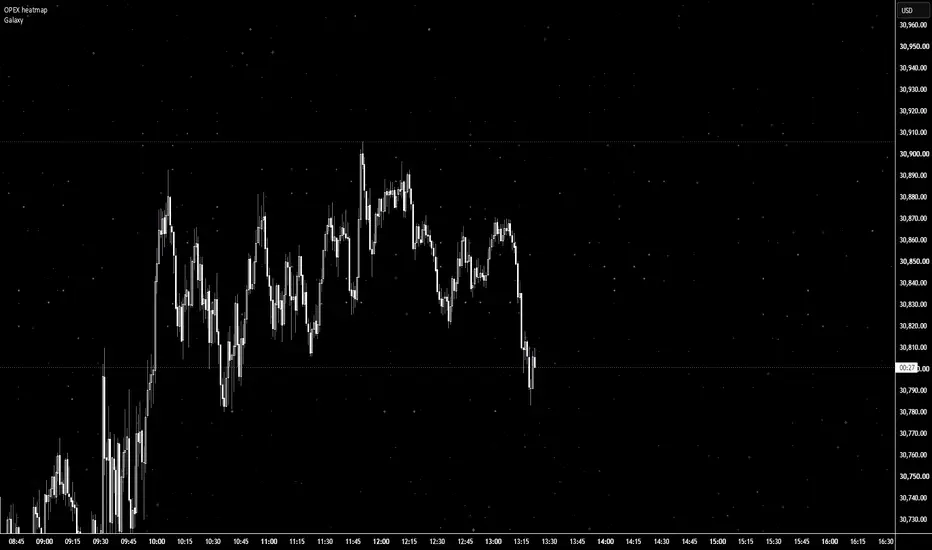
Galaxy Background — Twinkling Starfield
A purely cosmetic indicator that turns your chart into a starry night sky.
It doesn't calculate or signal anything; it just makes your chart look good.
HOW IT WORKS
Stars are drawn in a screen-fixed table, so they stay in place when you
scroll, zoom, or when new bars print. The layout is generated from a seed,
so the same seed always gives the same sky.
FEATURES
- Screen-fixed stars that never move with price or time
- Three brightness tiers: faint dust, bright stars, and rare "hero" stars
with a soft glow halo
- Live twinkling: stars gently fade brighter and dimmer on each price tick
(positions never change)
- Custom star characters: paste any symbols as a comma-separated list
(e.g. ·,✧,✦). Earlier characters appear more often
- Adjustable density, brightness, glow strength, and color mix
(white / pale blue / lavender)
SETUP
1. Set your chart background to black (Chart Settings → Canvas).
2. Add the indicator.
3. Tweak the seed until you like the layout, then adjust density and shine.
NOTES
- Twinkling needs live ticks, so the sky holds still when the market is
closed.
- Stars draw on top of candles; raise transparency if they get in the way.
- Emoji characters keep their own colors and ignore the color settings.
- If the chart feels slow, lower "Stars per tick."
A purely cosmetic indicator that turns your chart into a starry night sky.
It doesn't calculate or signal anything; it just makes your chart look good.
HOW IT WORKS
Stars are drawn in a screen-fixed table, so they stay in place when you
scroll, zoom, or when new bars print. The layout is generated from a seed,
so the same seed always gives the same sky.
FEATURES
- Screen-fixed stars that never move with price or time
- Three brightness tiers: faint dust, bright stars, and rare "hero" stars
with a soft glow halo
- Live twinkling: stars gently fade brighter and dimmer on each price tick
(positions never change)
- Custom star characters: paste any symbols as a comma-separated list
(e.g. ·,✧,✦). Earlier characters appear more often
- Adjustable density, brightness, glow strength, and color mix
(white / pale blue / lavender)
SETUP
1. Set your chart background to black (Chart Settings → Canvas).
2. Add the indicator.
3. Tweak the seed until you like the layout, then adjust density and shine.
NOTES
- Twinkling needs live ticks, so the sky holds still when the market is
closed.
- Stars draw on top of candles; raise transparency if they get in the way.
- Emoji characters keep their own colors and ignore the color settings.
- If the chart feels slow, lower "Stars per tick."

Clause de non-responsabilité
Les informations et publications ne sont pas destinées à être, et ne constituent pas, des conseils ou recommandations financiers, d'investissement, de trading ou autres fournis ou approuvés par TradingView. Pour en savoir plus, consultez les Conditions d'utilisation.
Clause de non-responsabilité
Les informations et publications ne sont pas destinées à être, et ne constituent pas, des conseils ou recommandations financiers, d'investissement, de trading ou autres fournis ou approuvés par TradingView. Pour en savoir plus, consultez les Conditions d'utilisation.