Red & Blue No Gap Candles
Hey Y'all,
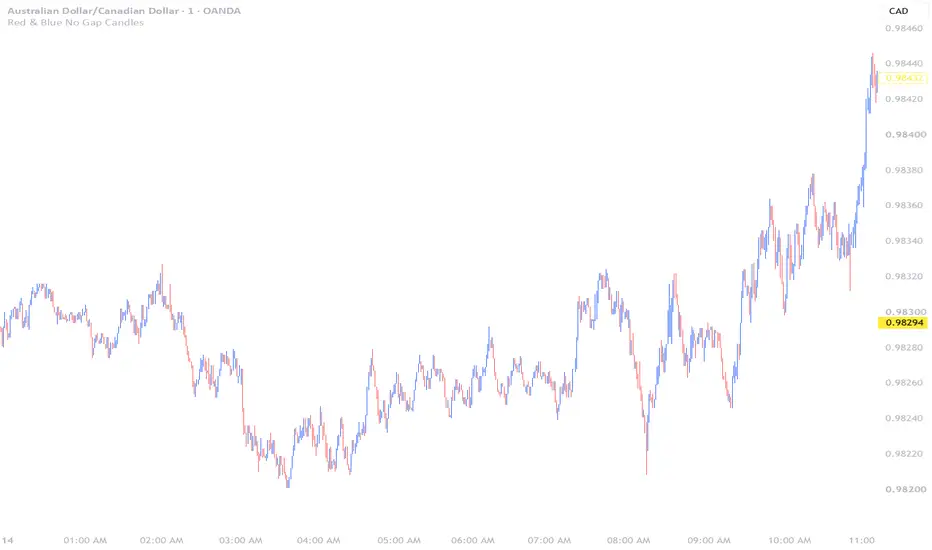
I made The Red & Blue No Gap Candles indicator, to help other traders that prefer Red & Blue No Gap Candles, to get their chart set up much faster.
I was inspired by the Original No Gap Candles, by Echepata, but I just wanted to make it a little easier for my Brother & Niece to get their chart set-up much faster with a few less steps.
I currently use the Red & Blue No Gap Candles everyday, to primarily trade Forex & Futures Currency markets, but the Red & Blue No Gap Candles works perfect on most charts like Bitcoin, Gold, NQ & many more.
I prefer using the Red & Blue No Gap Candles, because it's perfectly aligned with the previous candles's Open & Close, which is perfect & based on how most are taught in examples.
How To Use The Red & Blue No Gap Candles Indicator?
#1 - Right click any empty blank space on the Candlestick chart, then click Chart Settings.
#2 - Under Symbol Section, Un-check all the boxes, like "Color Bars Based On Previous Close, Body, Borders & Wick." - Then click "ok" to save.
#3 - Click Indicators button, then search for Red & Blue No Gap Candles, then click the star to save it under favorites, to make it easier for you to find it, then add it to your chart.
#4 - Enjoy using the Red & Blue No Gap Candles, to hopefully, make your trading experience a little bit easier.
Thanks!
I made The Red & Blue No Gap Candles indicator, to help other traders that prefer Red & Blue No Gap Candles, to get their chart set up much faster.
I was inspired by the Original No Gap Candles, by Echepata, but I just wanted to make it a little easier for my Brother & Niece to get their chart set-up much faster with a few less steps.
I currently use the Red & Blue No Gap Candles everyday, to primarily trade Forex & Futures Currency markets, but the Red & Blue No Gap Candles works perfect on most charts like Bitcoin, Gold, NQ & many more.
I prefer using the Red & Blue No Gap Candles, because it's perfectly aligned with the previous candles's Open & Close, which is perfect & based on how most are taught in examples.
How To Use The Red & Blue No Gap Candles Indicator?
#1 - Right click any empty blank space on the Candlestick chart, then click Chart Settings.
#2 - Under Symbol Section, Un-check all the boxes, like "Color Bars Based On Previous Close, Body, Borders & Wick." - Then click "ok" to save.
#3 - Click Indicators button, then search for Red & Blue No Gap Candles, then click the star to save it under favorites, to make it easier for you to find it, then add it to your chart.
#4 - Enjoy using the Red & Blue No Gap Candles, to hopefully, make your trading experience a little bit easier.
Thanks!

Clause de non-responsabilité
Les informations et publications ne sont pas destinées à être, et ne constituent pas, des conseils ou recommandations financiers, d'investissement, de trading ou autres fournis ou approuvés par TradingView. Pour en savoir plus, consultez les Conditions d'utilisation.
Clause de non-responsabilité
Les informations et publications ne sont pas destinées à être, et ne constituent pas, des conseils ou recommandations financiers, d'investissement, de trading ou autres fournis ou approuvés par TradingView. Pour en savoir plus, consultez les Conditions d'utilisation.