OPEN-SOURCE SCRIPT
CDT Clock + Trade Timer
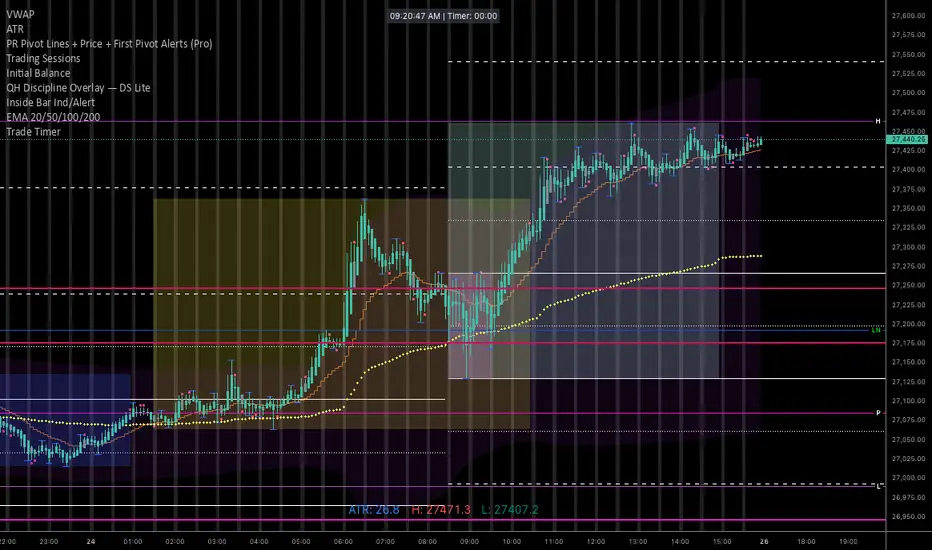
To keep it organized in your TradingView library, you’ll want a description that reminds you exactly how the logic works (especially the CDT offset and the manual timer).
Here is a concise description you can paste into the "Description" field when you save the script:
NQ Execution Clock & Patience Timer (CDT)
Overview:
A specialized execution tool designed for NQ/ES futures trading. This indicator provides a high-visibility digital clock synced to Central Daylight Time (CDT) and a manual "Trade Timer" to help manage trade duration and psychology during liquidity sweeps.
Key Features:
Live CDT Clock: Hardcoded to UTC-5 to stay synced with Chicago/San Antonio market hours.
Manual Trade Stopwatch: A "Start Trade Timer" toggle in the settings allows you to track exactly how many minutes/seconds you have been in a position.
Psychology Support: Specifically built to prevent early exits by providing a visual counter for the "10-minute rule" during NQ runs.
Customizable UI: Options to reposition the clock (Top Right, Bottom Left, etc.) and adjust font size/color to fit any chart layout.
Instructions:
Check "START TRADE TIMER" in the inputs as soon as your limit order is filled.
Uncheck to reset once the trade is closed.
Here is a concise description you can paste into the "Description" field when you save the script:
NQ Execution Clock & Patience Timer (CDT)
Overview:
A specialized execution tool designed for NQ/ES futures trading. This indicator provides a high-visibility digital clock synced to Central Daylight Time (CDT) and a manual "Trade Timer" to help manage trade duration and psychology during liquidity sweeps.
Key Features:
Live CDT Clock: Hardcoded to UTC-5 to stay synced with Chicago/San Antonio market hours.
Manual Trade Stopwatch: A "Start Trade Timer" toggle in the settings allows you to track exactly how many minutes/seconds you have been in a position.
Psychology Support: Specifically built to prevent early exits by providing a visual counter for the "10-minute rule" during NQ runs.
Customizable UI: Options to reposition the clock (Top Right, Bottom Left, etc.) and adjust font size/color to fit any chart layout.
Instructions:
Check "START TRADE TIMER" in the inputs as soon as your limit order is filled.
Uncheck to reset once the trade is closed.
Script open-source
Dans l'esprit TradingView, le créateur de ce script l'a rendu open source afin que les traders puissent examiner et vérifier ses fonctionnalités. Bravo à l'auteur! Bien que vous puissiez l'utiliser gratuitement, n'oubliez pas que la republication du code est soumise à nos Règles.

Clause de non-responsabilité
Les informations et publications ne sont pas destinées à être, et ne constituent pas, des conseils ou recommandations financiers, d'investissement, de trading ou autres fournis ou approuvés par TradingView. Pour en savoir plus, consultez les Conditions d'utilisation.
Script open-source
Dans l'esprit TradingView, le créateur de ce script l'a rendu open source afin que les traders puissent examiner et vérifier ses fonctionnalités. Bravo à l'auteur! Bien que vous puissiez l'utiliser gratuitement, n'oubliez pas que la republication du code est soumise à nos Règles.
Clause de non-responsabilité
Les informations et publications ne sont pas destinées à être, et ne constituent pas, des conseils ou recommandations financiers, d'investissement, de trading ou autres fournis ou approuvés par TradingView. Pour en savoir plus, consultez les Conditions d'utilisation.