Split tips
When the system detects a stock split that hasn't been reflected in your portfolio yet, you will see a new Portfolio Tip on the main page, prompting you to add the corresponding split transaction:

Criteria for suggesting splits
- A suggestion is generated for an asset in your portfolio when the provider's data contains a split event dated later than any of your transactions for that symbol.
- The suggestion appears regardless of the prices in your transactions. If you have already entered post-split prices, simply don't accept the suggestion — it has no effect on your calculations until you add it.
- Each split event is shown as a separate tip. If a symbol had more than one split, you will see a separate suggestion for each one — for example, TSLA would show two tips: a 5-for-1 split on Aug 31, 2020, and a 3-for-1 split on Aug 25, 2022.
- A suggestion will not appear if you already have a split transaction for that symbol dated within ±3 days of the provider's split date. This applies equally to transactions added manually and to those added by accepting a tip.
What the tip shows
- The symbol the split was detected for.
- The split date, from the provider's data.
- The split ratio, in an after : before format.
How to add a split using a tip
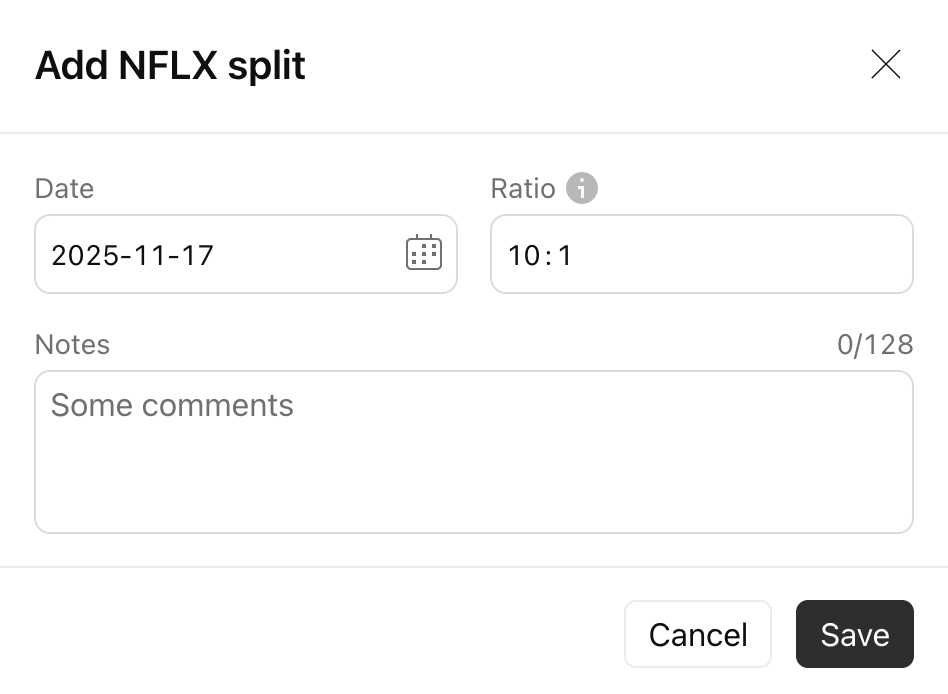
To review and add a split, click on a tip. A pre-filled Split dialog opens with the date and ratio already set from the provider's data — usually no changes are required. Adjust them if necessary, then click Save. The split transaction is created and your portfolio is recalculated.
If you don't accept the suggestion, it stays available in the Tips informer until you add it and has no effect on your calculations in the meantime.