XAUUSD EMA + Stochastic Signal Indicator
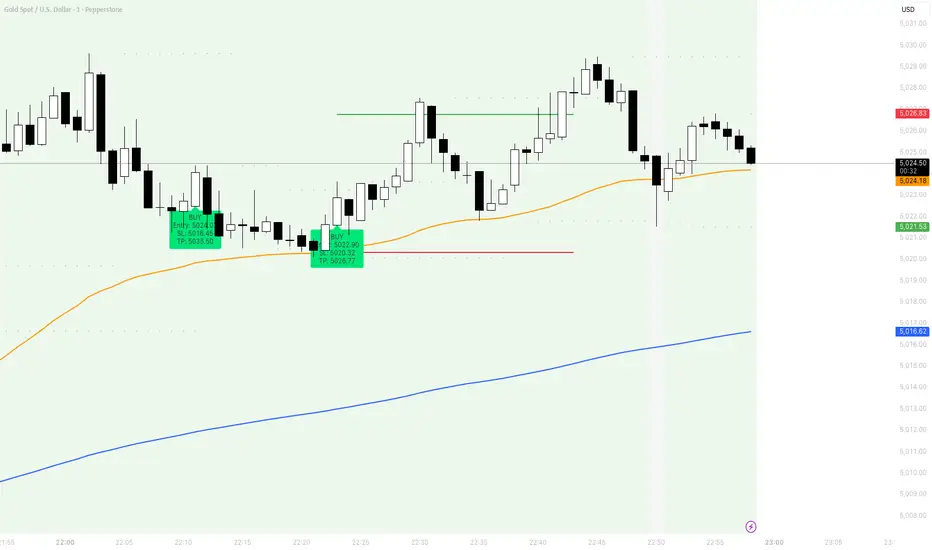
Use it like this:
Step 1
Paste into TradingView Pine Editor.
Step 2
Click Add to chart.
Step 3
Use it on XAUUSD 1-minute.
Step 4
Check signal validity mechanically:
Buy only when price is above both EMAs
Sell only when price is below both EMAs
Ignore all signals when price is between EMAs
Step 5
Adjust the two inputs that matter most:
Stop Buffer (ticks)
Swing Pivot Left/Right Bars
Best starting point:
Swing Pivot Left = 3
Swing Pivot Right = 3
Stop Buffer = 20 ticks
Step 1
Paste into TradingView Pine Editor.
Step 2
Click Add to chart.
Step 3
Use it on XAUUSD 1-minute.
Step 4
Check signal validity mechanically:
Buy only when price is above both EMAs
Sell only when price is below both EMAs
Ignore all signals when price is between EMAs
Step 5
Adjust the two inputs that matter most:
Stop Buffer (ticks)
Swing Pivot Left/Right Bars
Best starting point:
Swing Pivot Left = 3
Swing Pivot Right = 3
Stop Buffer = 20 ticks

Disclaimer
The information and publications are not meant to be, and do not constitute, financial, investment, trading, or other types of advice or recommendations supplied or endorsed by TradingView. Read more in the Terms of Use.
Disclaimer
The information and publications are not meant to be, and do not constitute, financial, investment, trading, or other types of advice or recommendations supplied or endorsed by TradingView. Read more in the Terms of Use.