Aggiornato
Labels
More exclusive indicators from SimpleCryptoLife
Subscribe to Beyond Market Structure Pro Suite for $18.00/month to get exclusive indicators by this author. You pay right on TradingView and can use them on your charts straight away.
Explore Beyond Market Structure Pro SuiteLibrary "Labels"
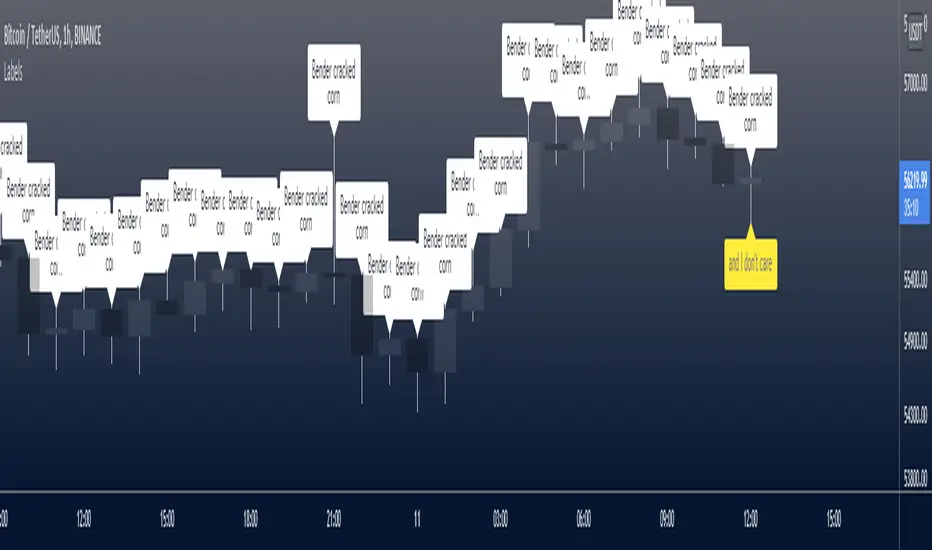
Functions to create labels, from simple to complex.
labelSimple()
Creates a label each time a condition is true. All label parameters can be customised.
Returns
An unnamed label object with the supplied characteristics. To give it a name, assign the output of the function to a label variable, as in the example below.
labelLast()
Creates a label each time a condition is true. All label parameters can be customised. + Option to keep only the most recent label. + Option to display the label a configurable number of bars ahead.
Returns A named label object with the supplied characteristics.
labelTextAndFloat()
Creates a label each time a condition is true. All label parameters can be customised. Option to keep only the most recent label. Option to display the label a configurable number of bars ahead; otherwise the x location is fixed at the bar time. + Prints (optional) text and a floating-point number on the next line.
Returns A named label object with the supplied characteristics.
labelTextAndFloatSigFig()
Creates a label each time a condition is true. All label parameters can be customised. Option to keep only the most recent label. Option to display the label a configurable number of bars ahead; otherwise the x location is fixed at the bar time. Prints (optional) text and a floating-point number on the next line + to a given number of significant figures.
Returns A named label object with the supplied characteristics.
labelTextAndFloatDecimals()
Creates a label each time a condition is true. All label parameters can be customised. Option to keep only the most recent label. Option to display the label a configurable number of bars ahead. Prints (optional) text and a floating-point number on the next line + to a given number of decimal places.
Returns A named label object with the supplied characteristics.
Functions to create labels, from simple to complex.
labelSimple()
Creates a label each time a condition is true. All label parameters can be customised.
- _condition The condition which must evaluate true for the label to be printed.
- _x The x location.
- _y The y location.
- _text The text to print on the label.
- _color The colour of the label.
- _textColor The colour of the text.
- _style The style of the label.
- _yloc The y location type.
Returns
An unnamed label object with the supplied characteristics. To give it a name, assign the output of the function to a label variable, as in the example below.
labelLast()
Creates a label each time a condition is true. All label parameters can be customised. + Option to keep only the most recent label. + Option to display the label a configurable number of bars ahead.
- _offset How many bars ahead to draw the label.
- _keepLast If true (the default), keeps only the most recent label. If false, prints labels up to the TradingView limit.
- _condition The condition which must evaluate true for the label to be printed.
- _y The y location.
- _text The text to print on the label.
- _color The colour of the label.
- _textColor The colour of the text.
- _style The style of the label.
- _yloc The y location type.
Returns A named label object with the supplied characteristics.
labelTextAndFloat()
Creates a label each time a condition is true. All label parameters can be customised. Option to keep only the most recent label. Option to display the label a configurable number of bars ahead; otherwise the x location is fixed at the bar time. + Prints (optional) text and a floating-point number on the next line.
- _offset How many bars ahead to draw the label.
- _float The floating-point number that you want to display on the label.
- _keepLast If true (the default), keeps only the most recent label. If false, prints labels up to the TradingView limit.
- _condition The condition which must evaluate true for the label to be printed.
- _y The y location.
- _text The text to print on the label.
- _color The colour of the label.
- _textColor The colour of the text.
- _style The style of the label.
- _yloc The y location type.
Returns A named label object with the supplied characteristics.
labelTextAndFloatSigFig()
Creates a label each time a condition is true. All label parameters can be customised. Option to keep only the most recent label. Option to display the label a configurable number of bars ahead; otherwise the x location is fixed at the bar time. Prints (optional) text and a floating-point number on the next line + to a given number of significant figures.
- _offset How many bars ahead to draw the label.
- _sigNumFig The number of significant figures to display the floating-point number to.
- _float The floating-point number that you want to display on the label.
- _keepLast If true (the default), keeps only the most recent label. If false, prints labels up to the TradingView limit.
- _condition The condition which must evaluate true for the label to be printed.
- _y The y location.
- _text The text to print on the label.
- _color The colour of the label.
- _textColor The colour of the text.
- _style The style of the label.
- _yloc The y location type.
Returns A named label object with the supplied characteristics.
labelTextAndFloatDecimals()
Creates a label each time a condition is true. All label parameters can be customised. Option to keep only the most recent label. Option to display the label a configurable number of bars ahead. Prints (optional) text and a floating-point number on the next line + to a given number of decimal places.
- _offset How many bars ahead to draw the label.
- _decimals The number of decimal places to display the floating-point number to.
- _float The floating-point number that you want to display on the label.
- _keepLast If true (the default), keeps only the most recent label. If false, prints labels up to the TradingView limit.
- _condition The condition which must evaluate true for the label to be printed.
- _y The y location.
- _text The text to print on the label.
- _color The colour of the label.
- _textColor The colour of the text.
- _style The style of the label.
- _yloc The y location type.
Returns A named label object with the supplied characteristics.
Note di rilascio
v2Updated:
labelLast()
labelTextAndFloat()
labelTextAndFloatSigFig()
labelTextAndFloatDecimals()
Added _textAlign parameter.
Note di rilascio
v3Updated to Pine v6.

🔥 Beyond Market Structure Paid Space is now live! is.gd/beyondMS
🆓 All my free scripts: is.gd/simplefree
🆓 All my free scripts: is.gd/simplefree
Declinazione di responsabilità
Le informazioni e le pubblicazioni non sono intese come, e non costituiscono, consulenza o raccomandazioni finanziarie, di investimento, di trading o di altro tipo fornite o approvate da TradingView. Per ulteriori informazioni, consultare i Termini di utilizzo.
🔥 Beyond Market Structure Paid Space is now live! is.gd/beyondMS
🆓 All my free scripts: is.gd/simplefree
🆓 All my free scripts: is.gd/simplefree
Declinazione di responsabilità
Le informazioni e le pubblicazioni non sono intese come, e non costituiscono, consulenza o raccomandazioni finanziarie, di investimento, di trading o di altro tipo fornite o approvate da TradingView. Per ulteriori informazioni, consultare i Termini di utilizzo.