
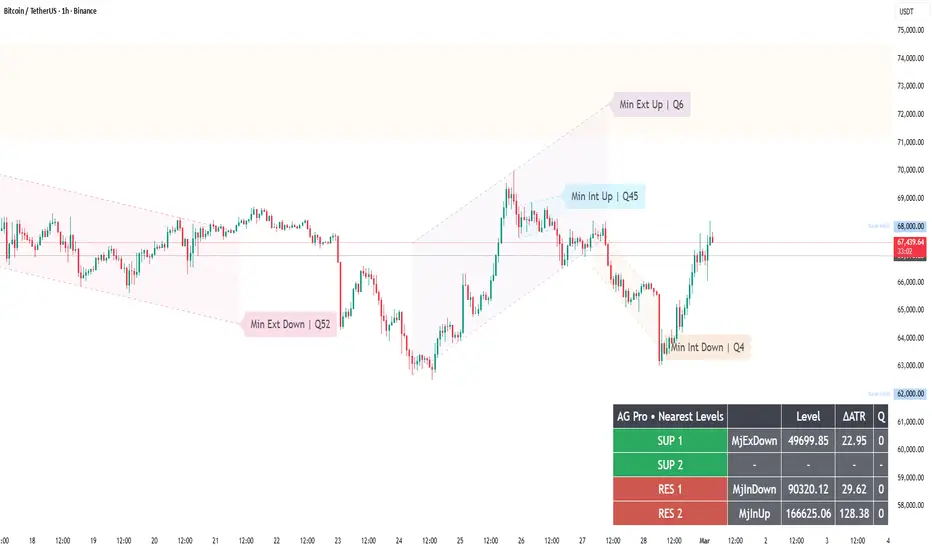
Projection & Midlines — When to Use Them (Study) and When to Turn Them Off (Execution)
Channels become more informative when you can see:
- where the corridor extends (projection),
- and where the “center of gravity” lies (midline).
But they can also become more distracting if you’re actively executing.
That’s why AG Pro Dynamic Channels Elite separates visual richness from core structure.
A practical rule:
- Projection and extra midlines are for study and context.
- Clean execution screens should emphasize only what you act on.
Suggested usage:
1) Study / review mode
- Projection: ON (see the forward corridor)
- Midline: ON (watch mean behavior inside the channel)
- Rich fills: ON (quick regime feel)
- Nearest Levels panel: ON (context summary)
2) Execution mode
- Projection: OFF (reduce forward bias)
- Midlines: OFF or Major-only
- Fills: minimal or off
- Labels: compact / major-only
Why this is “pro”
Projection can create narrative bias (“price will go there”).
Turning it off during execution keeps you honest:
you focus on current interactions (break/reaction) rather than imagined targets.
Limitations:
Projection does not predict the future. It is a visualization aid, and it can be invalidated quickly.
Risk disclosure:
Educational content only. Not financial advice.

면책사항
해당 정보와 게시물은 금융, 투자, 트레이딩 또는 기타 유형의 조언이나 권장 사항으로 간주되지 않으며, 트레이딩뷰에서 제공하거나 보증하는 것이 아닙니다. 자세한 내용은 이용 약관을 참조하세요.
면책사항
해당 정보와 게시물은 금융, 투자, 트레이딩 또는 기타 유형의 조언이나 권장 사항으로 간주되지 않으며, 트레이딩뷰에서 제공하거나 보증하는 것이 아닙니다. 자세한 내용은 이용 약관을 참조하세요.