OPEN-SOURCE SCRIPT
Adaptive Fusion Indicator
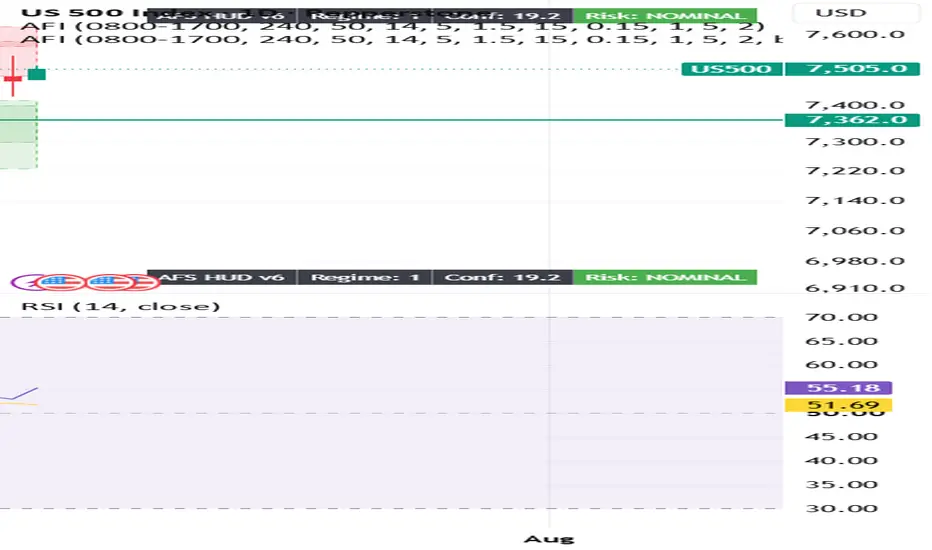
From your screenshot, you're in the wrong menu.
The Publish button you're clicking is TradingView's social publishing menu (Ideas, Videos, etc.), not the Pine Script publishing menu.
To publish your indicator, do this instead:
Open the Pine Editor at the bottom of TradingView.
Open your indicator script (the one named Wizinkle or your AFI script).
Make sure it's saved.
In the Pine Editor, click Publish Script (or click the ⋮ menu inside the Pine Editor and select Publish script).
The Publish button you're clicking is TradingView's social publishing menu (Ideas, Videos, etc.), not the Pine Script publishing menu.
To publish your indicator, do this instead:
Open the Pine Editor at the bottom of TradingView.
Open your indicator script (the one named Wizinkle or your AFI script).
Make sure it's saved.
In the Pine Editor, click Publish Script (or click the ⋮ menu inside the Pine Editor and select Publish script).
오픈 소스 스크립트
트레이딩뷰의 진정한 정신에 따라, 이 스크립트의 작성자는 이를 오픈소스로 공개하여 트레이더들이 기능을 검토하고 검증할 수 있도록 했습니다. 작성자에게 찬사를 보냅니다! 이 코드는 무료로 사용할 수 있지만, 코드를 재게시하는 경우 하우스 룰이 적용된다는 점을 기억하세요.

면책사항
해당 정보와 게시물은 금융, 투자, 트레이딩 또는 기타 유형의 조언이나 권장 사항으로 간주되지 않으며, 트레이딩뷰에서 제공하거나 보증하는 것이 아닙니다. 자세한 내용은 이용 약관을 참조하세요.
오픈 소스 스크립트
트레이딩뷰의 진정한 정신에 따라, 이 스크립트의 작성자는 이를 오픈소스로 공개하여 트레이더들이 기능을 검토하고 검증할 수 있도록 했습니다. 작성자에게 찬사를 보냅니다! 이 코드는 무료로 사용할 수 있지만, 코드를 재게시하는 경우 하우스 룰이 적용된다는 점을 기억하세요.
면책사항
해당 정보와 게시물은 금융, 투자, 트레이딩 또는 기타 유형의 조언이나 권장 사항으로 간주되지 않으며, 트레이딩뷰에서 제공하거나 보증하는 것이 아닙니다. 자세한 내용은 이용 약관을 참조하세요.