Galaxy
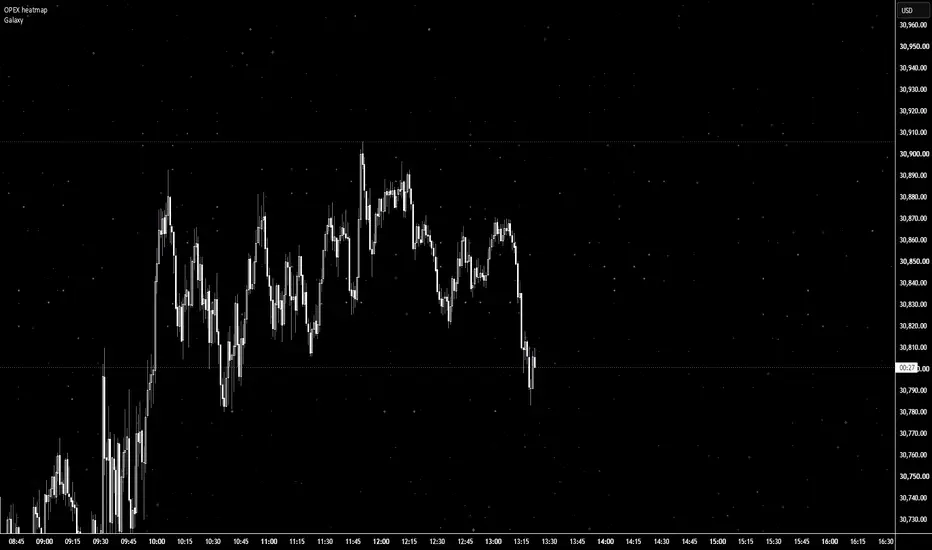
Galaxy Background — Twinkling Starfield
A purely cosmetic indicator that turns your chart into a starry night sky.
It doesn't calculate or signal anything; it just makes your chart look good.
HOW IT WORKS
Stars are drawn in a screen-fixed table, so they stay in place when you
scroll, zoom, or when new bars print. The layout is generated from a seed,
so the same seed always gives the same sky.
FEATURES
- Screen-fixed stars that never move with price or time
- Three brightness tiers: faint dust, bright stars, and rare "hero" stars
with a soft glow halo
- Live twinkling: stars gently fade brighter and dimmer on each price tick
(positions never change)
- Custom star characters: paste any symbols as a comma-separated list
(e.g. ·,✧,✦). Earlier characters appear more often
- Adjustable density, brightness, glow strength, and color mix
(white / pale blue / lavender)
SETUP
1. Set your chart background to black (Chart Settings → Canvas).
2. Add the indicator.
3. Tweak the seed until you like the layout, then adjust density and shine.
NOTES
- Twinkling needs live ticks, so the sky holds still when the market is
closed.
- Stars draw on top of candles; raise transparency if they get in the way.
- Emoji characters keep their own colors and ignore the color settings.
- If the chart feels slow, lower "Stars per tick."
A purely cosmetic indicator that turns your chart into a starry night sky.
It doesn't calculate or signal anything; it just makes your chart look good.
HOW IT WORKS
Stars are drawn in a screen-fixed table, so they stay in place when you
scroll, zoom, or when new bars print. The layout is generated from a seed,
so the same seed always gives the same sky.
FEATURES
- Screen-fixed stars that never move with price or time
- Three brightness tiers: faint dust, bright stars, and rare "hero" stars
with a soft glow halo
- Live twinkling: stars gently fade brighter and dimmer on each price tick
(positions never change)
- Custom star characters: paste any symbols as a comma-separated list
(e.g. ·,✧,✦). Earlier characters appear more often
- Adjustable density, brightness, glow strength, and color mix
(white / pale blue / lavender)
SETUP
1. Set your chart background to black (Chart Settings → Canvas).
2. Add the indicator.
3. Tweak the seed until you like the layout, then adjust density and shine.
NOTES
- Twinkling needs live ticks, so the sky holds still when the market is
closed.
- Stars draw on top of candles; raise transparency if they get in the way.
- Emoji characters keep their own colors and ignore the color settings.
- If the chart feels slow, lower "Stars per tick."

Penafian
Maklumat dan penerbitan adalah tidak bertujuan, dan tidak membentuk, nasihat atau cadangan kewangan, pelaburan, dagangan atau jenis lain yang diberikan atau disahkan oleh TradingView. Baca lebih dalam Terma Penggunaan.
Penafian
Maklumat dan penerbitan adalah tidak bertujuan, dan tidak membentuk, nasihat atau cadangan kewangan, pelaburan, dagangan atau jenis lain yang diberikan atau disahkan oleh TradingView. Baca lebih dalam Terma Penggunaan.