Telah dikemas kini
Custom Date Anchored VWAP & Standard Deviation Bands
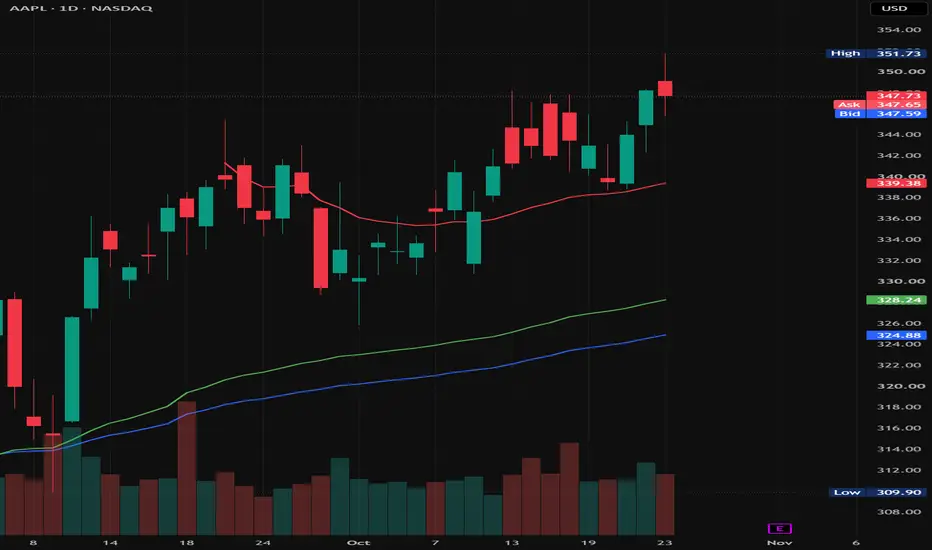
[Overview]
This indicator calculates the Volume-Weighted Average Price (Anchored VWAP) and multi-level bands starting from a user-defined date and time. Unlike the standard built-in VWAP that resets on fixed periodic sessions (Daily, Weekly, Monthly, etc.), this script locks the calculation onto a single specific market event or price pivot, allowing traders to track the true average price paid by market participants since that exact moment.
[Key Features]
- Interactive Anchor Selection: Easily select your starting candle by clicking directly on the chart when adding the indicator, or drag the vertical anchor line at any time to dynamically adjust the calculation start point.
- Lightweight & Optimized: Stripped of unnecessary periodic session resets and external financial data requests (earnings, dividends, splits) for faster loading and cleaner execution.
- 3-Tier Customizable Bands: Supports up to 3 upper and lower bands calculated via either Standard Deviation or Percentage distance from the core VWAP line.
- Clean Visuals: Automatically hides historical plot data prior to the selected anchor timestamp to keep the chart clean and focused.
[How to Use in Trading]
1. Major Swing Highs & Lows: Anchor the VWAP to significant market bottoms or tops to identify dynamic support and resistance zones based on cumulative volume since the trend reversal.
2. High-Volume Breakouts & Macro Events: Set the start date to major catalysts (e.g., Earnings releases, FOMC announcements, or high-volume breakout candles) to gauge whether buyers or sellers are in control and spot mean-reversion opportunities at the outer standard deviation bands.
[Settings]
- Start Date: Sets the exact timestamp (date and time) where the VWAP calculation begins.
- Hide VWAP on 1D or Above: Toggles visibility on daily, weekly, and monthly timeframes.
- Source: Price input used for calculation (Default: hlc3).
- Bands Calculation Mode: Choose between Standard Deviation and Percentage for band distance calculation.
- Bands Multiplier #1 ~ #3: Individually toggle and set the multiplier distance for each of the three upper/lower bands.
This indicator calculates the Volume-Weighted Average Price (Anchored VWAP) and multi-level bands starting from a user-defined date and time. Unlike the standard built-in VWAP that resets on fixed periodic sessions (Daily, Weekly, Monthly, etc.), this script locks the calculation onto a single specific market event or price pivot, allowing traders to track the true average price paid by market participants since that exact moment.
[Key Features]
- Interactive Anchor Selection: Easily select your starting candle by clicking directly on the chart when adding the indicator, or drag the vertical anchor line at any time to dynamically adjust the calculation start point.
- Lightweight & Optimized: Stripped of unnecessary periodic session resets and external financial data requests (earnings, dividends, splits) for faster loading and cleaner execution.
- 3-Tier Customizable Bands: Supports up to 3 upper and lower bands calculated via either Standard Deviation or Percentage distance from the core VWAP line.
- Clean Visuals: Automatically hides historical plot data prior to the selected anchor timestamp to keep the chart clean and focused.
[How to Use in Trading]
1. Major Swing Highs & Lows: Anchor the VWAP to significant market bottoms or tops to identify dynamic support and resistance zones based on cumulative volume since the trend reversal.
2. High-Volume Breakouts & Macro Events: Set the start date to major catalysts (e.g., Earnings releases, FOMC announcements, or high-volume breakout candles) to gauge whether buyers or sellers are in control and spot mean-reversion opportunities at the outer standard deviation bands.
[Settings]
- Start Date: Sets the exact timestamp (date and time) where the VWAP calculation begins.
- Hide VWAP on 1D or Above: Toggles visibility on daily, weekly, and monthly timeframes.
- Source: Price input used for calculation (Default: hlc3).
- Bands Calculation Mode: Choose between Standard Deviation and Percentage for band distance calculation.
- Bands Multiplier #1 ~ #3: Individually toggle and set the multiplier distance for each of the three upper/lower bands.
Nota Keluaran
- Updated all source code comments to English for better clarity and international readability.- Minor code documentation and formatting cleanup.

Penafian
Maklumat dan penerbitan adalah tidak bertujuan, dan tidak membentuk, nasihat atau cadangan kewangan, pelaburan, dagangan atau jenis lain yang diberikan atau disahkan oleh TradingView. Baca lebih dalam Terma Penggunaan.
Penafian
Maklumat dan penerbitan adalah tidak bertujuan, dan tidak membentuk, nasihat atau cadangan kewangan, pelaburan, dagangan atau jenis lain yang diberikan atau disahkan oleh TradingView. Baca lebih dalam Terma Penggunaan.