
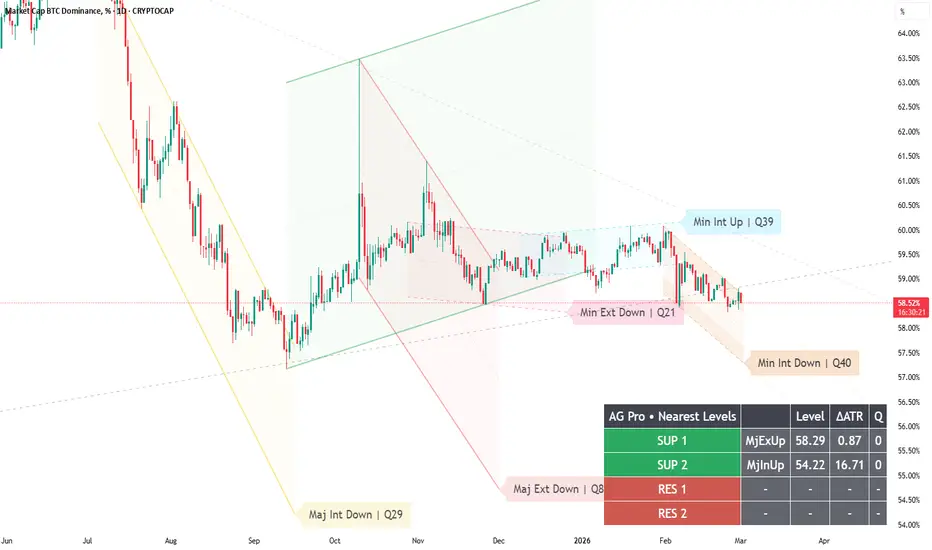
Two Alert Profiles — Conservative vs Reactive (Confirm + Buffer + Cooldown + Min‑Q)
Most traders set alerts like this:
“Turn everything on and hope for the best.”
Then they get spammed, ignore alerts, and lose the whole benefit.
Dynamic Channels Elite is designed for professional alert hygiene:
- Confirm mode (Auto / Intrabar / Close)
- Trigger Buffer (Off / ATR / Ticks)
- Cooldown (bars)
- Min Q gating (quality threshold)
- Optional de‑clutter affecting alerts (consistency)
Here are two clean profiles you can use depending on your temperament:
Profile A — Conservative (recommended baseline)
- Confirm: Close
- Buffer: ATR-based (small)
- Cooldown: ON (moderate)
- Min Q: mid/high threshold
Result: fewer alerts, more meaningful checkpoints.
Profile B — Reactive (for active monitoring)
- Confirm: Intrabar or Auto
- Buffer: Ticks-based (or small ATR)
- Cooldown: ON (shorter)
- Min Q: moderate threshold
Result: earlier warnings, but more noise. You must be disciplined.
How to use alerts correctly:
- Breakout alerts = “structure invalidation → reassess context.”
- Reaction alerts = “structure respected → observe continuation/failure.”
Alerts automate attention, not execution.
Pro tip:
If you use de‑clutter, enable “De‑Clutter Affects Alerts” so you never receive alerts from hidden levels.
Limitations:
No alert configuration can remove regime risk. Choppy regimes will always create more triggers.
Risk disclosure:
Educational content only. Not financial advice.
Most traders set alerts like this:
“Turn everything on and hope for the best.”
Then they get spammed, ignore alerts, and lose the whole benefit.
Dynamic Channels Elite is designed for professional alert hygiene:
- Confirm mode (Auto / Intrabar / Close)
- Trigger Buffer (Off / ATR / Ticks)
- Cooldown (bars)
- Min Q gating (quality threshold)
- Optional de‑clutter affecting alerts (consistency)
Here are two clean profiles you can use depending on your temperament:
Profile A — Conservative (recommended baseline)
- Confirm: Close
- Buffer: ATR-based (small)
- Cooldown: ON (moderate)
- Min Q: mid/high threshold
Result: fewer alerts, more meaningful checkpoints.
Profile B — Reactive (for active monitoring)
- Confirm: Intrabar or Auto
- Buffer: Ticks-based (or small ATR)
- Cooldown: ON (shorter)
- Min Q: moderate threshold
Result: earlier warnings, but more noise. You must be disciplined.
How to use alerts correctly:
- Breakout alerts = “structure invalidation → reassess context.”
- Reaction alerts = “structure respected → observe continuation/failure.”
Alerts automate attention, not execution.
Pro tip:
If you use de‑clutter, enable “De‑Clutter Affects Alerts” so you never receive alerts from hidden levels.
Limitations:
No alert configuration can remove regime risk. Choppy regimes will always create more triggers.
Risk disclosure:
Educational content only. Not financial advice.

Trading Suite | Flagship Workflow :
tradingview.com/script/XJmX3p98-Trading-Suite-AGPro-Series/
Crypto Setup Planner | Multi-Symbol Analysis :
tradingview.com/script/LgVRo7Ql-Crypto-Setup-Planner-AGPro-Series/
tradingview.com/script/XJmX3p98-Trading-Suite-AGPro-Series/
Crypto Setup Planner | Multi-Symbol Analysis :
tradingview.com/script/LgVRo7Ql-Crypto-Setup-Planner-AGPro-Series/
Отказ от ответственности
Информация и публикации не предназначены для предоставления и не являются финансовыми, инвестиционными, торговыми или другими видами советов или рекомендаций, предоставленных или одобренных TradingView. Подробнее читайте в Условиях использования.
Trading Suite | Flagship Workflow :
tradingview.com/script/XJmX3p98-Trading-Suite-AGPro-Series/
Crypto Setup Planner | Multi-Symbol Analysis :
tradingview.com/script/LgVRo7Ql-Crypto-Setup-Planner-AGPro-Series/
tradingview.com/script/XJmX3p98-Trading-Suite-AGPro-Series/
Crypto Setup Planner | Multi-Symbol Analysis :
tradingview.com/script/LgVRo7Ql-Crypto-Setup-Planner-AGPro-Series/
Отказ от ответственности
Информация и публикации не предназначены для предоставления и не являются финансовыми, инвестиционными, торговыми или другими видами советов или рекомендаций, предоставленных или одобренных TradingView. Подробнее читайте в Условиях использования.