Обновлено
Open Legacy Layer Master Official
Open Legacy Layer Master Official
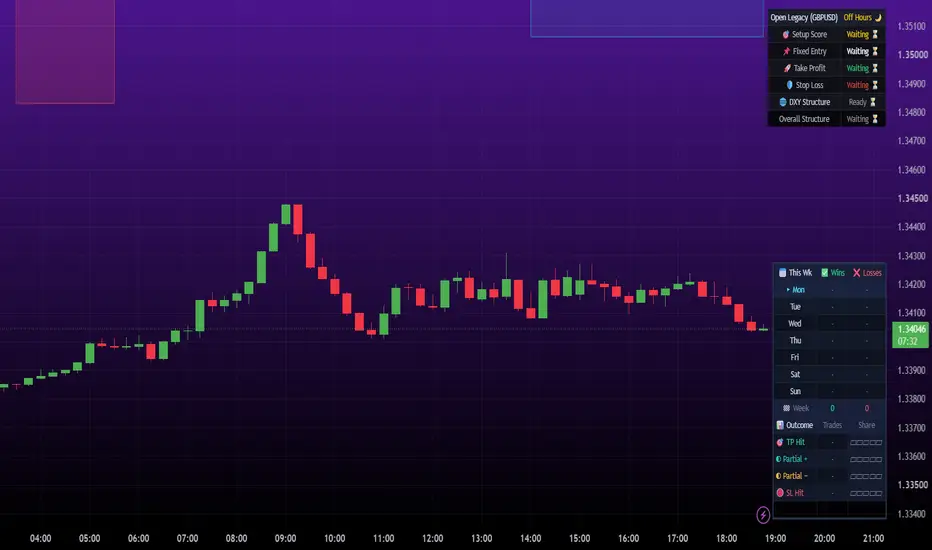
Layer Master gives you one simple thing: a box on your chart showing where adding a small extra trade (a "layer") to an Open Legacy trade could make sense. It appears when a trade starts and ends with it. It is a visual guide, not a signal to trade, and layering always adds risk.
What the colours mean
- Teal: price has not reached the box yet, or conditions are not ideal.
- Green: price is inside the box and the checks look healthy. The layer window is open.
- Red: conditions have turned bad, or price has gone too deep. Do not add.
The box sits on the losing side of your entry. It starts and ends at a percentage of the way to your stop. Green needs the bigger trend (a chart 4x your timeframe) to agree with your trade, along with healthy swing structure, momentum and trend strength.
Getting set up
1. Add it to the same chart as Open Legacy Official.
2. Copy the same strategy, SL, TP, Points Per Pip, sessions and timezone from Open Legacy Official, so both follow the same trades. There are up to 8 sessions.
3. At the bottom of the settings you will find only a few options:
- Zone starts: how far into the dip the box begins. The default is 20.
- Zone ends: where the box finishes. The default is 55.
- How picky to be: Relaxed, Normal or Strict controls how often the box turns green. Normal is a good start.
4. Create an alert with "Any alert() function call" to be notified the moment the box turns green, or turns red.
Using it well
- Make one alert for each chart. Alerts are saved per chart.
- At most one alert fires per candle. If it turns green again later in the same trade, you will be told again.
- Keep any layer small. A layer makes a stop-out cost more, and in testing the benefit was small and uncertain.
- There is an optional setting, "Send layer to MT5 robot", for people who run their own webhook automation. It is off by default and can be ignored otherwise.
Please use standard candles only.
This is a charting tool, not investment advice. The checks are rules of thumb and do not predict future results. Trading carries risk of loss.
Layer Master gives you one simple thing: a box on your chart showing where adding a small extra trade (a "layer") to an Open Legacy trade could make sense. It appears when a trade starts and ends with it. It is a visual guide, not a signal to trade, and layering always adds risk.
What the colours mean
- Teal: price has not reached the box yet, or conditions are not ideal.
- Green: price is inside the box and the checks look healthy. The layer window is open.
- Red: conditions have turned bad, or price has gone too deep. Do not add.
The box sits on the losing side of your entry. It starts and ends at a percentage of the way to your stop. Green needs the bigger trend (a chart 4x your timeframe) to agree with your trade, along with healthy swing structure, momentum and trend strength.
Getting set up
1. Add it to the same chart as Open Legacy Official.
2. Copy the same strategy, SL, TP, Points Per Pip, sessions and timezone from Open Legacy Official, so both follow the same trades. There are up to 8 sessions.
3. At the bottom of the settings you will find only a few options:
- Zone starts: how far into the dip the box begins. The default is 20.
- Zone ends: where the box finishes. The default is 55.
- How picky to be: Relaxed, Normal or Strict controls how often the box turns green. Normal is a good start.
4. Create an alert with "Any alert() function call" to be notified the moment the box turns green, or turns red.
Using it well
- Make one alert for each chart. Alerts are saved per chart.
- At most one alert fires per candle. If it turns green again later in the same trade, you will be told again.
- Keep any layer small. A layer makes a stop-out cost more, and in testing the benefit was small and uncertain.
- There is an optional setting, "Send layer to MT5 robot", for people who run their own webhook automation. It is off by default and can be ignored otherwise.
Please use standard candles only.
This is a charting tool, not investment advice. The checks are rules of thumb and do not predict future results. Trading carries risk of loss.
Информация о релизе
Added MT5 alert connection featureИнформация о релизе
Added link between open legacy scoreboard and layer masterИнформация о релизе
Finishing edits on connection between open legacy scoreboard and layer master
Отказ от ответственности
Информация и публикации не предназначены для предоставления и не являются финансовыми, инвестиционными, торговыми или другими видами советов или рекомендаций, предоставленных или одобренных TradingView. Подробнее читайте в Условиях использования.
Отказ от ответственности
Информация и публикации не предназначены для предоставления и не являются финансовыми, инвестиционными, торговыми или другими видами советов или рекомендаций, предоставленных или одобренных TradingView. Подробнее читайте в Условиях использования.