
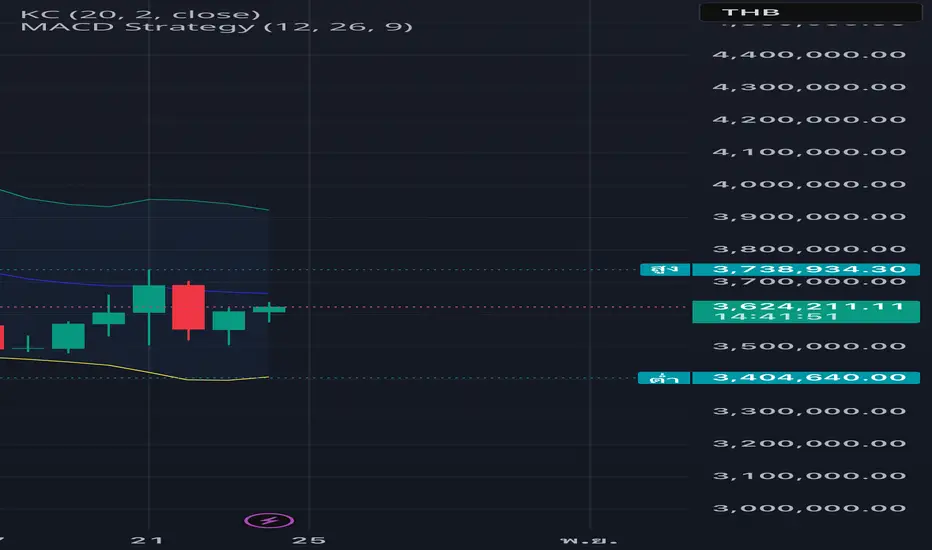
//version=5
indicator(title="Price Change Alert (JTG Indicator)", shorttitle="JTG Alert 20%", overlay=true)
// --- 1. Inputs: การตั้งค่าที่ผู้ใช้กำหนดได้ ---
i_percent_change = input.float(20.0, title="Threshold Change (%)", minval=1.0)
i_lookback = input.int(1, title="Lookback Period (Bars)", minval=1)
i_calc_method = input.string("Close-to-Close", title="Calculation Method", options=["Close-to-Close", "Open-to-Close"])
i_alert_message = input.string("JTG Alert triggered on {{ticker}}!", title="Alert Message")
// --- 2. Calculation: การคำนวณเปอร์เซ็นต์การเปลี่ยนแปลง ---
// ตรวจสอบวิธีการคำนวณ
var float initial_price = switch i_calc_method
"Open-to-Close" => open
=> close[i_lookback] // Close-to-Close
// การเปลี่ยนแปลงราคา
price_change = close - initial_price
// เปอร์เซ็นต์การเปลี่ยนแปลง
percent_change = (price_change / initial_price) * 100
// ค่าสัมบูรณ์ของเปอร์เซ็นต์การเปลี่ยนแปลง (เพื่อให้ใช้ได้ทั้งขึ้นและลง)
abs_percent_change = math.abs(percent_change)
// --- 3. Conditions: เงื่อนไขการแจ้งเตือน ---
// เงื่อนไขที่ราคามีการเพิ่มขึ้น/ลดลง มากกว่าหรือเท่ากับ Threshold ที่กำหนด
condition_up = percent_change >= i_percent_change
condition_down = percent_change <= -i_percent_change
alert_condition = condition_up or condition_down
// --- 4. Plotting & Visualization: การแสดงผลบนกราฟ (เป็นทางเลือก) ---
plot(abs_percent_change, title="Abs % Change", color=color.rgb(102, 187, 106, 50), linewidth=2)
hline(i_percent_change, title="Up Threshold", color=color.green, linestyle=hline.style_solid)
hline(-i_percent_change, title="Down Threshold", color=color.red, linestyle=hline.style_solid)
// การแสดงสัญลักษณ์เมื่อเงื่อนไขเป็นจริง
plotshape(condition_up, title="Major Up Move", location=location.belowbar, color=color.new(color.green, 0), style=shape.triangleup, size=size.small)
plotshape(condition_down, title="Major Down Move", location=location.abovebar, color=color.new(color.red, 0), style=shape.triangledown, size=size.small)
// --- 5. Alert Function: ฟังก์ชันแจ้งเตือน ---
if alert_condition
// สร้างข้อความแจ้งเตือนแบบ Dynamic
var string direction = percent_change > 0 ? "UP" : "DOWN"
var string message = "ALERT: {{ticker}} Change: " + str.tostring(percent_change, "#.##") + "% (" + direction + "). Threshold: " + str.tostring(i_percent_change) + "%."
// ฟังก์ชัน alert() สำหรับการสร้างการแจ้งเตือนบนเซิร์ฟเวอร์ TradingView
alert(message, freq=alert.freq_once_per_bar_close)
// --- จบสคริปต์ ---
indicator(title="Price Change Alert (JTG Indicator)", shorttitle="JTG Alert 20%", overlay=true)
// --- 1. Inputs: การตั้งค่าที่ผู้ใช้กำหนดได้ ---
i_percent_change = input.float(20.0, title="Threshold Change (%)", minval=1.0)
i_lookback = input.int(1, title="Lookback Period (Bars)", minval=1)
i_calc_method = input.string("Close-to-Close", title="Calculation Method", options=["Close-to-Close", "Open-to-Close"])
i_alert_message = input.string("JTG Alert triggered on {{ticker}}!", title="Alert Message")
// --- 2. Calculation: การคำนวณเปอร์เซ็นต์การเปลี่ยนแปลง ---
// ตรวจสอบวิธีการคำนวณ
var float initial_price = switch i_calc_method
"Open-to-Close" => open
=> close[i_lookback] // Close-to-Close
// การเปลี่ยนแปลงราคา
price_change = close - initial_price
// เปอร์เซ็นต์การเปลี่ยนแปลง
percent_change = (price_change / initial_price) * 100
// ค่าสัมบูรณ์ของเปอร์เซ็นต์การเปลี่ยนแปลง (เพื่อให้ใช้ได้ทั้งขึ้นและลง)
abs_percent_change = math.abs(percent_change)
// --- 3. Conditions: เงื่อนไขการแจ้งเตือน ---
// เงื่อนไขที่ราคามีการเพิ่มขึ้น/ลดลง มากกว่าหรือเท่ากับ Threshold ที่กำหนด
condition_up = percent_change >= i_percent_change
condition_down = percent_change <= -i_percent_change
alert_condition = condition_up or condition_down
// --- 4. Plotting & Visualization: การแสดงผลบนกราฟ (เป็นทางเลือก) ---
plot(abs_percent_change, title="Abs % Change", color=color.rgb(102, 187, 106, 50), linewidth=2)
hline(i_percent_change, title="Up Threshold", color=color.green, linestyle=hline.style_solid)
hline(-i_percent_change, title="Down Threshold", color=color.red, linestyle=hline.style_solid)
// การแสดงสัญลักษณ์เมื่อเงื่อนไขเป็นจริง
plotshape(condition_up, title="Major Up Move", location=location.belowbar, color=color.new(color.green, 0), style=shape.triangleup, size=size.small)
plotshape(condition_down, title="Major Down Move", location=location.abovebar, color=color.new(color.red, 0), style=shape.triangledown, size=size.small)
// --- 5. Alert Function: ฟังก์ชันแจ้งเตือน ---
if alert_condition
// สร้างข้อความแจ้งเตือนแบบ Dynamic
var string direction = percent_change > 0 ? "UP" : "DOWN"
var string message = "ALERT: {{ticker}} Change: " + str.tostring(percent_change, "#.##") + "% (" + direction + "). Threshold: " + str.tostring(i_percent_change) + "%."
// ฟังก์ชัน alert() สำหรับการสร้างการแจ้งเตือนบนเซิร์ฟเวอร์ TradingView
alert(message, freq=alert.freq_once_per_bar_close)
// --- จบสคริปต์ ---

คำจำกัดสิทธิ์ความรับผิดชอบ
ข้อมูลและบทความไม่ได้มีวัตถุประสงค์เพื่อก่อให้เกิดกิจกรรมทางการเงิน, การลงทุน, การซื้อขาย, ข้อเสนอแนะ หรือคำแนะนำประเภทอื่น ๆ ที่ให้หรือรับรองโดย TradingView อ่านเพิ่มเติมใน ข้อกำหนดการใช้งาน
คำจำกัดสิทธิ์ความรับผิดชอบ
ข้อมูลและบทความไม่ได้มีวัตถุประสงค์เพื่อก่อให้เกิดกิจกรรมทางการเงิน, การลงทุน, การซื้อขาย, ข้อเสนอแนะ หรือคำแนะนำประเภทอื่น ๆ ที่ให้หรือรับรองโดย TradingView อ่านเพิ่มเติมใน ข้อกำหนดการใช้งาน