OPEN-SOURCE SCRIPT
Güncellendi OMSF Learning Space

Welcome to the Omsf Learning Space.
This is not a commercial "holy grail" indicator, nor is it a rigid, corporate course. This is my personal sandbox and educational archive where I dissect market structure, breakout mechanics, and reversal setups.
THE CORE PHILOSOPHY:
Everything in this space is built upon my Omsf (Objective Market Structure Framework). Whether you are a beginner trying to understand how charts breathe, or an advanced trader looking for mechanical rules – this space is designed to give you a clear, visual reality check.
WHAT TO EXPECT:
This script is dynamic and will change organically over time. As I publish new trading ideas, research notes, or structural concepts, this indicator will adapt. Old parts might get swapped out, new experiments will be added, or it might evolve into a v2.0 down the road. There is no fixed schedule. It updates when it updates.
CURRENT VERSION (Launch):
Right now, we are looking at the foundational mechanics: Classic, rigid Pivots alongside the dynamic volatility adjustment of the Omsf.
- Toggle "Exercise 1" to stress-test both engines in the configuration sandbox.
- Toggle "Outlook" to see how classic Pivots perform when taken literally as a trend filter.
Enjoy the sandbox, play with the parameters, and use the Bar Replay. See you in the ideas section!
— arni
This is not a commercial "holy grail" indicator, nor is it a rigid, corporate course. This is my personal sandbox and educational archive where I dissect market structure, breakout mechanics, and reversal setups.
THE CORE PHILOSOPHY:
Everything in this space is built upon my Omsf (Objective Market Structure Framework). Whether you are a beginner trying to understand how charts breathe, or an advanced trader looking for mechanical rules – this space is designed to give you a clear, visual reality check.
WHAT TO EXPECT:
This script is dynamic and will change organically over time. As I publish new trading ideas, research notes, or structural concepts, this indicator will adapt. Old parts might get swapped out, new experiments will be added, or it might evolve into a v2.0 down the road. There is no fixed schedule. It updates when it updates.
CURRENT VERSION (Launch):
Right now, we are looking at the foundational mechanics: Classic, rigid Pivots alongside the dynamic volatility adjustment of the Omsf.
- Toggle "Exercise 1" to stress-test both engines in the configuration sandbox.
- Toggle "Outlook" to see how classic Pivots perform when taken literally as a trend filter.
Enjoy the sandbox, play with the parameters, and use the Bar Replay. See you in the ideas section!
— arni
Sürüm Notları
OMSF Learning Space — Update v1.1This update transitions the environment into a structured, chapter-driven interface and prepares the ground for the upcoming trend validation modules.
Key Changes:
New Chapter Menu Structure: Cleaned up the settings menu for a precise, step-by-step navigation through the educational content.
Transition to "Recap": The former "Outlook" module has been upgraded to an interactive "Recap" section, visualizing a pure, price-action-driven Pivot Trend Filter.
Dynamic Trend Overlays: Added real-time background color shading within the Recap chapter to visually demonstrate the mechanical confirmation delay inherent to time-based indicators.
The sandbox is fully prepared for Chapter 4. The deeper breakdown of these structural mechanics can be found in the accompanying weekly chart idea series.
Sürüm Notları
Release Notes: OMSF Learning Space v1.2New Navigation Hub: Added 'Chapter 3 - Introduce Kaufman Efficiency Ratio' and 'Chapter 4 - Trendfilter Validation' to inputs selection.
Layout Isolation: Introduced chapter_intro_overlay table function with force_overlay = true to push Chapter 3 text box to main pane while preserving workspace below.
Extension: Programmed complete 14-period Kaufman Efficiency Ratio (KER) oscillator calculations directly inside the script.
Dynamic Alpha Coloring: Added reactive transparency engine for the KER line plots and zero-line fills based on direction and absolute values.
Static Overbought/Oversold Benchmarks: Added key hline thresholds at $\pm1.0$, $\pm0.50$, and $0.0$.
State Expansion: Re-engineered visibility matrix (render_active_pivot, is_render_uptrend, is_render_downtrend) to carry the background trend fills flawlessly over from Recap into Chapter
Sürüm Notları
Update Notes: Chapter 4 (KER Validation)- New Two-Column Chapter Layout: Redesigned the on-chart text engine into a two-column format for optimal readability directly on the screen.
- Chapters 4a, 4b & 4c Activated: Added interactive tutorial chapters focusing on mathematical trend validation using the Kaufman Efficiency Ratio (KER).
- Real-Time Statistics Table: Integrated a data table displaying the average KER broken down by active trend conditions for both Pivot and OMSF engines.
- Visual KER Filter Validation: Added a toggle to highlight candle ranges when structural trend direction matches mathematical efficiency (Positive KER in Uptrend / Negative KER in Downtrend).
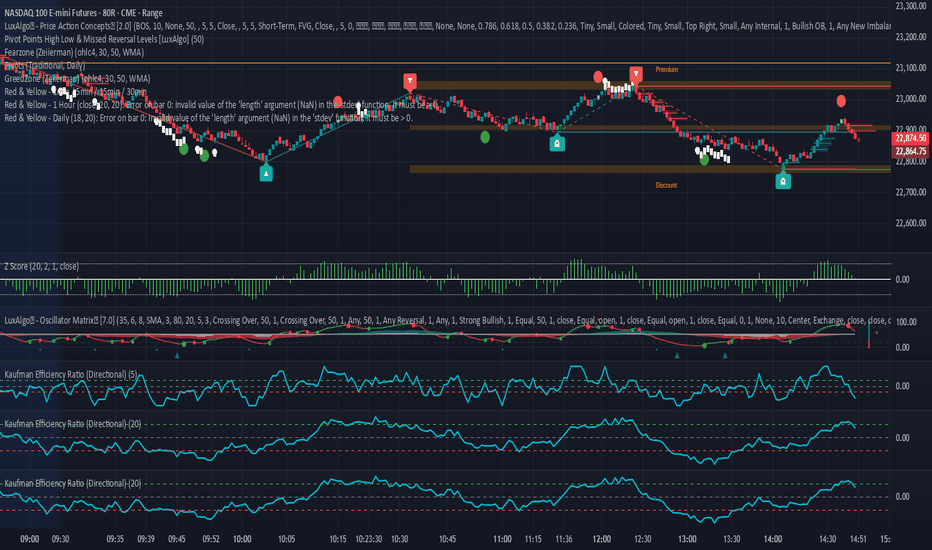
KER Implementation References:
- Kaufman Efficiency Ratio - Directional:
- Kaufman's Efficiency Ratio Indicator:
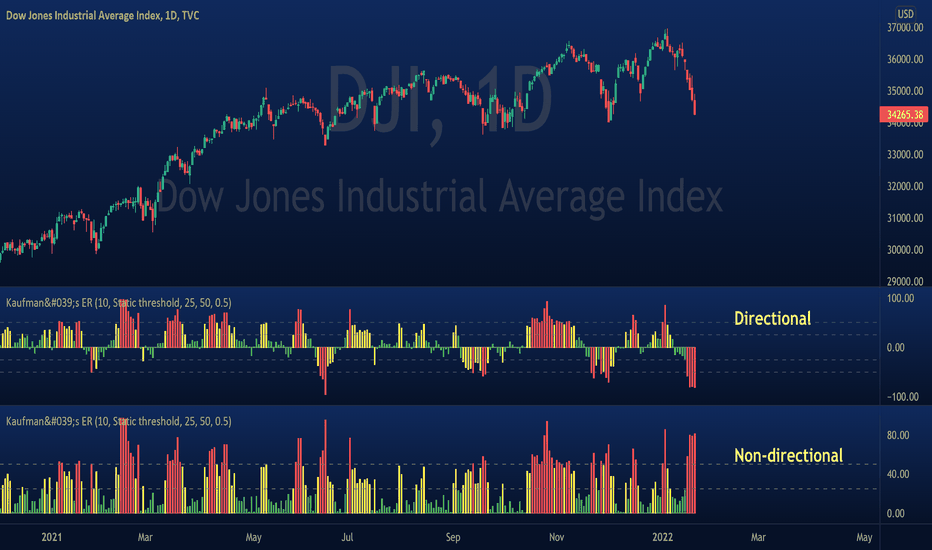
Note: Go to the indicator settings and click 'Reset settings' at the very bottom to ensure all new elements load correctly.
Açık kaynak kodlu komut dosyası
Gerçek TradingView ruhuyla, bu komut dosyasının mimarı, yatırımcıların işlevselliğini inceleyip doğrulayabilmesi için onu açık kaynaklı hale getirdi. Yazarı tebrik ederiz! Ücretsiz olarak kullanabilseniz de, kodu yeniden yayınlamanın Topluluk Kurallarımıza tabi olduğunu unutmayın.

Feragatname
Bilgiler ve yayınlar, TradingView tarafından sağlanan veya onaylanan finansal, yatırım, alım satım veya diğer türden tavsiye veya öneriler anlamına gelmez ve teşkil etmez. Kullanım Koşulları bölümünde daha fazlasını okuyun.
Açık kaynak kodlu komut dosyası
Gerçek TradingView ruhuyla, bu komut dosyasının mimarı, yatırımcıların işlevselliğini inceleyip doğrulayabilmesi için onu açık kaynaklı hale getirdi. Yazarı tebrik ederiz! Ücretsiz olarak kullanabilseniz de, kodu yeniden yayınlamanın Topluluk Kurallarımıza tabi olduğunu unutmayın.
Feragatname
Bilgiler ve yayınlar, TradingView tarafından sağlanan veya onaylanan finansal, yatırım, alım satım veya diğer türden tavsiye veya öneriler anlamına gelmez ve teşkil etmez. Kullanım Koşulları bölümünde daha fazlasını okuyun.