SMA Selectable Timeframe Alerts
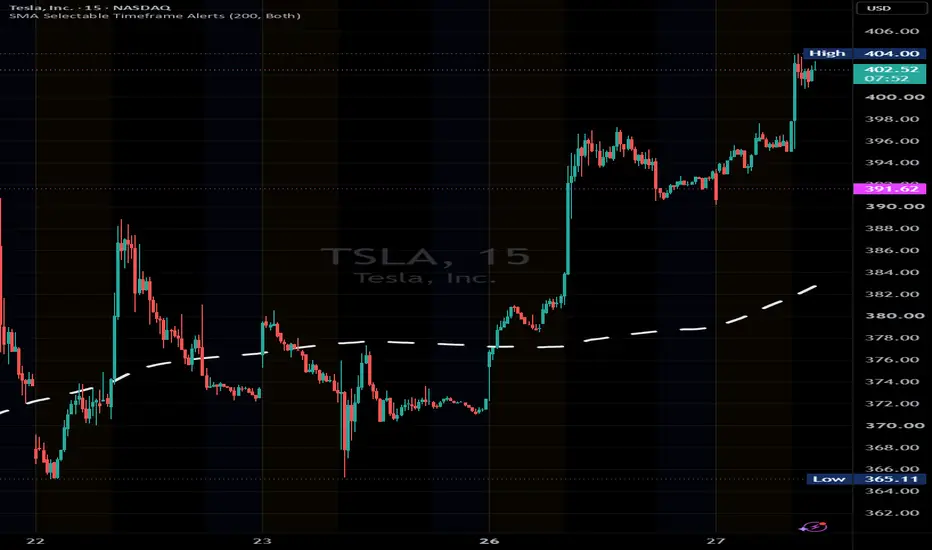
The script triggers alerts when a candle closes above or below your selected SMA on the timeframes you choose, eliminating the uncertainty associated with TradingView’s built-in SMA alert triggers.
1. Install: Replace everything in Pine Editor with the new script, then Save → Add to chart.
2. Choose the SMA: Open the indicator’s Settings → Inputs. Set SMA length to 15, 25, 50, 100, 150, or 200.
3. Choose direction: Select Both, Above only, or Below only.
4. Choose timeframes: Under Alert Timeframes, check only those you want monitored.
5. Set the chart: Use a standard candlestick chart at or below the smallest selected timeframe. If 1h and 1D are selected, use a 1-hour chart or lower.
6. Create the alert: Select Create Alert → SMA Selectable Timeframe Alerts → Any alert() function call. Enable phone/email notifications and click Create.
Example notification:
NASDAQ:TSLA | 1D | Close crossed ABOVE SMA 200 | Close: 430.00 | SMA: 425.50
One alert covers one SMA length, your selected timeframes, and one stock. Repeat for additional SMA lengths or stocks.
Once created, it runs with TradingView closed, and you can change your visible chart timeframe. Recreate an alert whenever you change the script or its settings—existing alerts retain their original setup.
1. Install: Replace everything in Pine Editor with the new script, then Save → Add to chart.
2. Choose the SMA: Open the indicator’s Settings → Inputs. Set SMA length to 15, 25, 50, 100, 150, or 200.
3. Choose direction: Select Both, Above only, or Below only.
4. Choose timeframes: Under Alert Timeframes, check only those you want monitored.
5. Set the chart: Use a standard candlestick chart at or below the smallest selected timeframe. If 1h and 1D are selected, use a 1-hour chart or lower.
6. Create the alert: Select Create Alert → SMA Selectable Timeframe Alerts → Any alert() function call. Enable phone/email notifications and click Create.
Example notification:
NASDAQ:TSLA | 1D | Close crossed ABOVE SMA 200 | Close: 430.00 | SMA: 425.50
One alert covers one SMA length, your selected timeframes, and one stock. Repeat for additional SMA lengths or stocks.
Once created, it runs with TradingView closed, and you can change your visible chart timeframe. Recreate an alert whenever you change the script or its settings—existing alerts retain their original setup.

(MoMo)
免責聲明
這些資訊和出版物並非旨在提供,也不構成TradingView提供或認可的任何形式的財務、投資、交易或其他類型的建議或推薦。請閱讀使用條款以了解更多資訊。
(MoMo)
免責聲明
這些資訊和出版物並非旨在提供,也不構成TradingView提供或認可的任何形式的財務、投資、交易或其他類型的建議或推薦。請閱讀使用條款以了解更多資訊。