
It was annoying me that my panel was opening on the left hand side, but I could see it on the right in some of the demo videos and screenshots.
There wasn't any obvious setting in the plugin, but a quick Google shows that the position of the side panel is actually a Chrome browser setting, not something controlled by the plugin's code.
If you want to move it from the left to the right (or vice versa), you’ll need to adjust your browser preferences. Super simple and easy to do (once you know).
How to Move the Side Panel to the Right or Left
There wasn't any obvious setting in the plugin, but a quick Google shows that the position of the side panel is actually a Chrome browser setting, not something controlled by the plugin's code.
If you want to move it from the left to the right (or vice versa), you’ll need to adjust your browser preferences. Super simple and easy to do (once you know).
How to Move the Side Panel to the Right or Left
- Open Chrome and click the three dots (⋮) in the top-right corner.
- Select Settings.
- On the left-hand sidebar, click on Appearance.
- Look for the section labeled Side panel.
- Toggle the setting to Show on the right or left depending on your preference.
Ghi chú
Link to the TradingView Remix AI tool overview video I made: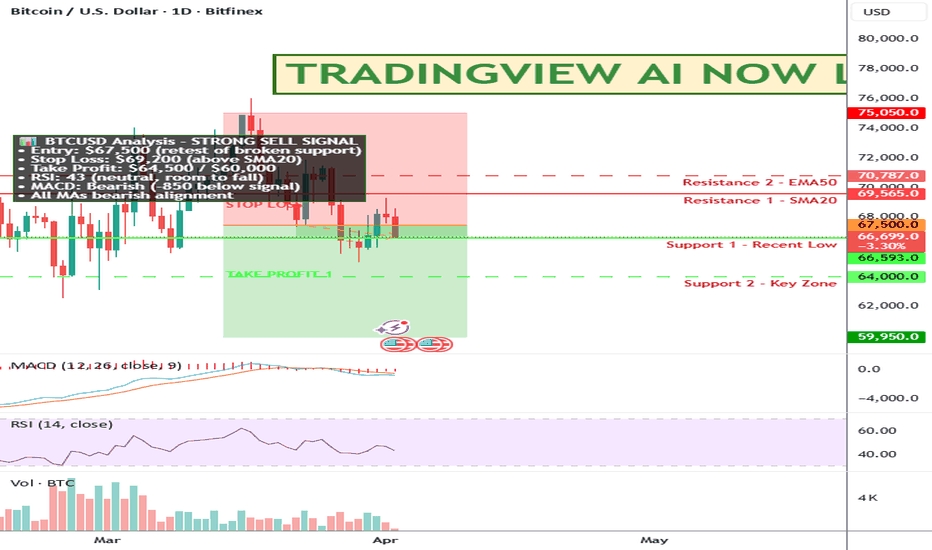

NOT TRADING ADVICE. ALWAYS DO YOUR OWN RESEARCH.
MY CUSTOM INDICATOR TO FIND TRAILING STOPS: SuperTrail.io
MY YOUTUBE CHANNEL WITH TRADINGVIEW TIPS: YouTube.com/@zAngus
MY CUSTOM INDICATOR TO FIND TRAILING STOPS: SuperTrail.io
MY YOUTUBE CHANNEL WITH TRADINGVIEW TIPS: YouTube.com/@zAngus
Bài đăng liên quan
Thông báo miễn trừ trách nhiệm
Thông tin và các ấn phẩm này không nhằm mục đích, và không cấu thành, lời khuyên hoặc khuyến nghị về tài chính, đầu tư, giao dịch hay các loại khác do TradingView cung cấp hoặc xác nhận. Đọc thêm tại Điều khoản Sử dụng.
NOT TRADING ADVICE. ALWAYS DO YOUR OWN RESEARCH.
MY CUSTOM INDICATOR TO FIND TRAILING STOPS: SuperTrail.io
MY YOUTUBE CHANNEL WITH TRADINGVIEW TIPS: YouTube.com/@zAngus
MY CUSTOM INDICATOR TO FIND TRAILING STOPS: SuperTrail.io
MY YOUTUBE CHANNEL WITH TRADINGVIEW TIPS: YouTube.com/@zAngus
Bài đăng liên quan
Thông báo miễn trừ trách nhiệm
Thông tin và các ấn phẩm này không nhằm mục đích, và không cấu thành, lời khuyên hoặc khuyến nghị về tài chính, đầu tư, giao dịch hay các loại khác do TradingView cung cấp hoặc xác nhận. Đọc thêm tại Điều khoản Sử dụng.