Cập nhật
KeyLevels
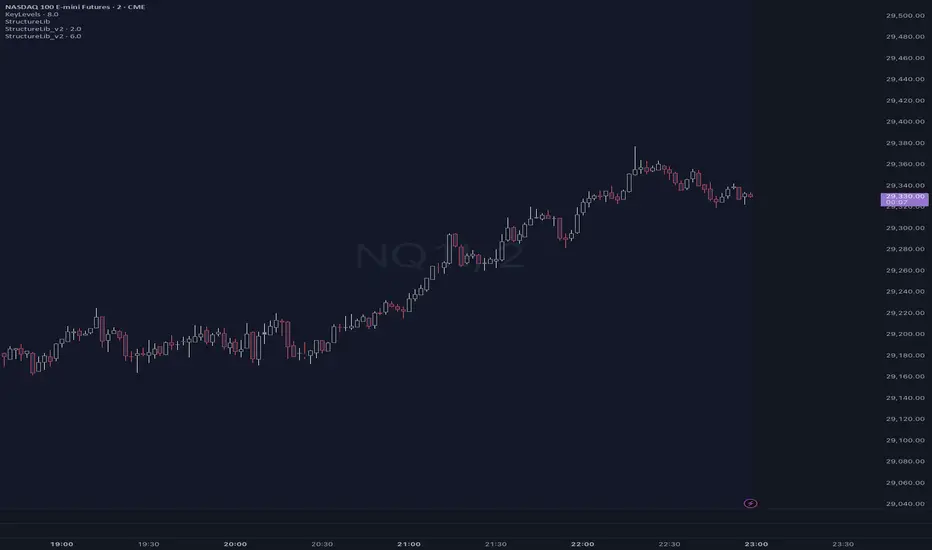
Library "KeyLevels"
Library for common trading levels including VWAP, session levels (Asia, London, NYC, Comex IB), HTF OHLC, and Opening Ranges.
--- IMPLEMENTATION INSTRUCTIONS ---
1. Save this script as a Library named "KeyLevels".
2. In your indicator/strategy, import it: `import <YourUsername>/KeyLevels/1 as kl`
3. To get the data object, call: `levels = kl.getLevels()`
4. Access levels using dot notation: `levels.loH` (London High), `levels.nycH` (NYC High), `levels.cibH` (Comex IB High).
5. To get all levels in a single array for loops: `levelArray = kl.toArray(levels)`
--- TIMEZONE NOTE ---
The default timezone is "UTC-5" (New York). For accurate seasonal adjustments, use "America/New_York".
getLevels(vwapAnchor, vwapMult, rollingLen, htfAnchor, tz)
getLevels Calculates and returns a KeyLevelsData object with comprehensive trading levels.
Parameters:
vwapAnchor (string): Anchor condition for the main VWAP (e.g., "1D", "1W").
vwapMult (float): Standard deviation multiplier for VWAP bands.
rollingLen (int): Length for the rolling VWAP calculation.
htfAnchor (string): Anchor for the HTF VWAP (e.g., "1W", "1M").
tz (string): Timezone for session calculations (default: "UTC-5").
Returns: A `KeyLevelsData` object containing the levels.
toArray(data)
toArray Converts a KeyLevelsData object into a flat array of floats.
Parameters:
data (KeyLevelsData): The KeyLevelsData object to convert.
Returns: An array of floats containing all levels.
KeyLevelsData
KeyLevelsData Master structure to hold all calculated key levels (Flattened).
Fields:
vwapCenter (series float)
vwapUpper (series float)
vwapLower (series float)
htfVwapCenter (series float)
htfVwapUpper (series float)
htfVwapLower (series float)
rollingVwap (series float)
dailyOpen (series float)
asO (series float)
asH (series float)
asL (series float)
asC (series float)
loO (series float)
loH (series float)
loL (series float)
loC (series float)
nycO (series float)
nycH (series float)
nycL (series float)
nycC (series float)
cibO (series float)
cibH (series float)
cibL (series float)
cibC (series float)
ibO (series float)
ibH (series float)
ibL (series float)
ibC (series float)
ibMid (series float)
o5O (series float)
o5H (series float)
o5L (series float)
o5C (series float)
o15O (series float)
o15H (series float)
o15L (series float)
o15C (series float)
o30O (series float)
o30H (series float)
o30L (series float)
o30C (series float)
pdO (series float)
pdH (series float)
pdL (series float)
pdC (series float)
pwO (series float)
pwH (series float)
pwL (series float)
pwC (series float)
cwO (series float)
cwH (series float)
cwL (series float)
cwC (series float)
cmO (series float)
cmH (series float)
cmL (series float)
cmC (series float)
settlement (series float)
Library for common trading levels including VWAP, session levels (Asia, London, NYC, Comex IB), HTF OHLC, and Opening Ranges.
--- IMPLEMENTATION INSTRUCTIONS ---
1. Save this script as a Library named "KeyLevels".
2. In your indicator/strategy, import it: `import <YourUsername>/KeyLevels/1 as kl`
3. To get the data object, call: `levels = kl.getLevels()`
4. Access levels using dot notation: `levels.loH` (London High), `levels.nycH` (NYC High), `levels.cibH` (Comex IB High).
5. To get all levels in a single array for loops: `levelArray = kl.toArray(levels)`
--- TIMEZONE NOTE ---
The default timezone is "UTC-5" (New York). For accurate seasonal adjustments, use "America/New_York".
getLevels(vwapAnchor, vwapMult, rollingLen, htfAnchor, tz)
getLevels Calculates and returns a KeyLevelsData object with comprehensive trading levels.
Parameters:
vwapAnchor (string): Anchor condition for the main VWAP (e.g., "1D", "1W").
vwapMult (float): Standard deviation multiplier for VWAP bands.
rollingLen (int): Length for the rolling VWAP calculation.
htfAnchor (string): Anchor for the HTF VWAP (e.g., "1W", "1M").
tz (string): Timezone for session calculations (default: "UTC-5").
Returns: A `KeyLevelsData` object containing the levels.
toArray(data)
toArray Converts a KeyLevelsData object into a flat array of floats.
Parameters:
data (KeyLevelsData): The KeyLevelsData object to convert.
Returns: An array of floats containing all levels.
KeyLevelsData
KeyLevelsData Master structure to hold all calculated key levels (Flattened).
Fields:
vwapCenter (series float)
vwapUpper (series float)
vwapLower (series float)
htfVwapCenter (series float)
htfVwapUpper (series float)
htfVwapLower (series float)
rollingVwap (series float)
dailyOpen (series float)
asO (series float)
asH (series float)
asL (series float)
asC (series float)
loO (series float)
loH (series float)
loL (series float)
loC (series float)
nycO (series float)
nycH (series float)
nycL (series float)
nycC (series float)
cibO (series float)
cibH (series float)
cibL (series float)
cibC (series float)
ibO (series float)
ibH (series float)
ibL (series float)
ibC (series float)
ibMid (series float)
o5O (series float)
o5H (series float)
o5L (series float)
o5C (series float)
o15O (series float)
o15H (series float)
o15L (series float)
o15C (series float)
o30O (series float)
o30H (series float)
o30L (series float)
o30C (series float)
pdO (series float)
pdH (series float)
pdL (series float)
pdC (series float)
pwO (series float)
pwH (series float)
pwL (series float)
pwC (series float)
cwO (series float)
cwH (series float)
cwL (series float)
cwC (series float)
cmO (series float)
cmH (series float)
cmL (series float)
cmC (series float)
settlement (series float)
Phát hành các Ghi chú
updates Phát hành các Ghi chú
// description Library for common trading levels including VWAP, session levels,// Asia/London/NYC ranges, Comex IB, standard IB, opening ranges, HTF OHLC,
// ADR values, mids/ranges, and nearest-level utilities.
//
// --- IMPLEMENTATION INSTRUCTIONS ---
// 1. Save this script as a Library named "KeyLevels".
// 2. In your indicator/strategy, import it:
// import adekoyotemohn/KeyLevels/3 as kl
// 3. To get the data object, call:
// levels = kl.getLevels()
// 4. Access levels using dot notation:
// levels.loH, levels.o5H, levels.pdMid, levels.adr
// 5. To get all levels in a single array for loops:
// levelArray = kl.toArray(levels)
//
// --- TIMEZONE NOTE ---
// The default timezone is "UTC-5" for backward compatibility.
// For accurate seasonal adjustments, prefer "America/New_York".
Phát hành các Ghi chú
This library provides a centralized backend for common intraday and higher-timeframe trading levels so scripts do not have to recalculate the same reference points over and over. It packages VWAP levels, HTF VWAP, rolling VWAP, daily open, settlement proxy, ADR values, Asia/London/New York ranges, Comex initial balance, standard initial balance, multiple opening ranges, previous day levels, previous week levels, current week levels, and current month levels into one reusable data object. The goal is not to create trade signals by itself, but to give indicators and strategy scripts a clean, consistent level source for confluence, context, filtering, alerts, dashboards, and trade planning.The library is especially useful for ORB, Crabel-style range expansion, session sweep, VWAP reclaim, prior high/low reaction, and intraday confluence systems. Instead of each script carrying bulky session logic, ADR logic, nearest-level scans, and duplicated midpoint/range calculations, this library allows the main indicator to stay lean and focused on decision logic. It also includes helper functions for checking readiness, calculating mids and ranges, measuring tick distance, finding the nearest level above or below price, and returning arrays of major levels with matching names for loops, tables, labels, and scoring engines.
To use it, save the code as a TradingView library named KeyLevels, publish/update it privately or publicly, then import it into a script with import adekoyotemohn/KeyLevels/3 as kl or the newest published version number. Call levels = kl.getLevels() to create the level object, then reference any field directly, such as levels.o5H, levels.o30L, levels.ibMid, levels.pdH, levels.vwapCenter, or levels.adr. For confluence engines, use kl.toArray(levels) and kl.toNames() to scan all tracked levels, or kl.toMajorArray(levels) and kl.toMajorNames() when only the most important levels should be considered.
The latest update improves the prior initial balance logic. The previous version used a more fragile ta.valuewhen() approach against session-derived IB values, which could behave inconsistently when daily/session boundaries and mutable intraday state did not line up cleanly. The updated version now stores the last completed initial balance high and low persistently when a new day begins, then exposes those values as pibH, pibL, pibMid, and pibRange. ADR requests were also kept fixed internally so exported function arguments do not create unstable request.security() behavior. In plain English: the library is now better suited for the Crabel/ORB workflow because today’s opening range logic can cleanly reference yesterday’s completed IB without dragging mud into the main script.

Thông báo miễn trừ trách nhiệm
Thông tin và các ấn phẩm này không nhằm mục đích, và không cấu thành, lời khuyên hoặc khuyến nghị về tài chính, đầu tư, giao dịch hay các loại khác do TradingView cung cấp hoặc xác nhận. Đọc thêm tại Điều khoản Sử dụng.
Thông báo miễn trừ trách nhiệm
Thông tin và các ấn phẩm này không nhằm mục đích, và không cấu thành, lời khuyên hoặc khuyến nghị về tài chính, đầu tư, giao dịch hay các loại khác do TradingView cung cấp hoặc xác nhận. Đọc thêm tại Điều khoản Sử dụng.