How to paste X posts or ideas onto the chart
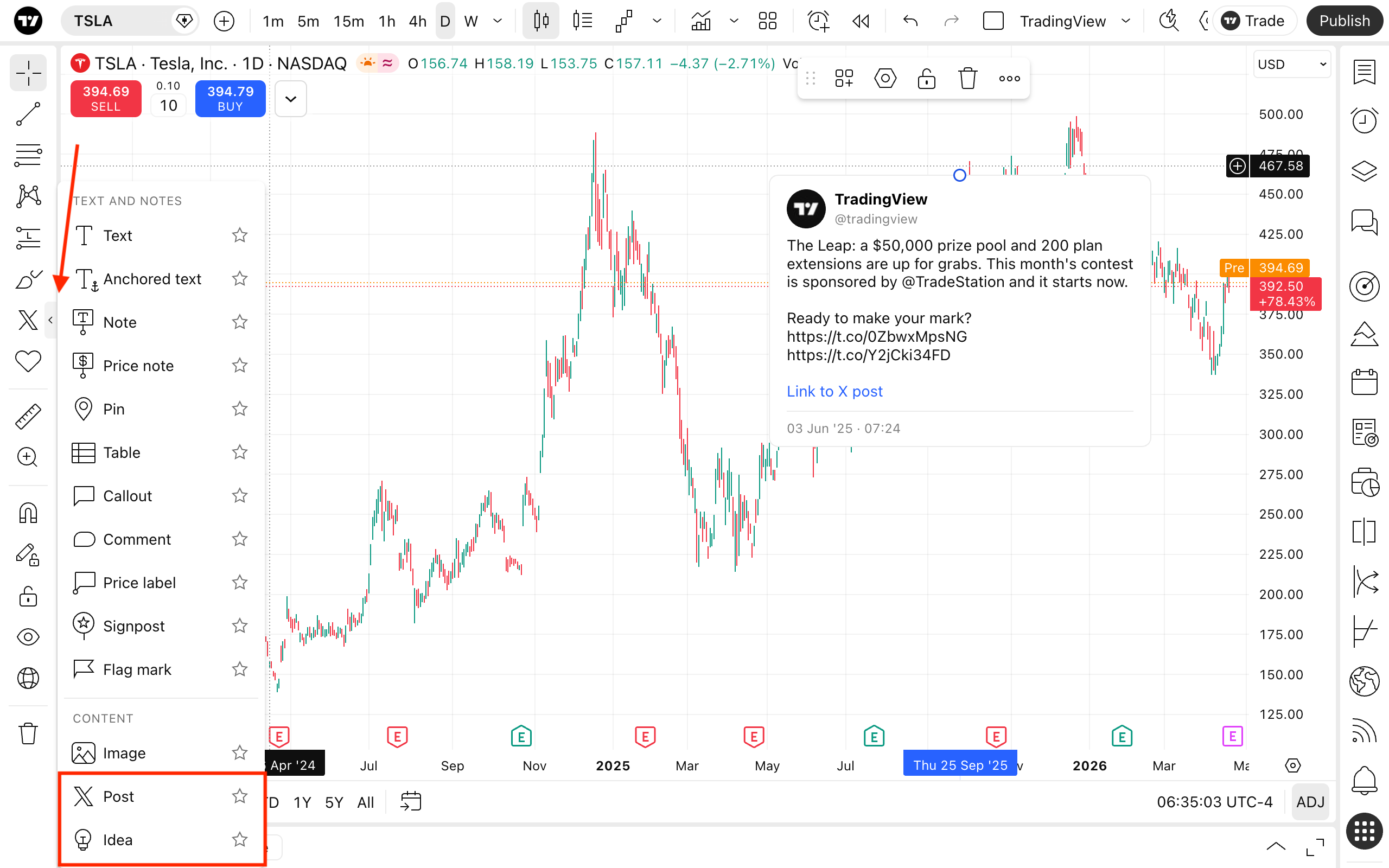
Go to the annotation tools menu in the drawing panel and select the X post or idea.
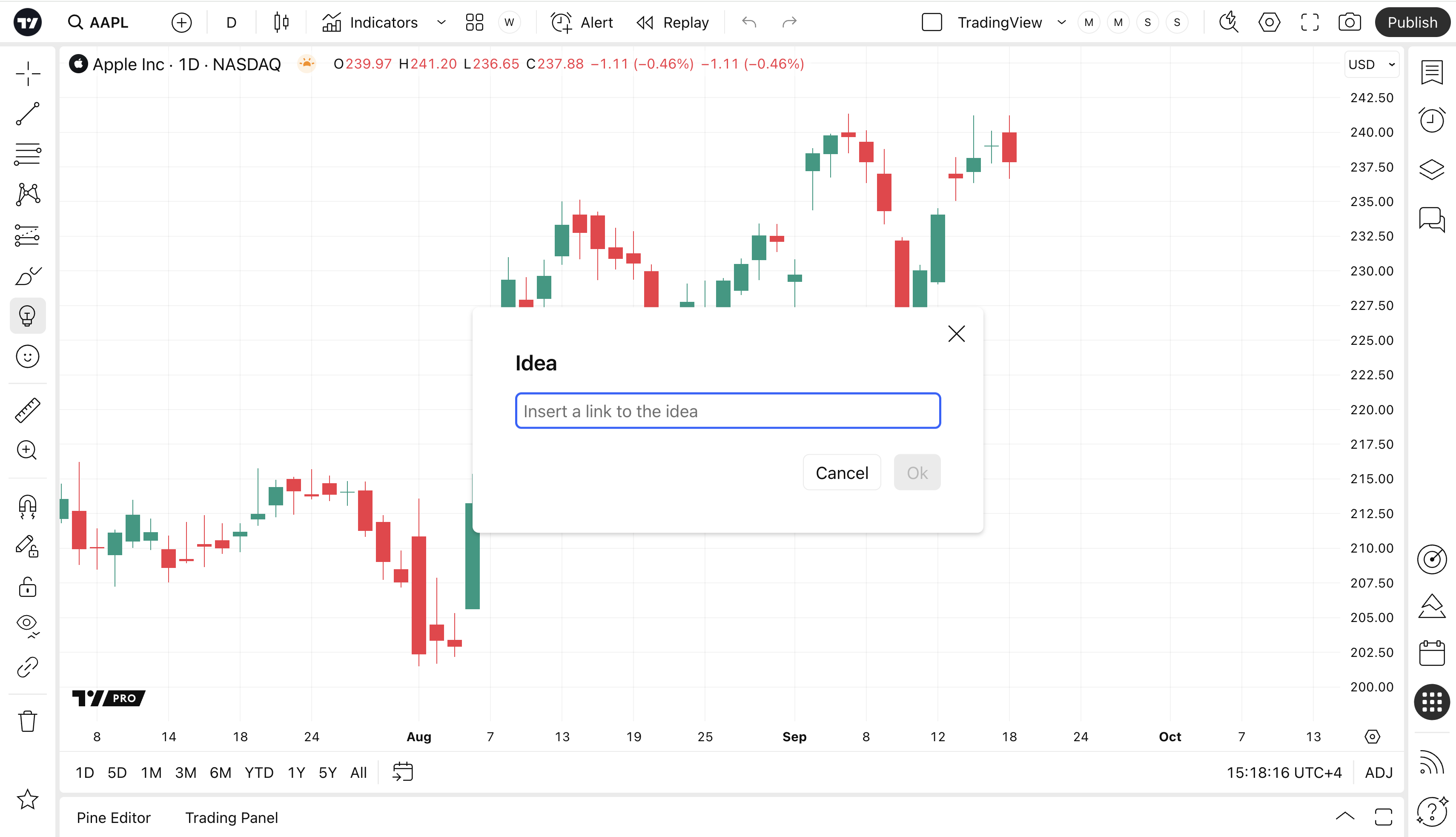
Now paste the link to the post or idea in the pop-up window and click the Ok button.
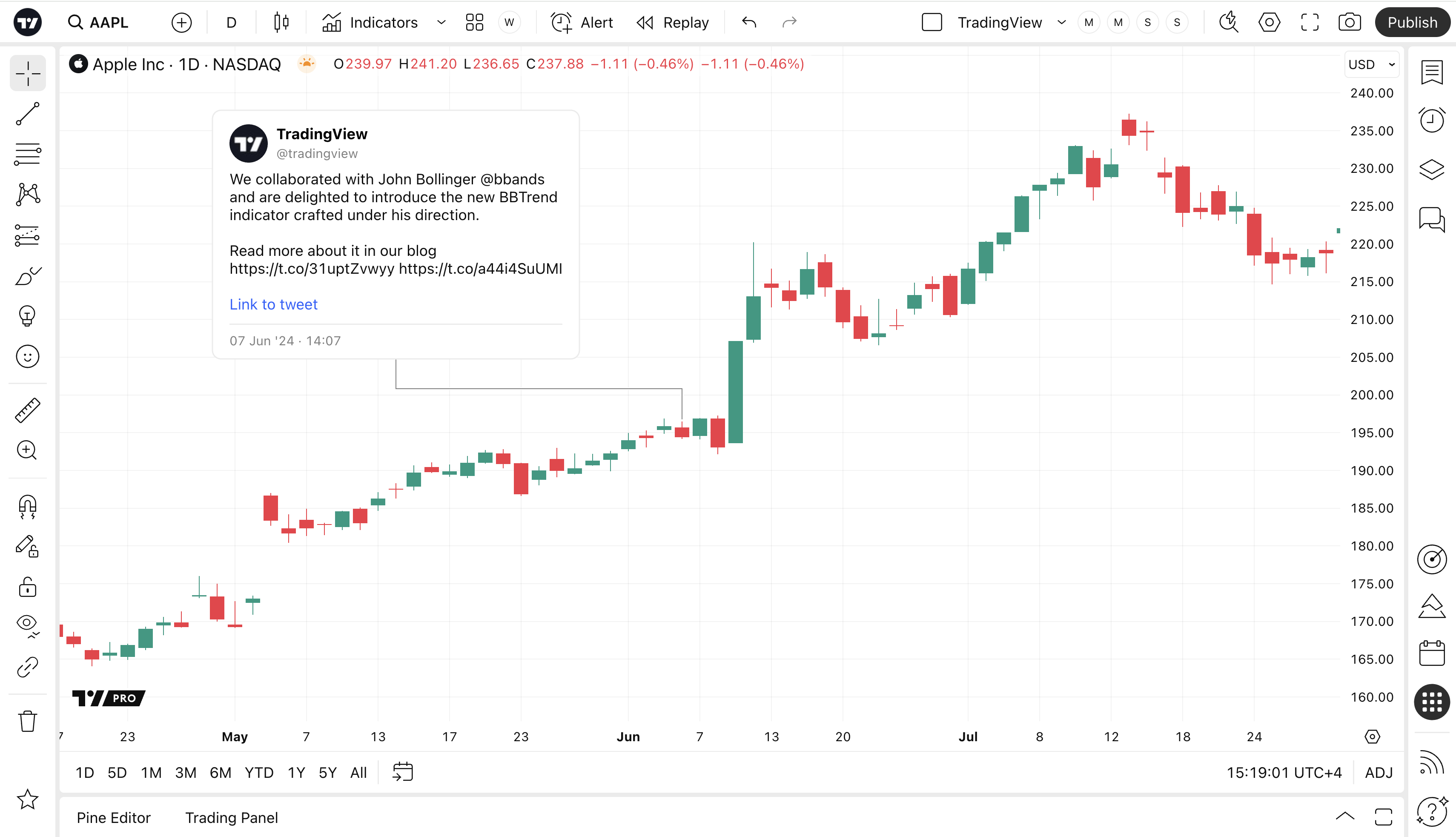
The post or idea will appear on your chart and be placed on the timeline according to the exact time it was posted. You can drag the drawing’s container to change its position.