Modified Schiff pitchfork drawing tool
Application
The Modified Schiff pitchfork is a variation of the traditional Andrews' Pitchfork tool used in technical analysis to identify potential levels of support and resistance based on trend channels. While a standard pitchfork originates directly from the first selected point (Point A), the Modified Schiff pitchfork shifts the origin point. Specifically, its median line originates from a point that is exactly halfway between Point A and Point B on both the price axis and the time axis. This adjustment often provides a better fit for shallower trends compared to the traditional pitchfork.
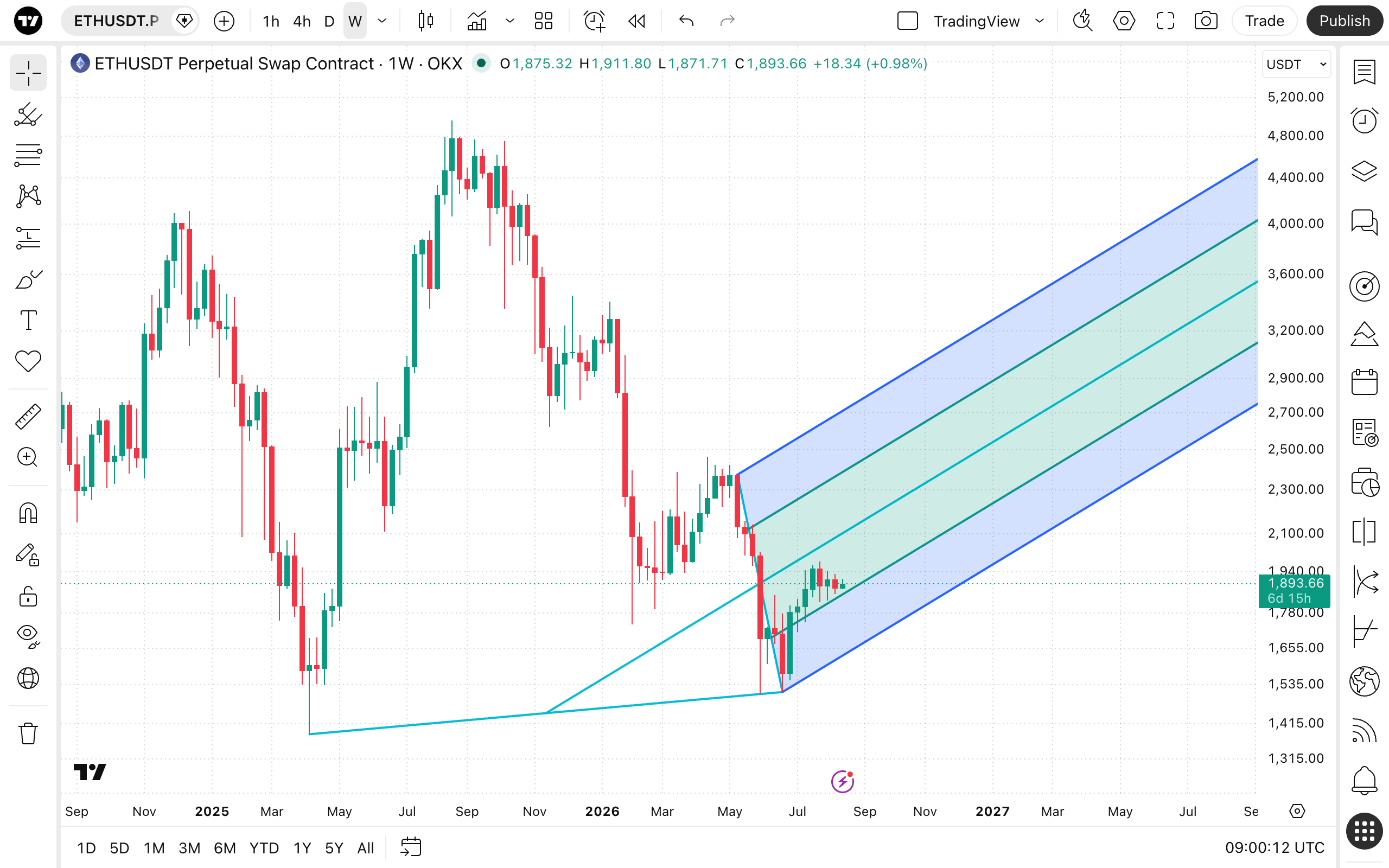
To draw a Modified Schiff pitchfork on your chart, select the tool from the drawing panel and click three distinct points: a starting point marking a significant high or low (Point A), a subsequent major high or low (Point B), and a third retracement point (Point C). The tool will then automatically calculate and display the median line and its parallel counterparts.
Style
In the Style properties dialog, it is possible to change the visual appearance and configuration of the Modified Schiff pitchfork tool.
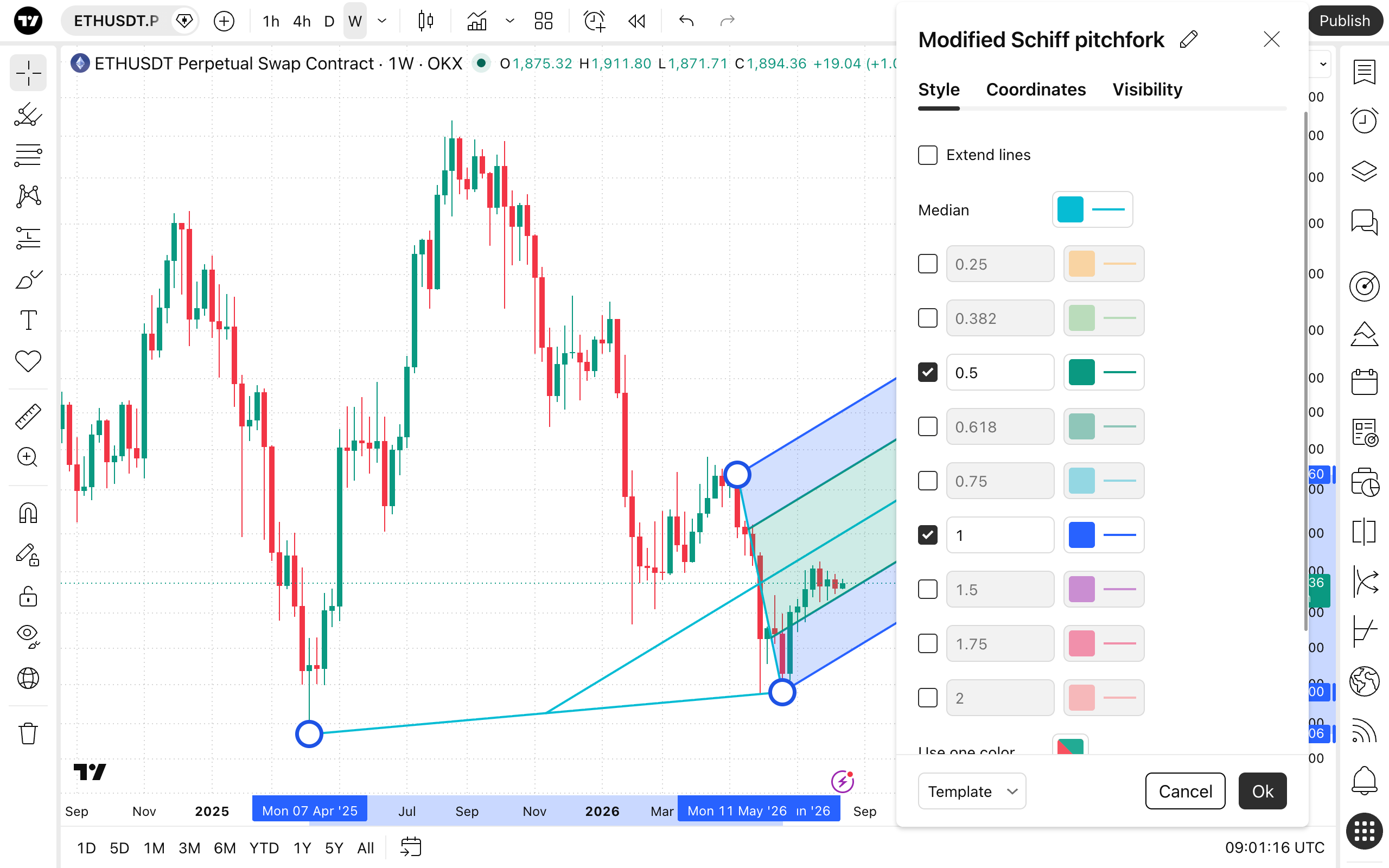
- Extend lines: Toggles whether the pitchfork's lines extend backwards.
- Median: Allows you to change the color, thickness, and line style (solid, dashed, dotted) of the central median line.
- Levels: A series of checkboxes that toggle the visibility of additional parallel lines based on custom or Fibonacci ratios (e.g., 0.25, 0.382, 0.5, 0.618, 1, etc.). You can manually adjust the ratio values and individually set the color, thickness, and line style for each level.
- Use one color: A convenient button that, when clicked, applies a single, uniform color to all active lines within the pitchfork.
- Background: Toggles the visibility of the shaded background fill between the pitchfork's lines. You can use the adjacent slider to adjust the opacity level.
- Style: Provides a dropdown menu allowing you to quickly switch between different pitchfork variations without needing to redraw the tool.
Coordinates
In the Coordinates properties dialog, you can set precisely the position of the tool's anchor points on the price scale (by setting the price) and the time axis (by setting the bar number).
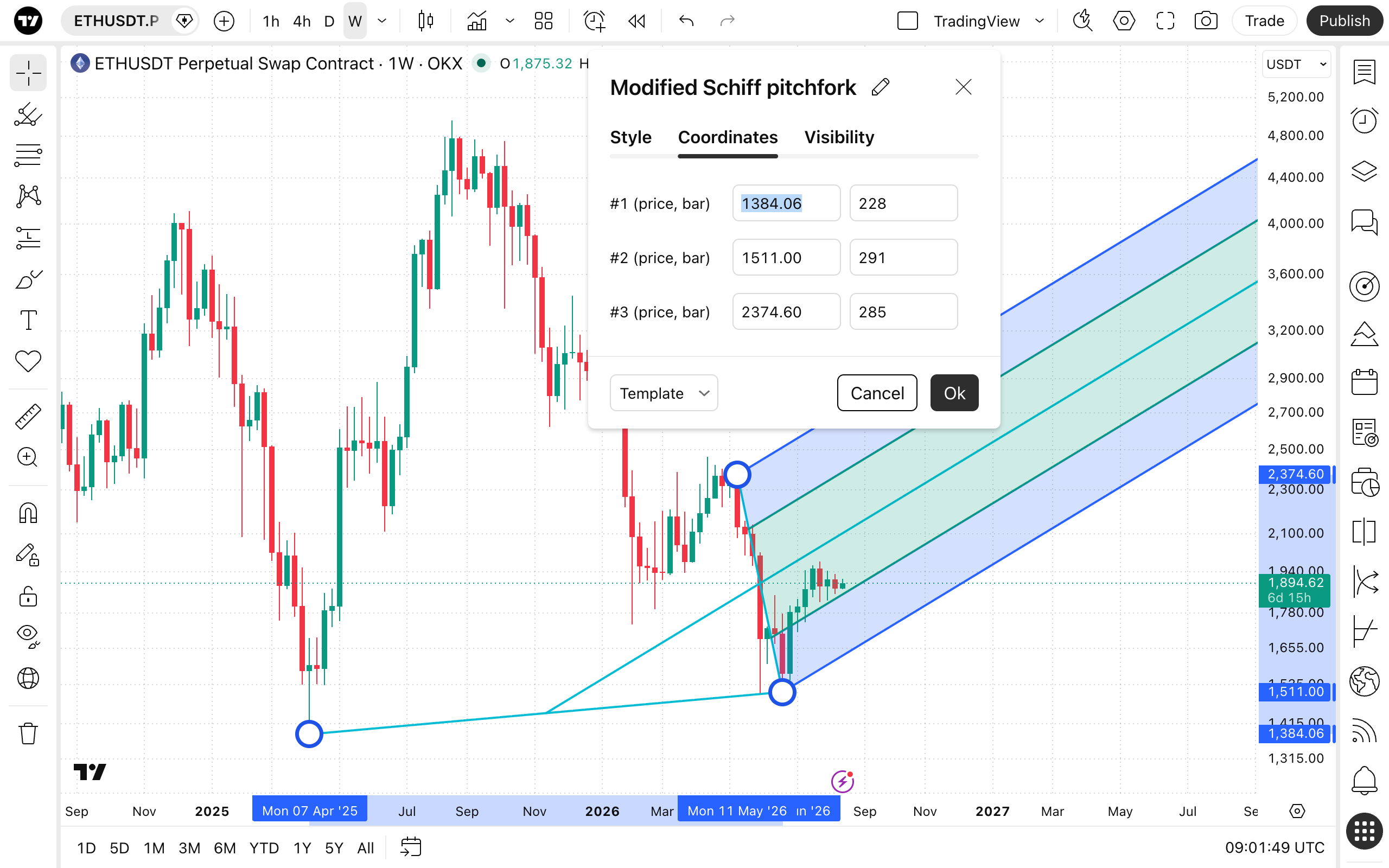
- Price 1: Allows for the precise placement of the pitchfork's first point (Point A) using a bar number and price.
- Price 2: Allows for the precise placement of the pitchfork's second point (Point B) using a bar number and price.
- Price 3: Allows for the precise placement of the pitchfork's third point (Point C) using a bar number and price.
Visibility
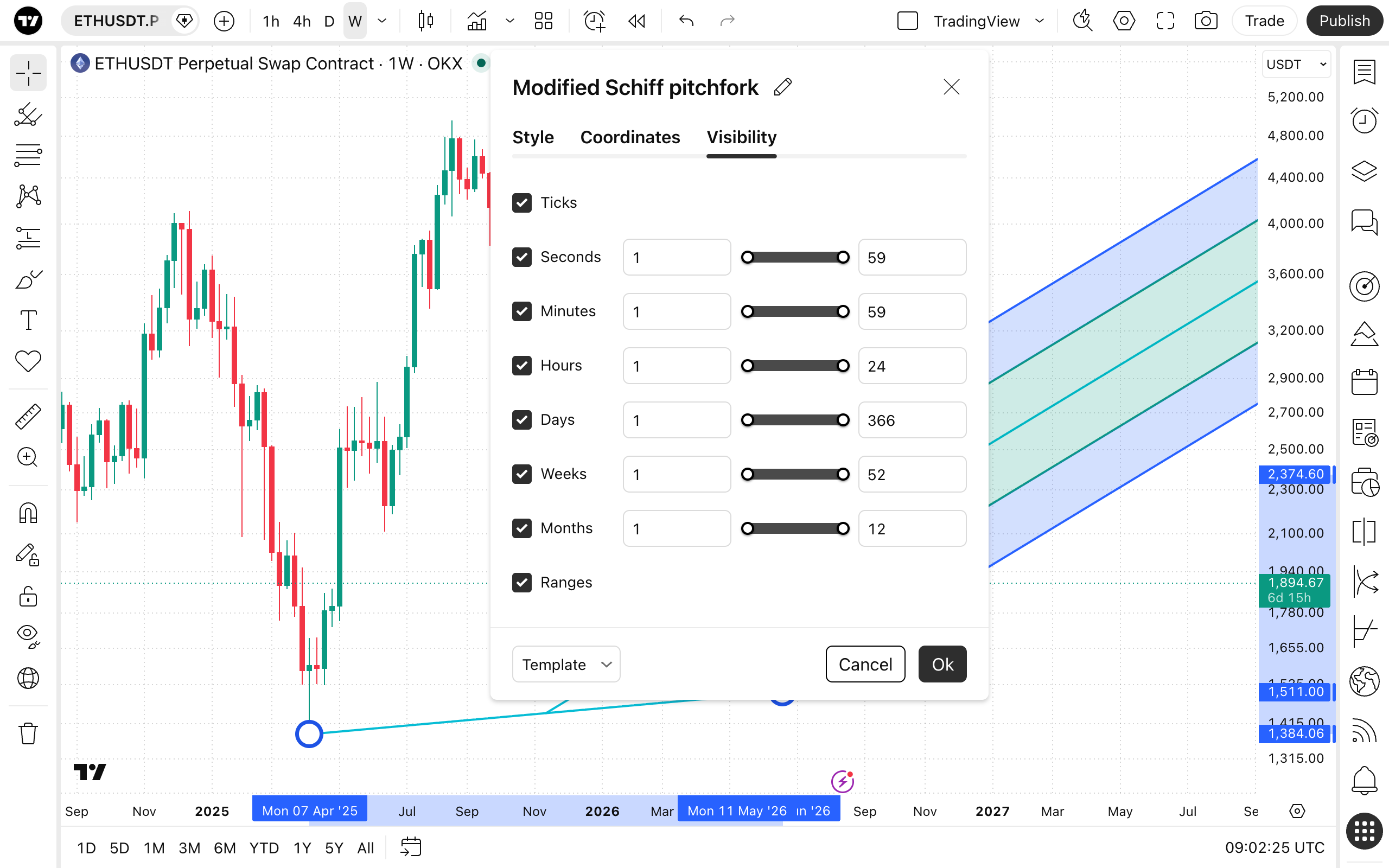
In the Visibility properties dialog, you can switch the Modified Schiff pitchfork tool displaying on charts of different chart intervals.