Signpost drawing tool
Application
The Signpost drawing tool is an annotation instrument used to attach a highly visible text label to a specific point on the chart. It is ideal for marking significant events, news releases, or specific trade entries/exits directly above or below the price action. It can only be extended strictly vertically (straight up or straight down) from its initial anchor point
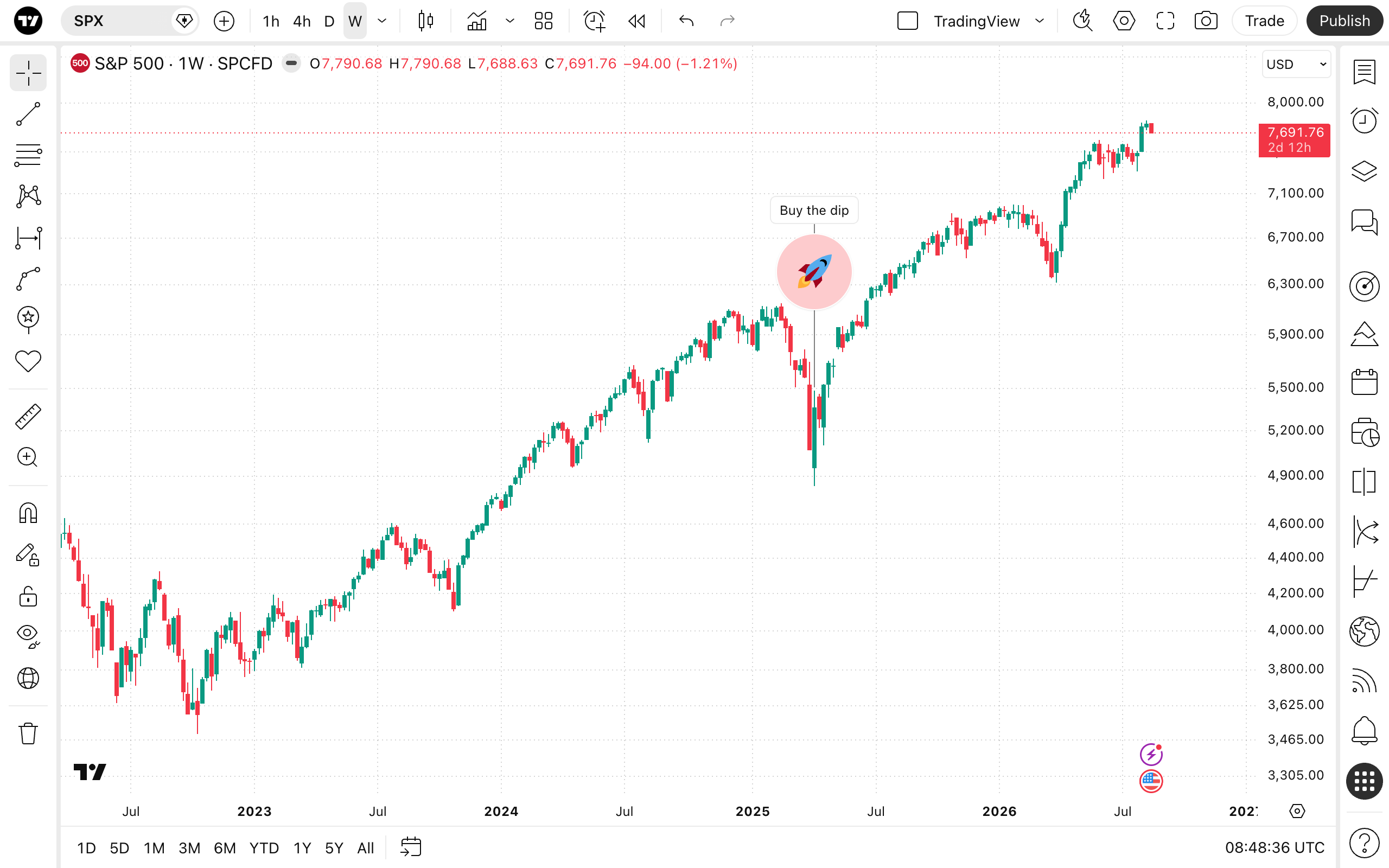
To add a Signpost, select the tool from the drawing panel and click on the chart to establish the anchor point. Next, drag your cursor to position the text box. Click a second time to lock the label's distance in place.
Style
In the Style properties dialog, it is possible to change the visual appearance of the Signpost tool:
- Emoji pin: A checkbox that allows you to display an emoji directly at the anchor point on the chart. You can use the adjacent buttons to select the specific emoji icon and change the color of the background.
Text
In the Text properties dialog, you can add and format the signpost's text:
- Text formatting: Allows you to change the text font size. You can also apply bold and/or italic formatting.
- Text box: The input field where you type your custom note, alert, or description that will be displayed inside the signpost label.
Coordinates
In the Coordinates properties dialog, you can set precisely the position of the tool's anchor point on the price scale and the time axis:
- Price 1: Allows for the precise placement of the Signpost's anchor point using a vertical position % and bar.
Visibility
In the Visibility properties dialog, you can switch the Signpost tool displaying on charts of different chart intervals.