
Charts don’t speak, but now they can answer your questions. We introduce the TradingView AI Chart Copilot, an AI-powered assistant that lives in your browser’s side panel and works along your TradingView charts. Working alongside your charts, it’s designed to help you interpret market moves, manage your setup, and think faster.
The extension works in Chrome or Chromium-based browsers (Edge, Opera, Brave, Vivaldi, etc.), and is available now to all TradingView users. Please note that to keep it sustainable and free, we may limit daily usage.
Getting started with chart AI takes about 30 seconds:
- Install TradingView Chart Copilot
- Open any TradingView chart
- Click the extension icon
- Sign in
- Start your analysis
Let’s now dive deeper into how the extension can help enhance your market analysis.
Top use cases
Ask about any asset and get a full technical breakdown in seconds — moving averages, RSI, MACD, key support and resistance levels, and an overall technical rating — all synthesized into a clear outlook.
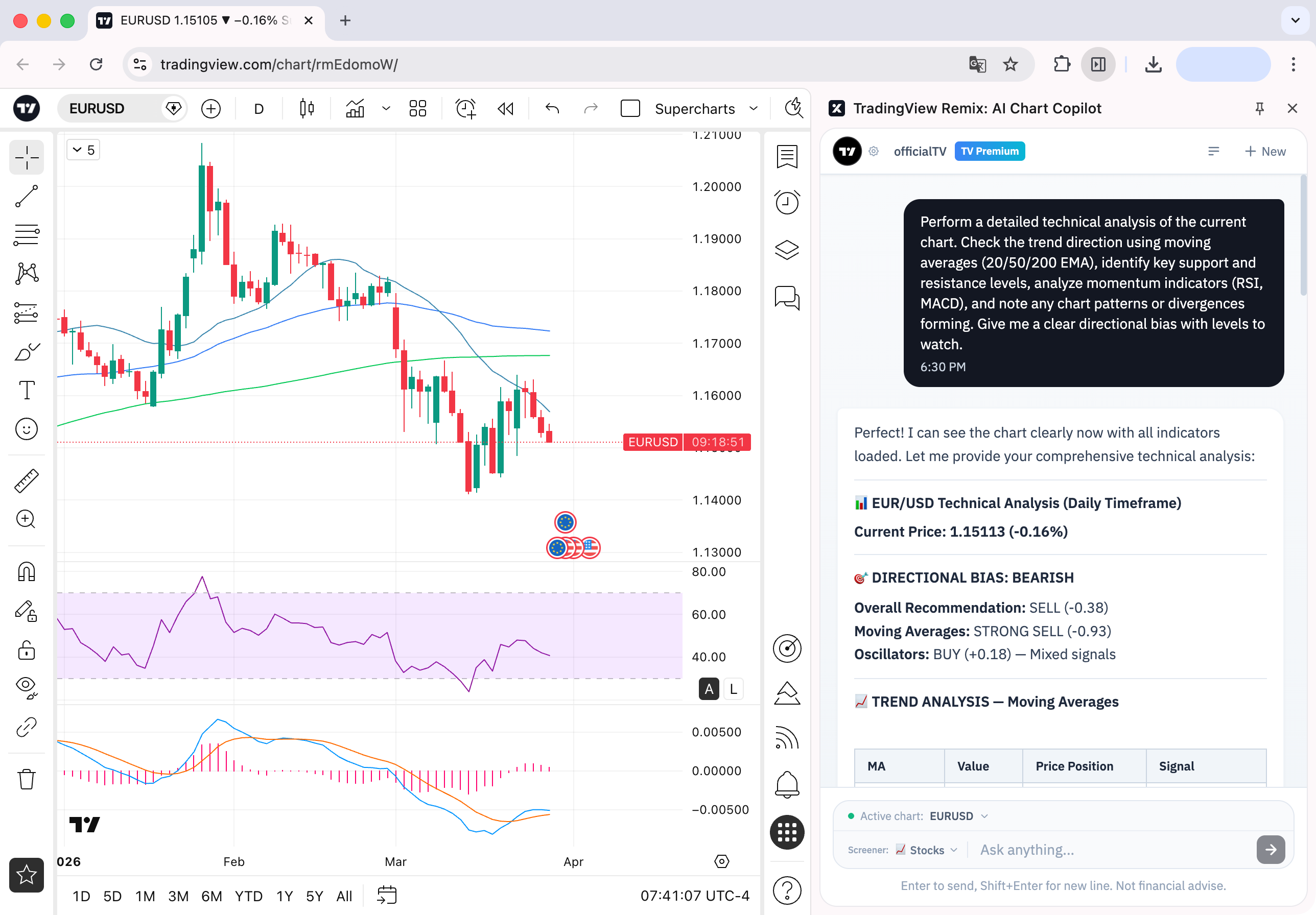
Managing alerts is just as easy. Tell the Copilot to set alerts at every level it just identified, and they’re created in one go.

You can also list, pause, restart, and delete alerts through conversation. No more opening multiple alert dialogs one by one.

Wondering why something is moving? The Copilot pulls the latest news, earnings data, and fundamental metrics together so you can quickly understand the catalyst behind a price move. Click any headline to read the full story — no tab-switching required.
Looking for your next trade? Ask for stocks making 52-week highs, filter by sector, volume, or technical signals, and scan your active watchlist for setups. Click any result to pull up the chart and keep going.

Why beta?
This is just the beginning. We’re launching the Chart Copilot as a public beta because we believe AI-assisted charting will fundamentally change how traders interact with markets — and we want to build that future together with our vibrant community. Your feedback during the beta will directly shape the experience as we work toward bringing TradingView AI natively into the side panel across all browsers and the desktop app. We’ll keep iterating and shipping improvements throughout the beta based on your feedback.
Let us know what works, what doesn’t, and what you want to see next. You can upvote and downvote responses right inside the chat, or start a thread on r/TradingView to share your experience with the community.
Install TradingView Chart Copilot and gain your edge with AI — we can’t wait to hear what you think.