Now Live: Options Trading on TradingView.com with DhanHello Everyone,
We, at Dhan have been working closely with teams at TradingView to build incredibly great features coupled with trade execution, especially for Traders in India.
Dhan and TradingView, together have been great partners to bring innovative features and capabilities to benefit traders in India, this time around we are extremely excited to bring to you something for the first time ever globally, for traders who simply love TradingView and Dhan.
Yes, we know Traders love their charts and at Dhan, we have been working closely with the TradingView team to build the best experience for all Dhan users from our early days. There are many incredible features that we introduced for charts:
TradingView console by Dhan on tv.dhan.co
Webhooks as Order type for Automation
Scalper to fast trading, designed specifically for Scalpers
Second Charts for the first time in India
India-Specific timeframes, and along with Custom Time Frames
Direct Order Execution from TradingView.com
and a lot more...
As we know, Indian Traders do scalping, build strategies and hedge all on Options, and not having Options Charts on their preferred charting platform was the biggest pain point for traders.
Over the past months, we have worked with the TradingView team to finally introduce Options Charts directly on TradingView.com. And not just this, we have even integrated the most required feature for all Indian Traders.
Introducing: Options Trading on TradingView.com with Dhan for the first time Globally.
Now, you can simply connect your Dhan account with TradingView.com and trade in all NSE Options instruments/contracts.
With this, you can use all features of TradingView with your favorite indicators and strategies, on Options Charts and even execute orders on your Dhan Account with a single click on charts.
For more info watch a detailed video👇
www.youtube.com
Go try out Options Trading now on TradingView with Dhan !
Note: Accessing features depends on your subscription plan on TradingView. Dhan simply helps you to place orders and execute trades with ease from TradingView.
Let us know your feedback as we keep on building incredible products and features for the Indian Trading community.
Dhan publications
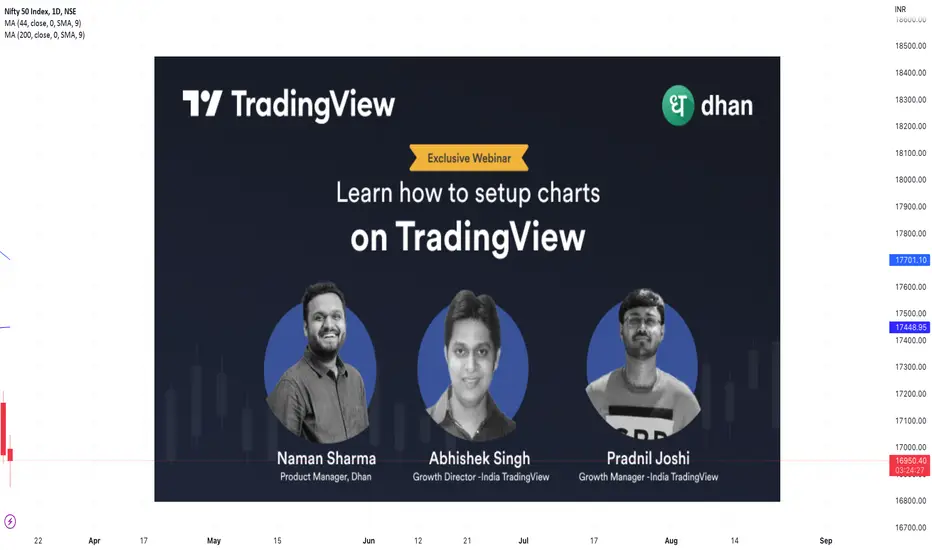
Exclusive webinar in collaboration with Tradingview 🚀Hi there 👋
We bring to you an exclusive webinar in collaboration with Tradingview.
Find out how to unlock the true potential of TradingView with Naman Sharma (Product Manager, Dhan) and Abhishek Singh & Pradnil Joshi (TradingView India).
Key takeaways of this exclusive webinar:
- Learn How to Setup charts TradingView
- Research on Fundamental Analysis
- How to add several indicators on charts
- Get you doubts resolved with the experts
This webinar will be streaming live on Tradingview.com for the first time & on Dhan Youtube channel as well.
Get ready for an insightful conversation this weekend!
📅: 18th March, Saturday
⏰: 10 AM
What are you waiting for? Register Now :
lu.ma
For a seamless streaming experience, we recommend you to follow Dhan on Tradingview.com.
We will soon share the stream link here. Watch out for posts on the Tradingview community.
As always the webinar is free for everyone.😀
Have you heard about the Aroon Indicator? Anybody who’s used momentum oscillators can tell you that they’re useful. Want to understand trends? Momentum oscillator. Looking for trading signals? Momentum oscillator. Ranging or trending? Momentum oscillator.
The umbrella of momentum indicators solves most scenarios. Popular examples include RSI, Stochastic Oscillator, and… the Aroon Indicator! Yes, Aroon is not as popular as the others but it does have merits.
Meet the Aroon Indicator
Security prices hit highs and lows based on various factors. This can lead to new trends, and reversals or the security might simply hit a range and stay there for a while.
The Aroon measures both for a given time period using two indicators known as the Aroon Up and Aroon Down, after which it will calculate the strength of the trend.
The result will be a number between 0 to 100. The best part - you have the liberty to choose the time period (n). The “n” can thus be 14, 20, or whatever you want it to be.
1. Aroon Up Formula
n - Days Since Recent High / n
2. Aroon Down Formula
n - Days Since Recent Low / n
Notice how there’s a special focus on the time when it comes to Aroon? That’s because Aroon is one of the rare indicators to show you time relative to price.
Usually, other oscillators show you the price relative to time. This sets Aroon apart from the rest.
Interpreting the Aroon Indicator
1. Values
A higher Aroon value indicates stronger trends
Aroon Up = 100: new bullish trend
Aroon Up = 30 to 70 & Aroon Down = 0 to 30: potential bullish trend
Aroon Down = 100: new bearish trend
Aroon Down = 30 to 70 & Aroon Up = 0 to 30: potential bearish trend
2. Crossover
When the Aroon Up and Aroon Down intersect/crossover, the following may be likely:
Aroon Up moves above Aroon Down: potential bullish trend
Aroon Up moves below Aroon Down: potential bearish trend
No Crossover: price consolidation/ranging
But… the Aroon Indicator can generate false trading signals. That’s why it would be wise to use Aroon in conjunction with other indicators.
P.S.: Aroon isn’t the only indicator that’s prone to false trading signals. Bollinger Bands too can generate a “headfake”, which we’ve covered in this blog about Bollinger Bands Indicator.
Above is an example of how the Aroon indicator looks on the Reliance chart
Conclusion
Aroon oscillators can be viewed as leading or lagging oscillators, depending on how you look at them. Essentially, the indicator attempts to determine trends just before or during their occurrence. This makes it a potential leading indicator. However, the trading signals that Aroon generates can be late and as a result, it is also a lagging indicator.
We hope you find this information useful about the indicators. We usually post about trading and investing on blog.dhan.co (do check this out)
Let us know what should we write about next.
Until then happy trading!
Disclaimer: Recommended stock name is only used as an example.
Dhan Awarded as ‘Most Reliable Tech for 2022’ by TradingView 🥳Dear TradingView & Dhan Community Enthusiasts,
We’ve been building Dhan with your invaluable feedback, suggestions, and support since our first day, right from the launch of our first product the Dhan App to our latest product - which is Options Trader Web with Custom Strategy Builder.
Along the way, we’ve always noticed that you love helping us build as much as we love building with you.
In fact, your support has helped us win TradingView’s Most Reliable Tech Award for 2022! Yes, Dhan is chosen amongst all trading platforms globally that partner with TradingView. Close to 20,000 Dhan users are now trading from TradingView.com and a majority of them voted for Dhan - their beloved platform to win.
That makes us happy. From the bottom of our hearts, we would like to say Thank you! A community like ours is more than just a community - it’s a family.
The team at Dhan is fairly young, just one year old but we’re driven to give our community access to the best product & customer experience at all times, starting with building reliable systems that provide ease of access, simplicity, and lightning-fast execution for traders.
Our ecosystem is highly scalable with robust infrastructure and strong risk management that’s built to safeguard the interests of our growing community of users. A partner like TradingView makes the journey simpler and we will continue to find more synergies with them, adding to our already successful collaboration.
And if you haven’t placed a trade from TradingView.com with Dhan yet, try it out - you’ll love the experience! For those who want to trade in Options, there is always tv.dhan.co.
Best Regards,
Team Dhan
How to place the first trade from the Trading Panel using DhanHi Community 👋
We are delighted to be the first Indian broker on TradingView! What gives us even more joy is that close to 14,000 Indians are already trading from tradingview.com with Dhan 🥳
Since this is one of our first posts, we’d like to help new users understand how simple it is to place their first trade from the Trading Panel using Dhan. Here’s the flow:
1. Open TradingView.com
Navigate to tradingview.com and sign in with your credentials. If you don’t have an account yet, create one using the blue button that says “Get Started”.
2. Choose Dhan from the Trading Panel
After signing in, you’ll be taken to a random scrip from the US (you can avoid this by landing on in.tradingview.com). But that’s not what you’re interested in - you want to connect to Dhan.
On the Trading Panel in the lower half of the screen, you’ll see a list of brokers - including Dhan. Tap on the button that says “Connect”.
3. Login to Dhan Using QR
Open your Dhan App and click on your profile picture - it’ll open a navigation pane. Over there, you’ll see an option that says “Login to Desktop”.
Click on it and scan the QR that you see on your desktop. That’s it - you’ve connected Dhan to TradingView!
4. Select the Scrip You Want to Trade
By now you will be able to see TradingView charts. On the top left, there’s an option called “Symbol Search”.
Click on it to search for the scrips you want. P.S: Connecting to TradingView will allow you to buy and sell equity via Dhan (not F&O, currency, or commodity).
5. Place Orders from the Trading Panel
You’re on the final step! Place your first trade from the Trading Panel using:
Charts: Use the blue and red buttons to buy or sell scrips from charts
Order Panel: Available on the navigation pane to the right (looks like two up & down arrows)
DOM: Place trades from the Depth of Market option on the navigation pane to the right
+ button near price scale: Hover on charts to get the + button & create new orders
Those who are already using tv.dhan.co know how easy it is to trade from charts. The process is more or less the same with certain exceptions.
We hope you enjoy the experience and if you have any questions, feel free to write to us in the comments below.
Until next time!
Regards,
Team Dhan
Namaste, Tradingview Community 🙏Hi all 👋
We are extremely excited to be part of the Tradingview community and being the first Indian Broker which will enable Indian traders to place orders directly across all the segments NSE, BSE & MCX from Tradingview.com.
Dhan is a technology-led stock broking app built for super traders & long-term investors. Since our inception in 2021, we have been extremely focussed on bringing industry-first features along with a highly customer-centric approach providing round-the-clock support to the Traders.
We will be actively sharing articles, feature updates, blogs, actionable insights & everything (as per regulatory norms) that will be helpful to the Traders in the Tradingview community.
We are always focused on bringing exemplary product & customer experience, and look forward to your feedback & suggestions. Feel free to reach out to us at tradingview@dhan.co or drop a message here.
Regards,
Team Dhan