Alerts on alert() function
Within Pine Script®, there is a specialized function that allows you to configure dynamic alerts: the alert() function. If a script utilizes this function, you can set it up directly from Supercharts using the Create alert dialog by selecting the specific indicator or strategy in the Condition field.
Unlike standard alert types, the triggering frequency and the specific message sent are controlled entirely by the alert() function calls within the script's code—not by the settings in the alert dialog box.
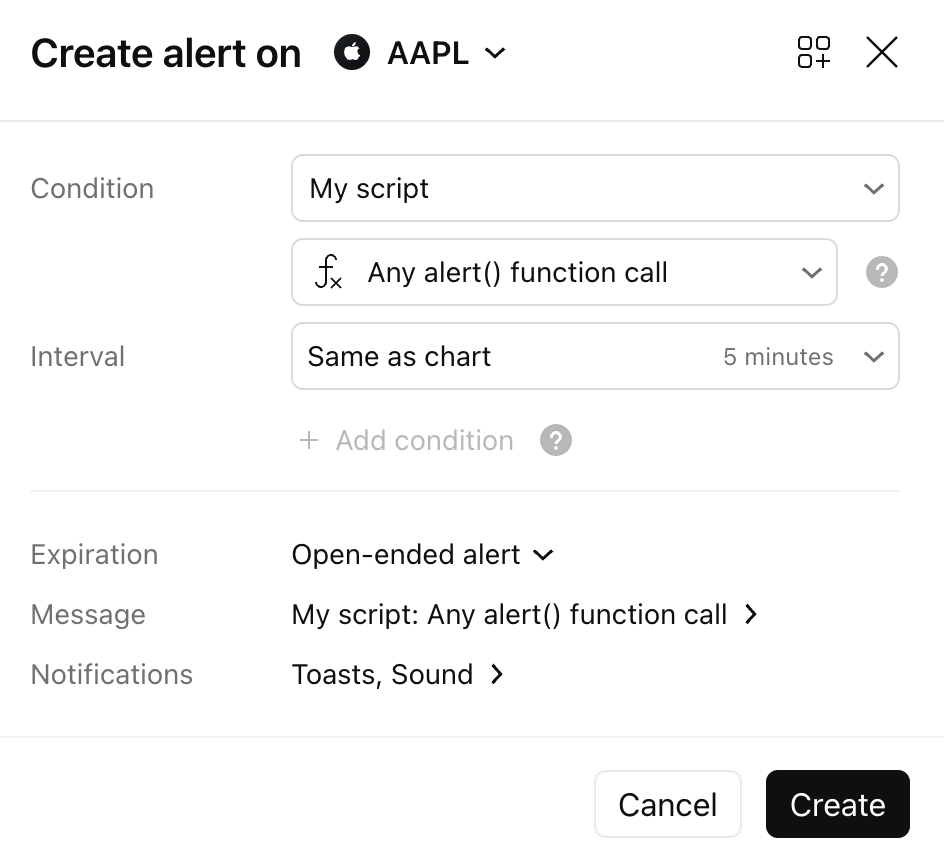
To create an alert()-based alert for an indicator:
- Select the script in the Condition field of the Create alert dialog.
- Choose Any alert() function call (this is typically the first option).
To create an alert()-based alert for a strategy:
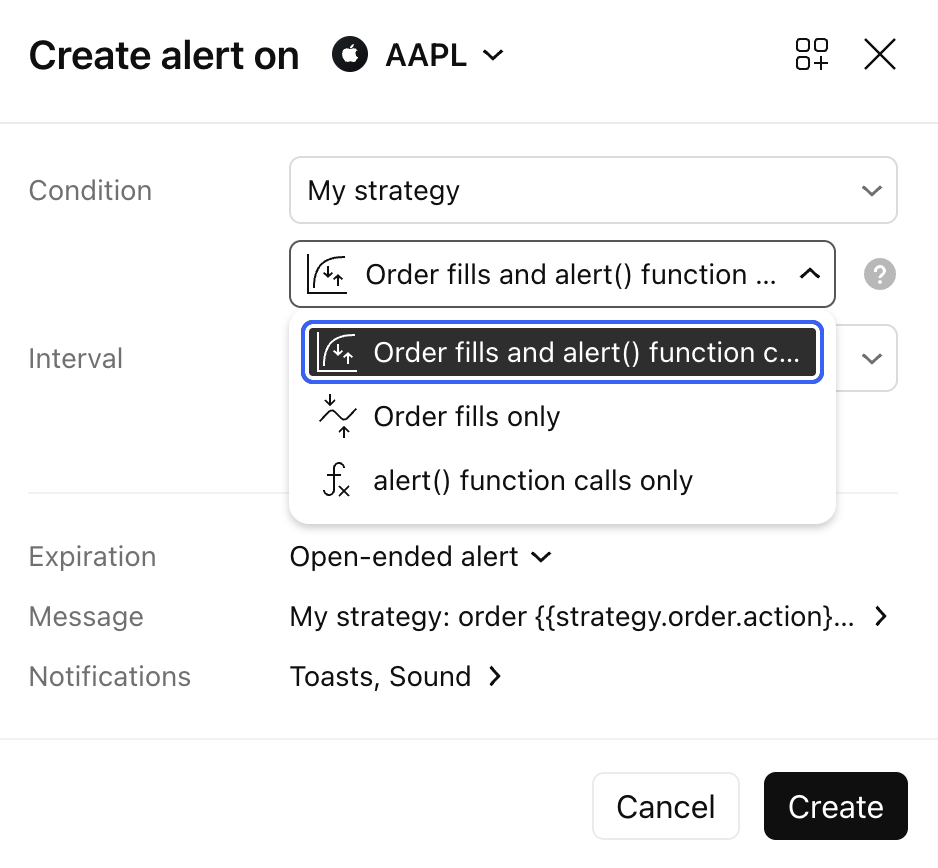
- Script alerts on strategies are more versatile and can include order fill events, custom
alert()function calls, or both. When setting the condition, you can choose from three options:- Order fills and alert() function calls: The created alerts will trigger on both order execution events and custom
alert()function calls. - Order fills only: The alert triggers strictly on order fills, acting like a standard strategy alert.
- alert() function calls only: The alert triggers strictly on custom
alert()events, acting just like a script alert on a standard indicator.
- Order fills and alert() function calls: The created alerts will trigger on both order execution events and custom
Note: To prevent system spam, if a script alert triggers more than 15 times within a three-minute window, it will automatically stop.
For deeper technical information on implementing the alert() function in your own code, please refer to the Pine Reference Manual and the Pine User Manual.
Also read: