What is a market order
A market order is an instruction to buy or sell a security immediately at the best available price. Instead of specifying a price, traders and investors sell or buy an asset at the prevailing market price at the time the order is executed.
CONTENTS:
Market order overview
Market orders are useful when getting your order filled is more important than securing a specific price. They generally guarantee execution, but not the exact price. Once placed, they are matched with limit orders on the order book and executed based on their direction:
- Buy orders: Executed at or near the current ask price
- Sell order: Executed at or near the current bid price
If you want to buy or sell instantly at the current market price, market order is usually the best option. For highly liquid assets such as large-cap stock, popular exchange-traded funds (ETFs), or large-cap crypto coins there are typically many active buyers and sellers. As a result, a market order is often completed almost instantly at a price very close to the latest quoted price.
Market orders are usually placed during regular trading hours when the market is open and orders can be executed immediately. An order placed during non-trading hours will be executed at the next market open, which could be significantly higher or lower than the previous closing price.
Market vs limit order
The alternative to a market order is a limit order, which means the limiting price.
For a buy limit order, you specify the highest price you're willing to pay. They are executed only at the set price or lower.
For a sell order, you specify the lowest price you're willing to accept. They are executed only at the set price or higher.
Limit orders are executed when the price reaches a specified level or better. They are especially useful for planning trades in advance and to avoid slippage — executing at an undesirable price.
Market
- Simple and intuitive: reliable for highly liquid assets
- Full execution is more likely than with a limit order
- Processed instantly, ideal when timing is critical
- Usually have higher commissions
Limit
- Allows price control to avoid overpaying or selling too low
- Better for planned trading with clear entries and exits
- Works in regular and extended hours
How to place a market order
To place a market order on TradingView, click the "Trade" button on the chart and select your broker or Paper Trading.
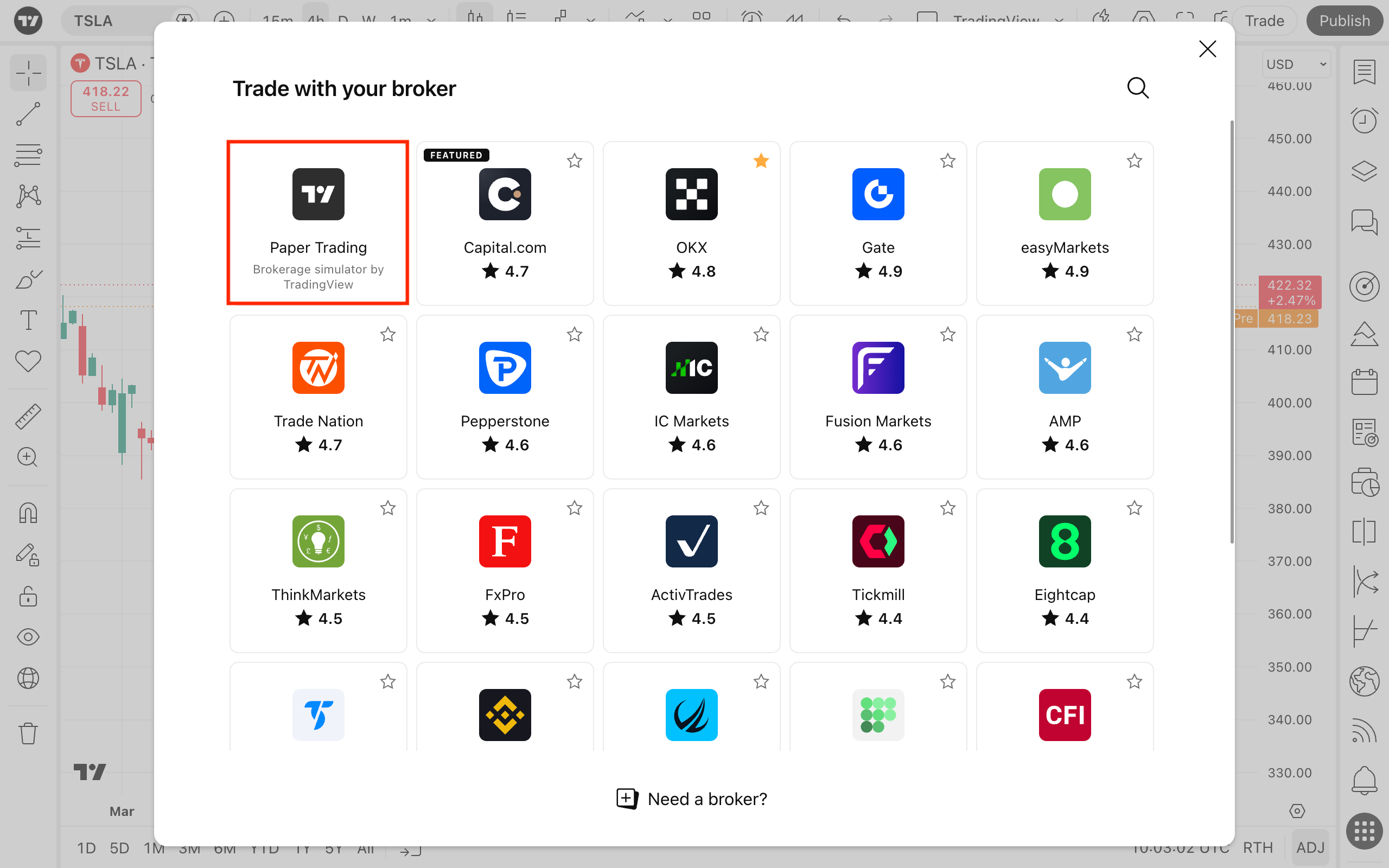
After a broker is connected, you can place an order the following ways.
Via the order ticket
Click the "Trade" button on the top panel and select "Market."
- Choose whether it's a buy or sell order
- Enter the quantity, which is the number of units you want to trade
- To manage risk and reward, you can enable take profit and stop loss
- Once all details are set, click the "Buy" or "Sell" button to place the order
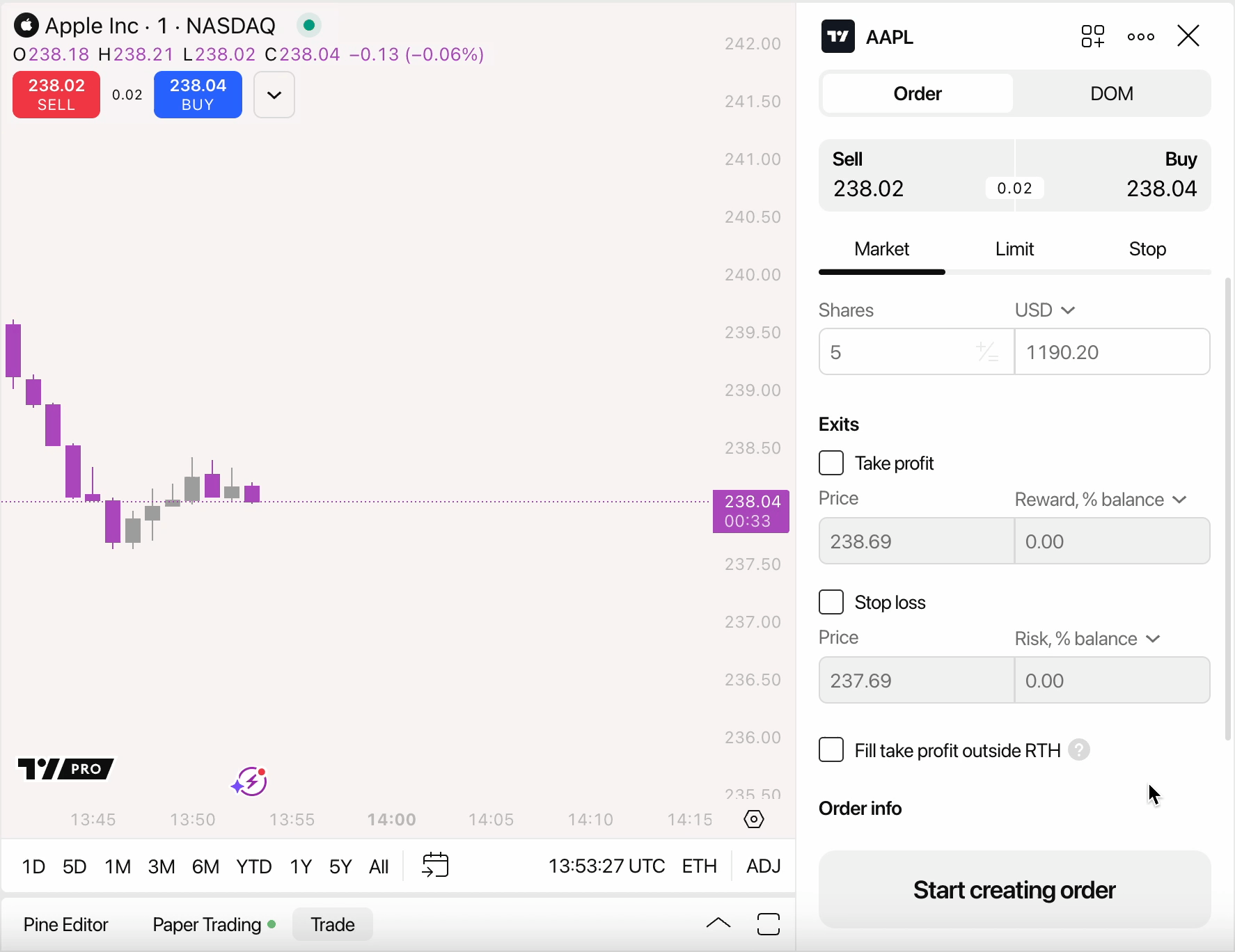
Via the order book
Depth of market helps you track placed orders and see how liquidity changes. You can switch to it at the top of the order ticket
Using the shortcuts
- Enable one-click trading in the chart settings
- Create an order preset with a market order
- Click Shift + B for buy orders and Shift + S for sell orders
Market order in a nutshell
A market order is the most basic method for buying and selling financial assets. When placing a market order, a buyer agrees to purchase at the current ask price, while a seller agrees to sell at the current bid price. In doing so, the trader effectively crosses the bid-ask spread right away.
For this reason, it is important to pay close attention to the bid-ask spread before placing a market order, particularly in thinly traded securities. Overlooking the spread can lead to higher costs than expected.
Also read: