Discover market movers with TradingView hotlists
Markets change all the time, which is why timely information is everything. This is true for day traders looking for momentum as well as for long-term investors seeking unusual activity. No matter your approach, TradingView has a way to support your strategies — our hotlists can help you instantly identify market leaders and stay ahead of key movements.
What are hotlists
Hotlists are dynamic lists of stocks experiencing significant changes—think of them as pre-curated watchlists designed to help you track market movers. These collections are based on the following key data points:
- Volume: Track assets with unusually high trading activity.
- Percent change: Find the biggest winners and losers by percentage.
- Percent range: Identify assets with the largest intraday trading range.
- Gap: Spot stocks that open significantly higher or lower than their previous close.
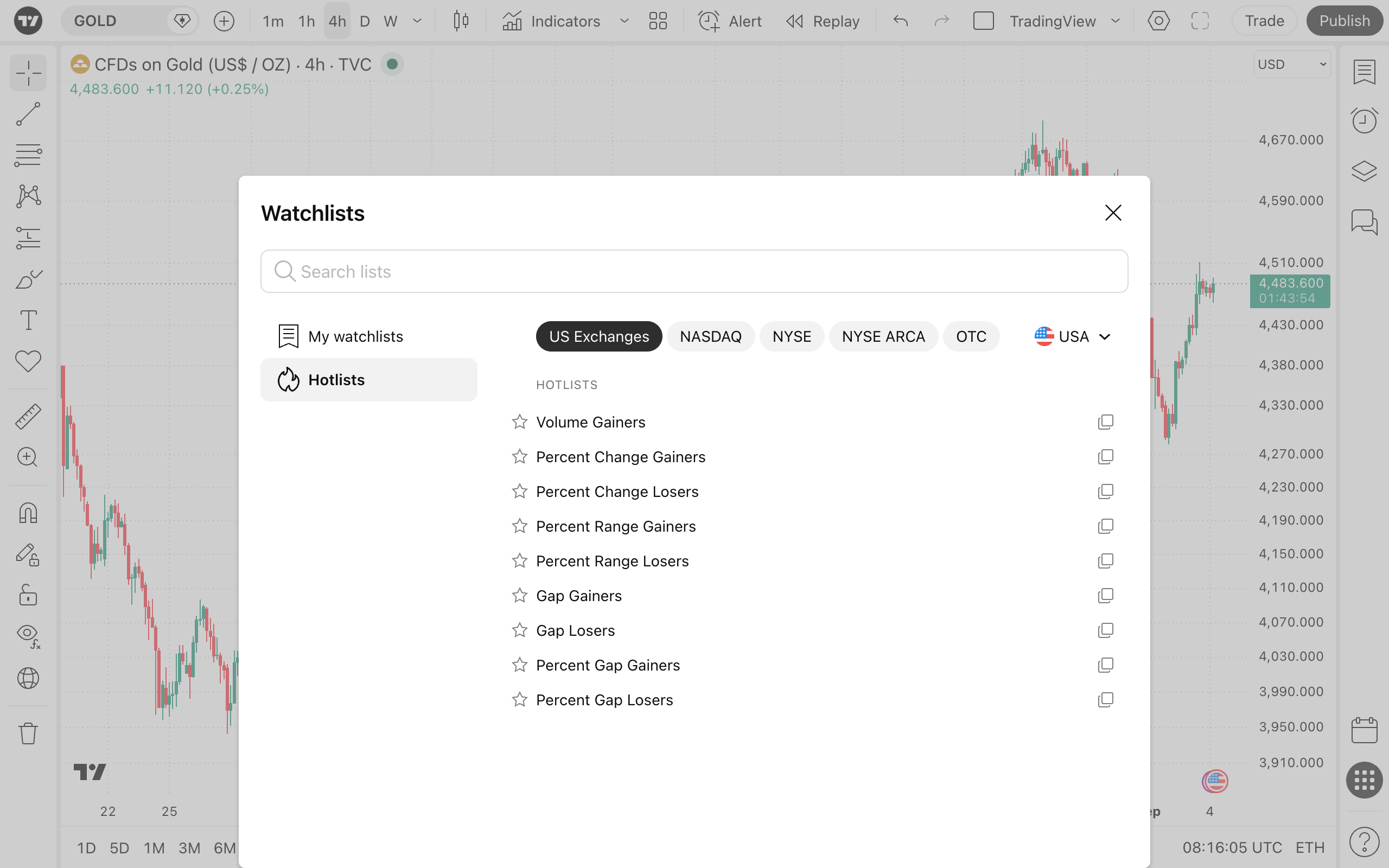
Each list updates in real time to reflect shifting market conditions, helping you instantly see which symbols are dominating the action.
With hotlists, you save time and can focus directly on global market movers without having to manually hunt for stocks that might or might not influence the broader market.
Hotlists allow you to:
- Stay informed about key market shifts in real time.
- React faster to unusual activity and potential breakouts.
- Discover hidden opportunities before they hit global news headlines.
- Build more effective watchlists based on what is actually moving today.
Whether you are refining a strategy or just want to stay on top of the action, hotlists are a powerful addition to your trader's toolkit.
How to access hotlists
You can access hotlists directly from the Watchlist menu on the right-hand toolbar. Simply click on your current watchlist's name and select the Open list… option.
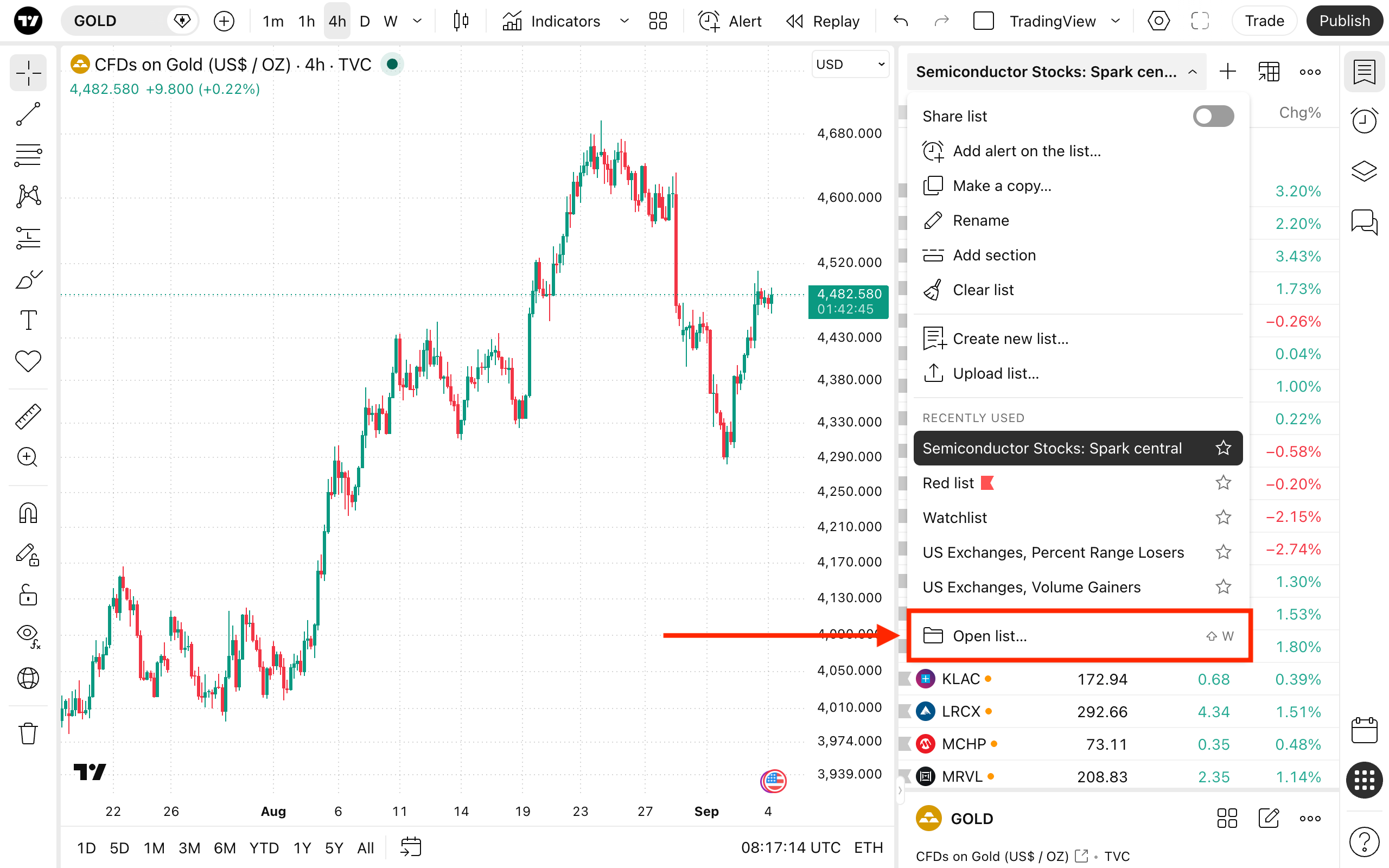
Alternatively, press Shift + W to instantly bring up the hotlists dialog.
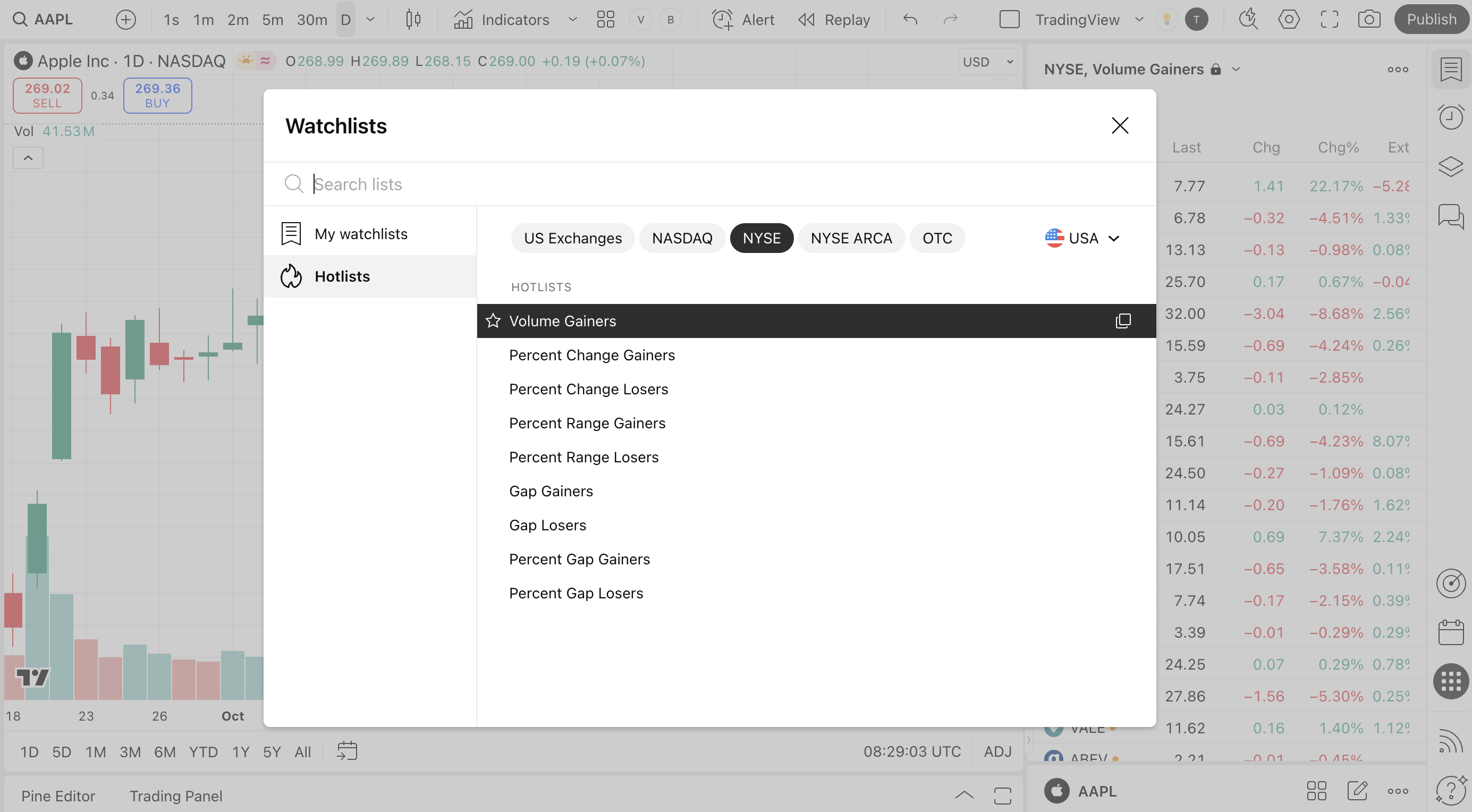
From here, you can select the list that best suits your strategy:
- Volume gainers
- Percent change gainers / losers
- Percent range gainers / losers
- Gap gainers / losers
- Percent gap gainers / losers
Country and exchange filters allow you to narrow your focus to a specific region or market. For example, you can:
- See the hotlist for all exchanges in the U.S.
- Focus on a single specific market, like the Nasdaq or the Tokyo Stock Exchange.
- Analyze emerging markets by selecting hotlists from smaller national exchanges.
With these filters, you can find the perfect list to match local trading hours and regional news.
From the hotlist section, you can also add a specific hotlist to your favorites for quick access later. If you want to utilize all the advanced features of standard TradingView watchlists, simply duplicate the hotlist and use it as a template to build your own custom watchlist.
Also read: