News alerts
With news alerts, you can receive instant notifications about fresh news based on your saved news flows.
News alerts are available to all authorized users. Users without a subscription can keep one news alert active, while paid plan holders can track up to 10 different flows simultaneously.
Actions available for News Flow alerts.
1. Turn on the alert: Switch the News alert toggle in the page header menu.
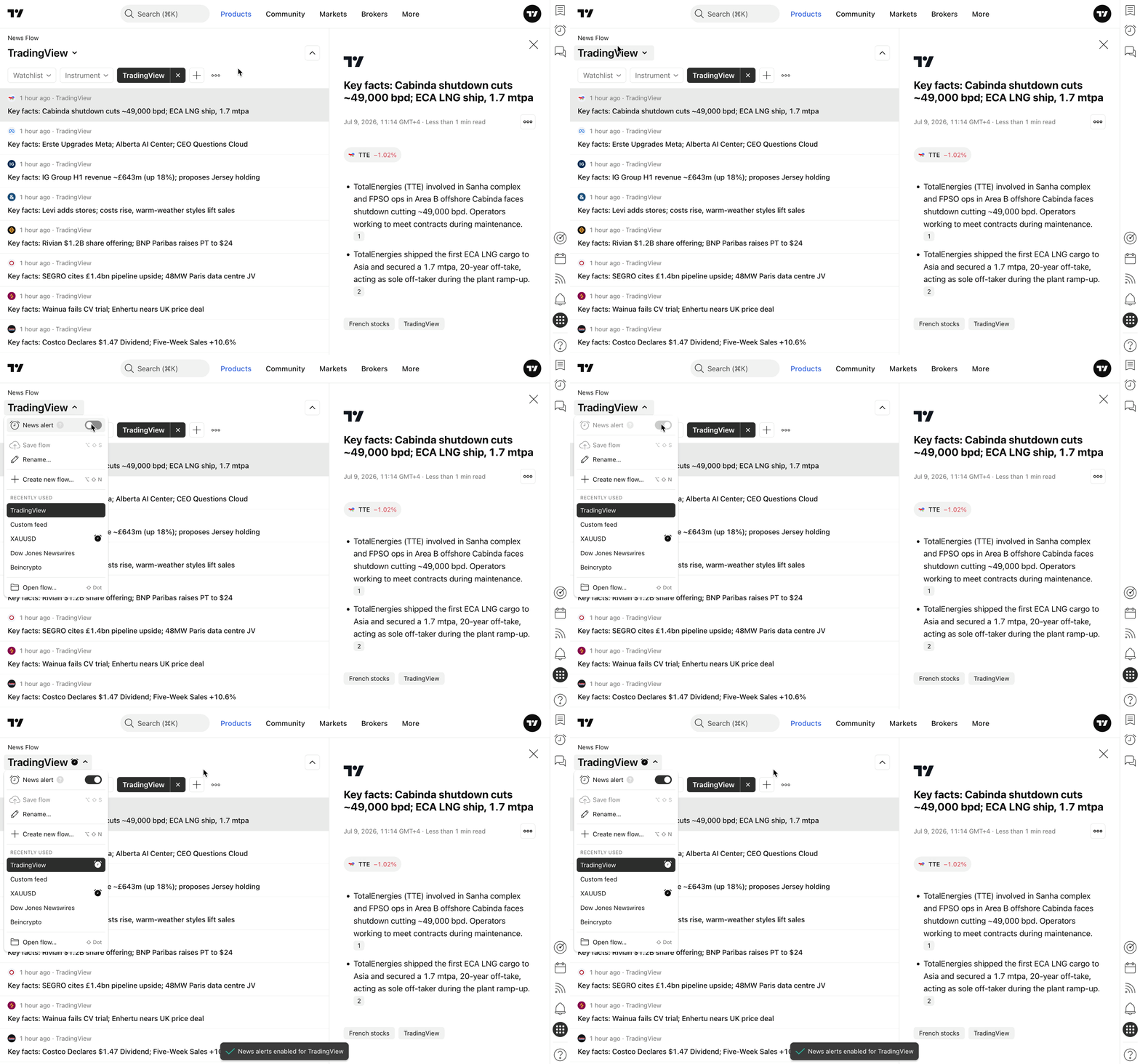
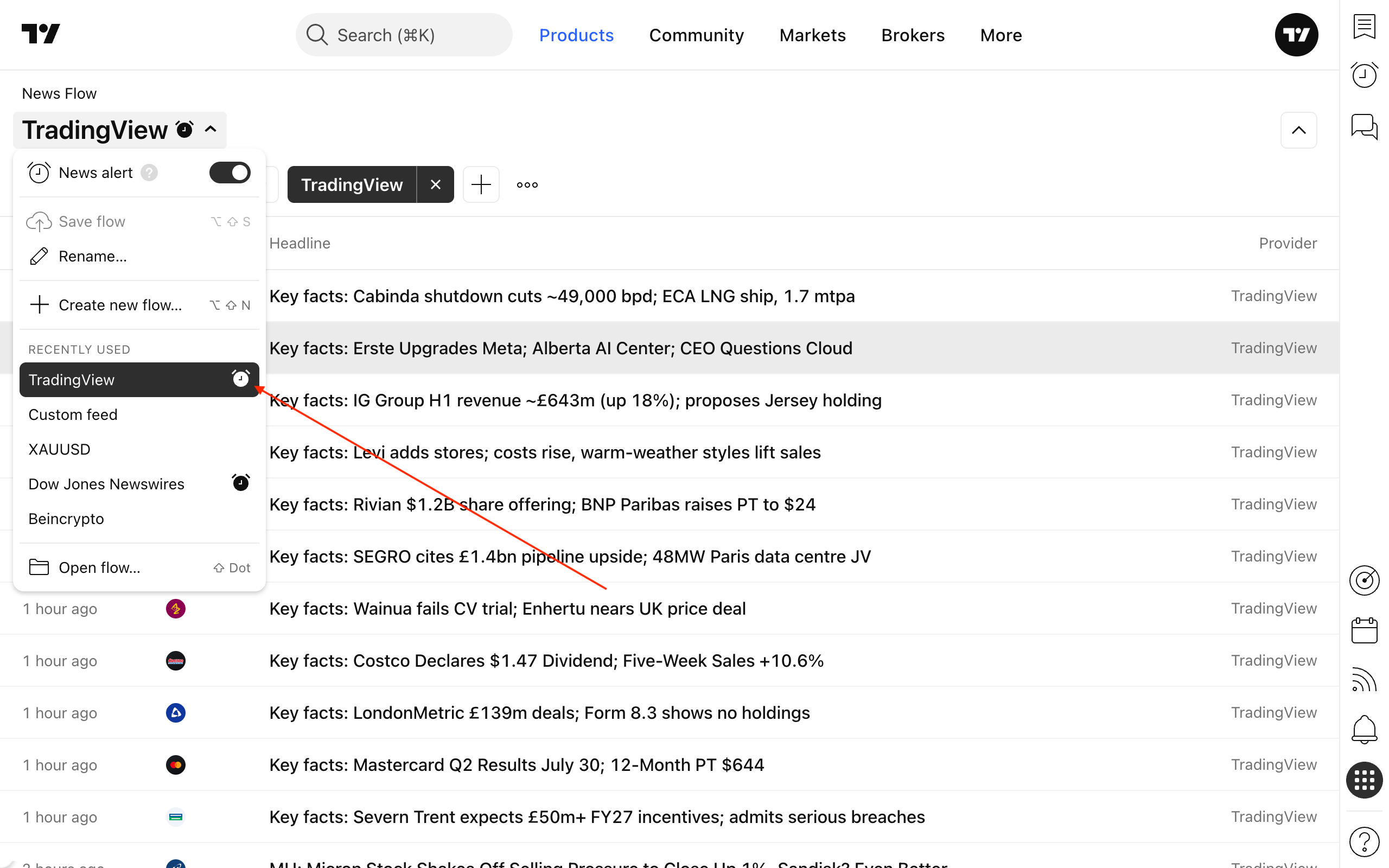
You can also quickly activate it by clicking the alerts icon in the Recently used section or in the Open flow… dialog.
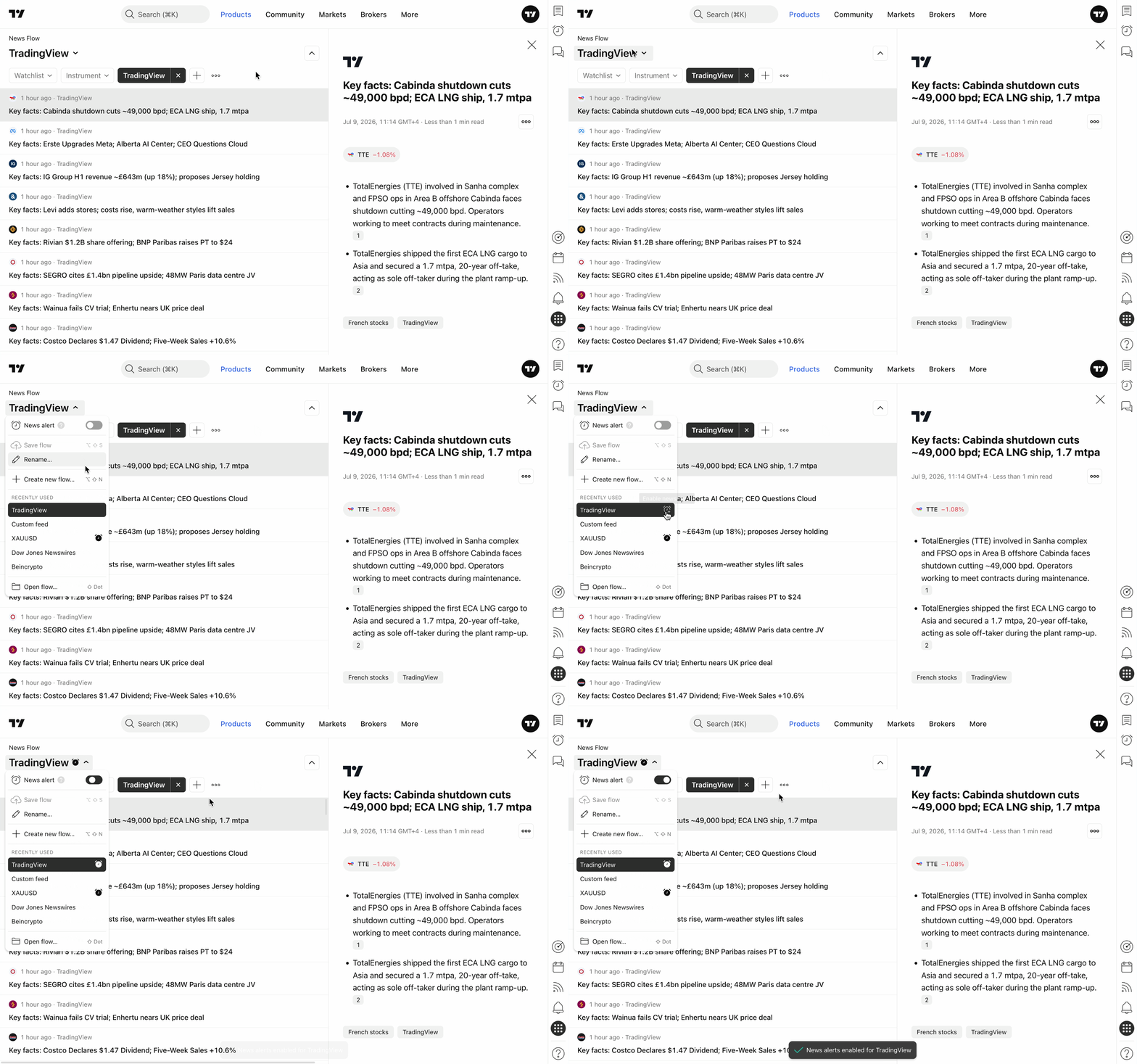
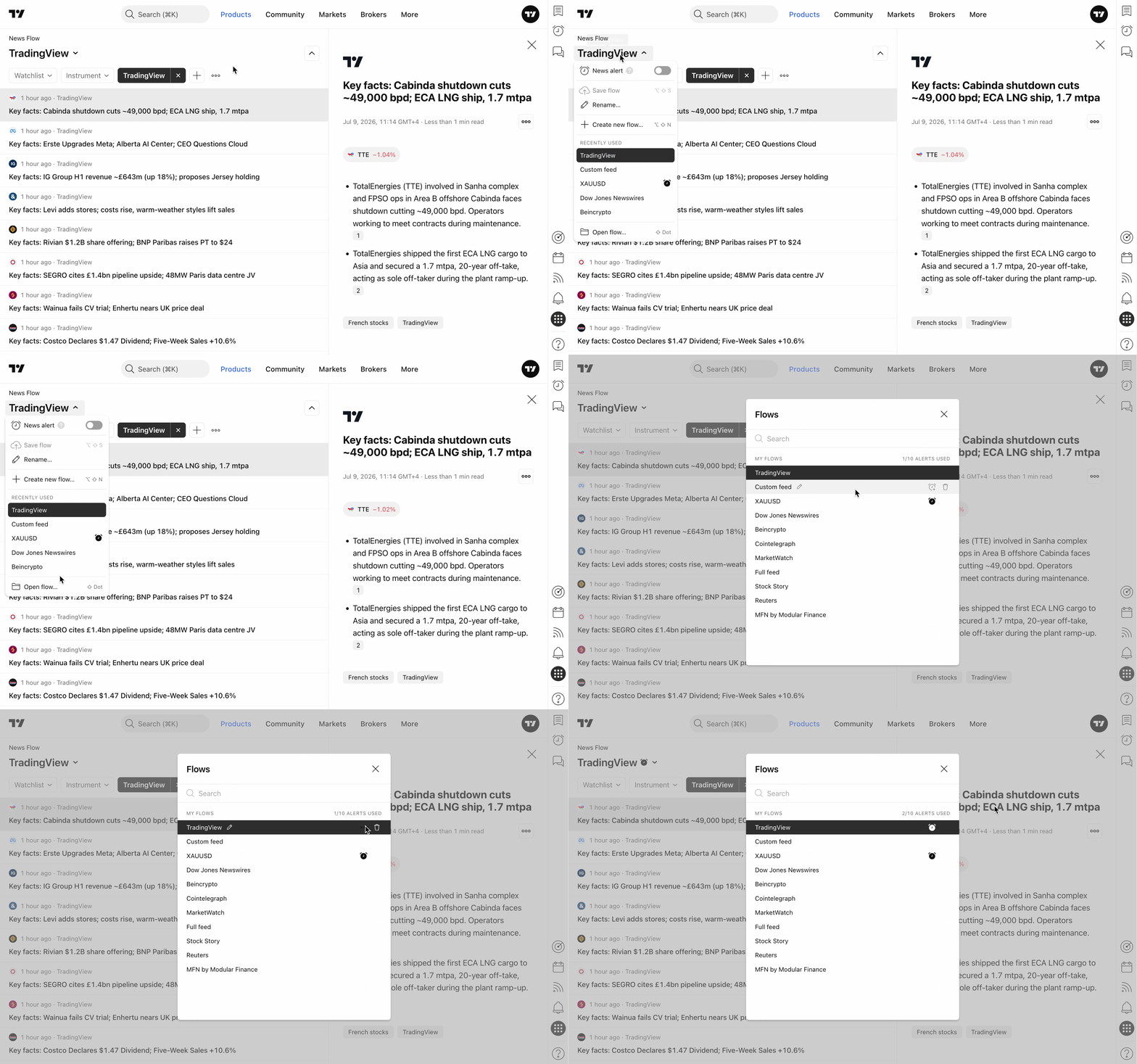
Once an alert is enabled, the flow will be marked with the alerts icon.
Alerts can only be enabled for a saved news flow. If you turn on an alert for a flow with unsaved changes, the changes will be automatically saved first, and then the news alert will be enabled.
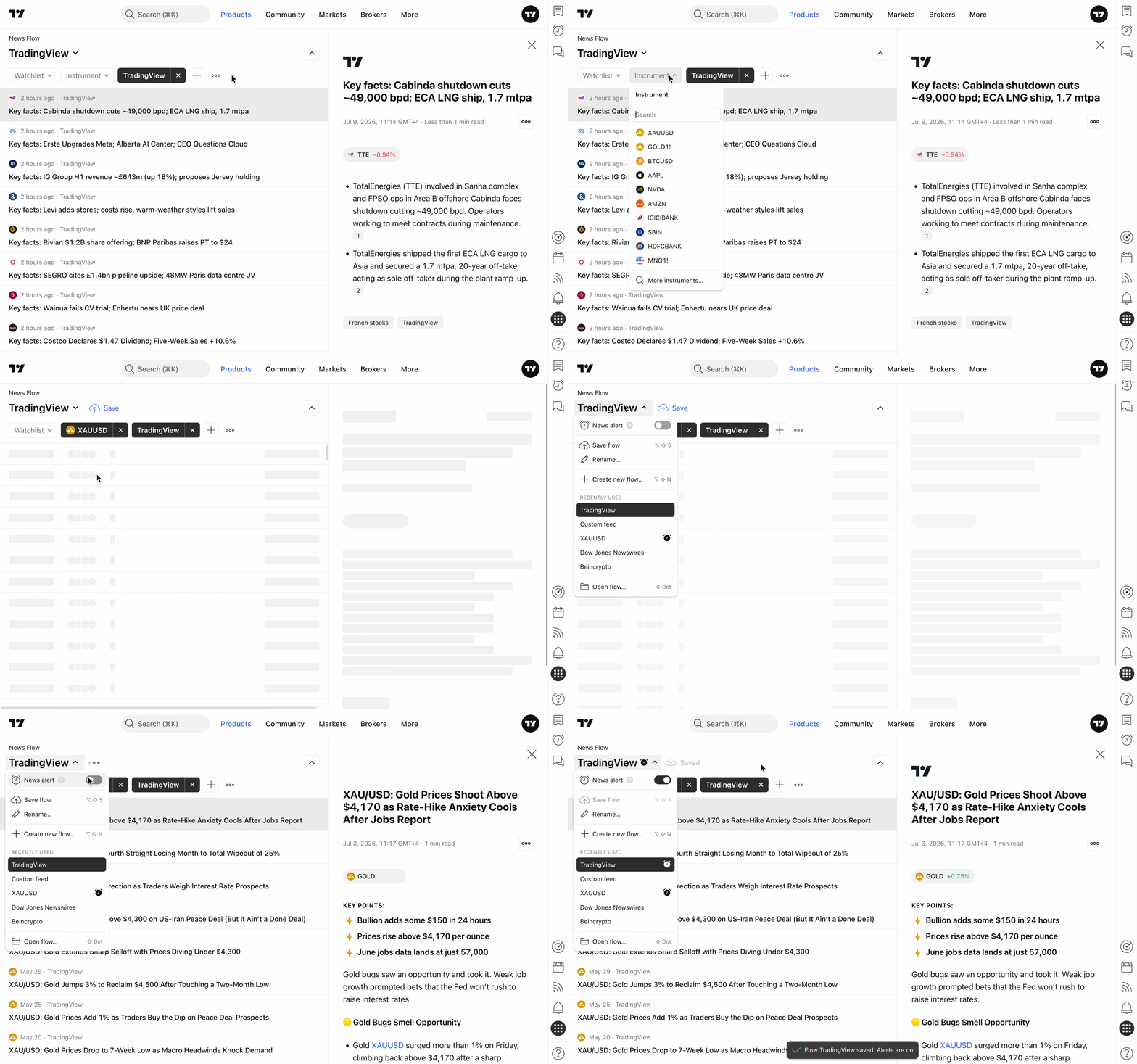
If you reach your account's limit for available alerts and want to track a new flow, you must turn off one of your current alerts first.
2. Turn off the alert: Switch the News alert toggle in the page header menu.
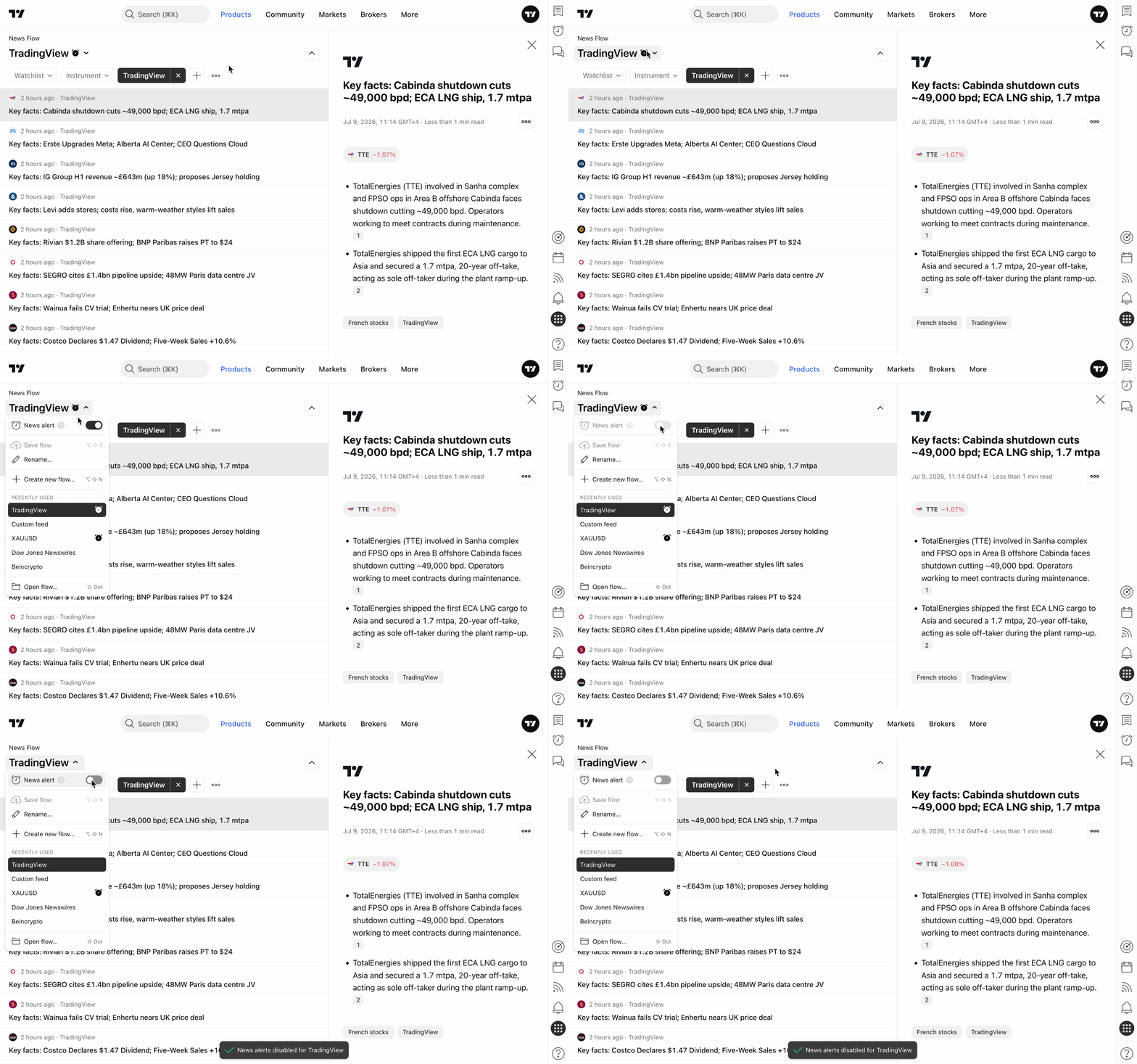
You can also quickly turn it off by clicking the alerts icon in the Recently used section or in the Open flow… dialog.
If you delete a flow that has an active alert, the alert will be deleted automatically as well.
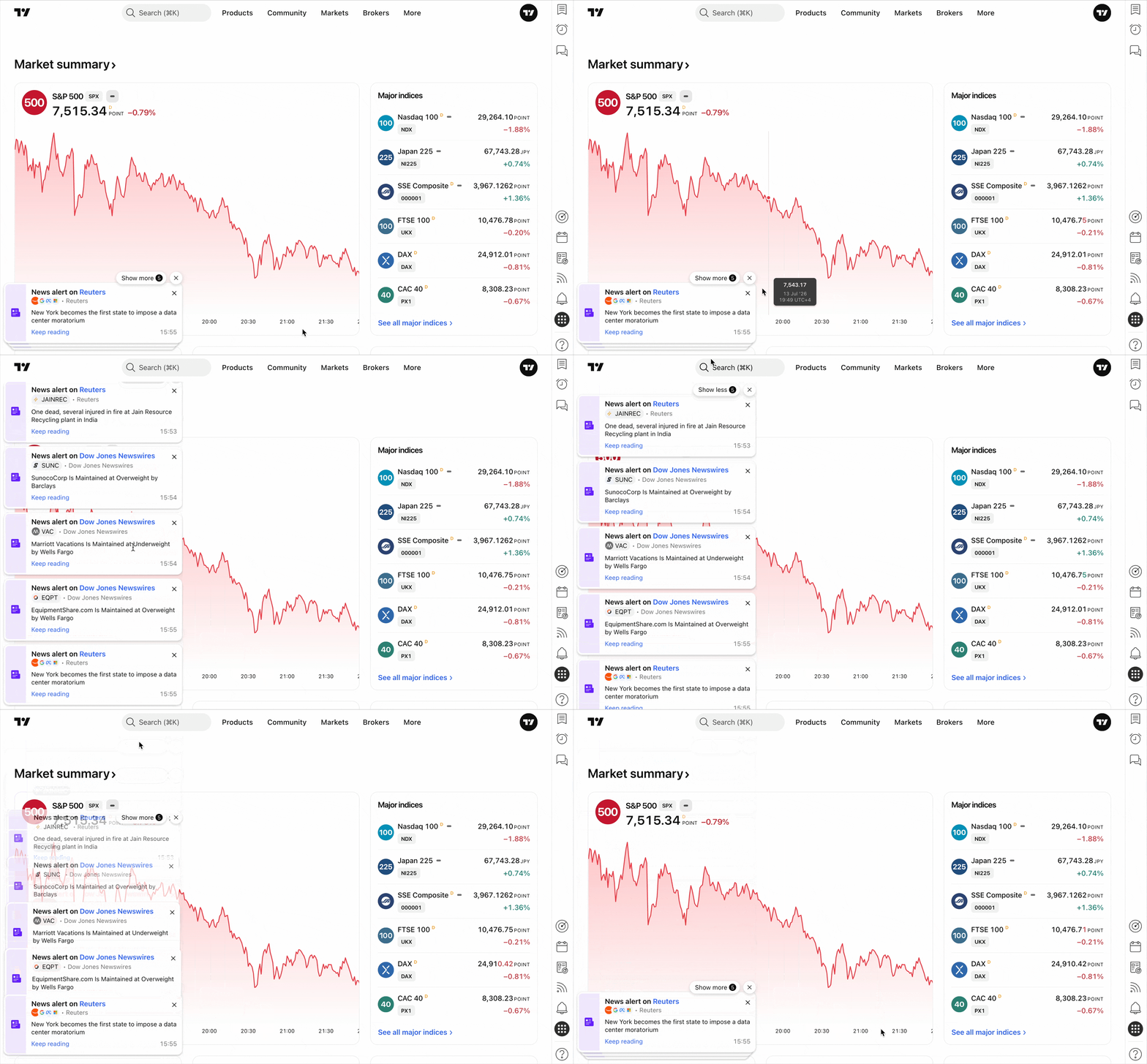
3. Receiving notifications
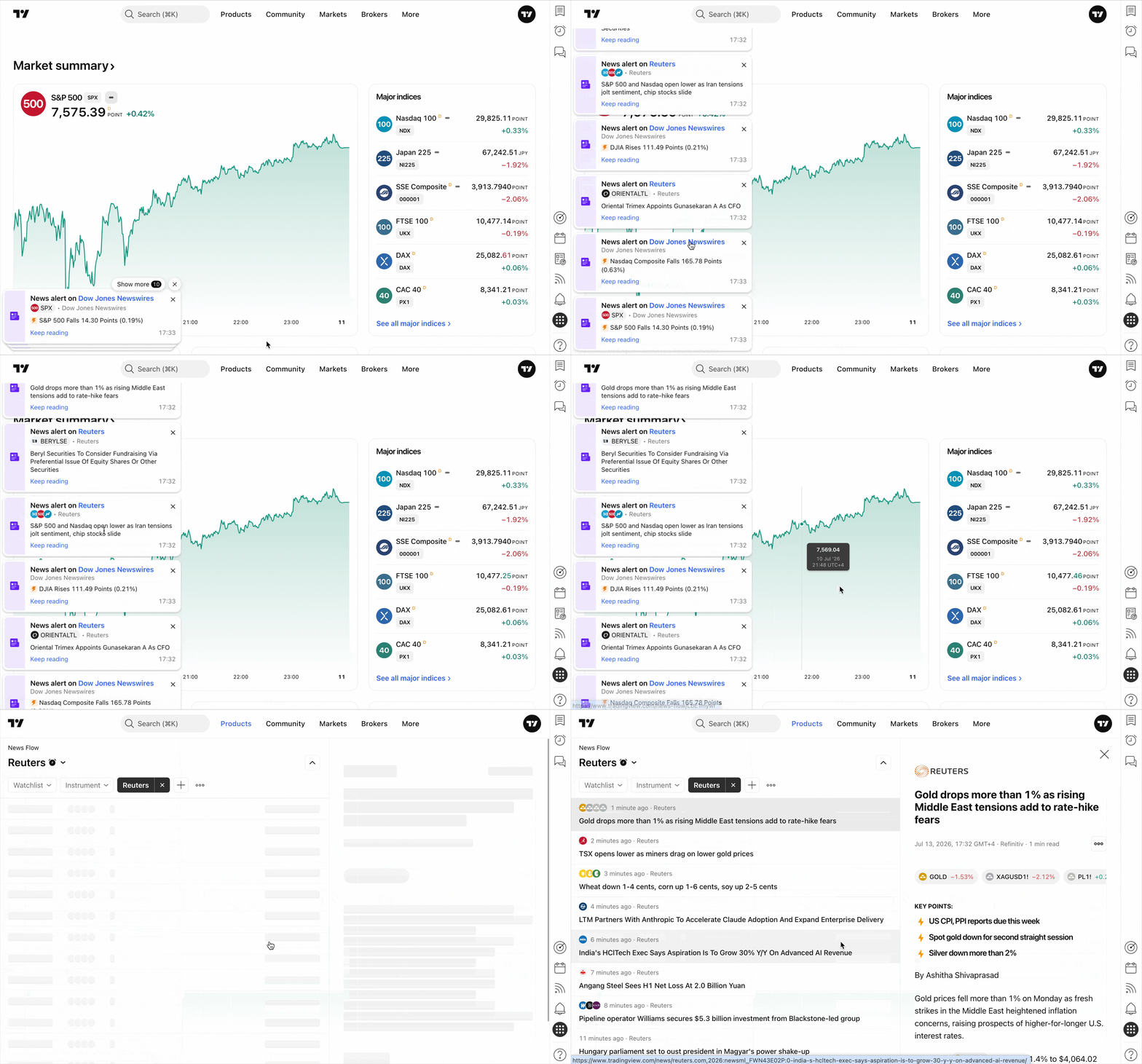
Once an alert is enabled, you will receive a notification whenever new stories appear.
If an alert is applied to a News Flow that is currently active (open on your screen), pop-up news notifications will not appear there to avoid redundancy.
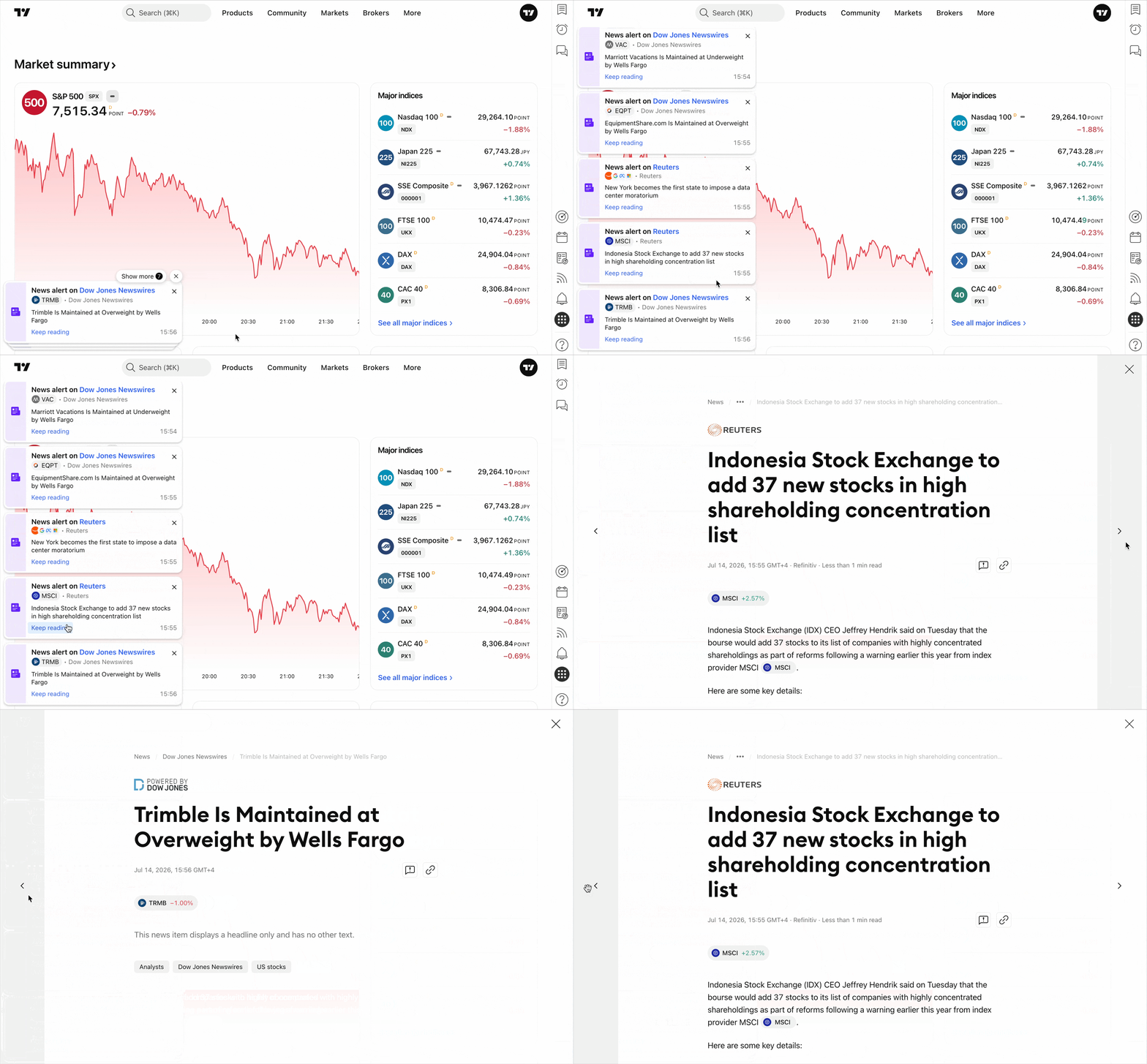
You can click Keep reading inside the news notification to view the full story.
You can switch between stories by clicking the Previous or Next buttons. Alternatively, you can navigate using the left arrow and right arrow keys on your keyboard.
In the news notification, clicking on the news feed name (highlighted in blue) opens a new browser tab displaying all the news for that specific feed.
Also read: