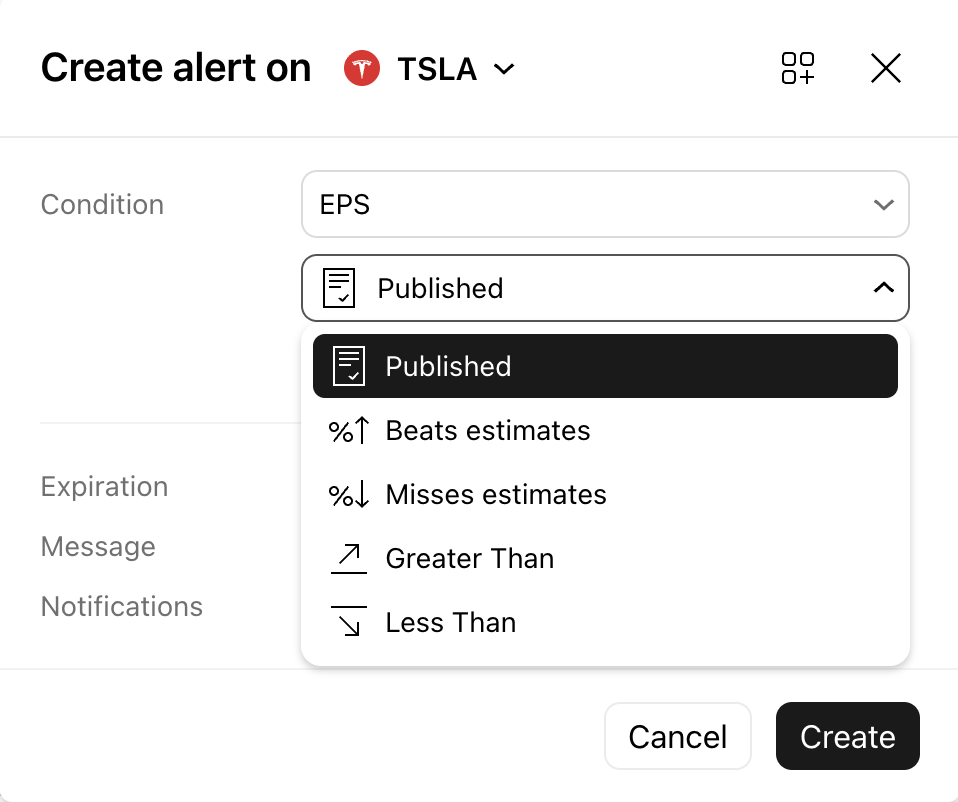
Alerts on Earnings & Revenue
Keeping track of a company’s financial health just got a whole lot easier. You can now set real-time notifications for Earnings & Revenue reports. If you want an immediate update when a company beats its EPS estimates, these alerts ensure you never miss a critical market shift.
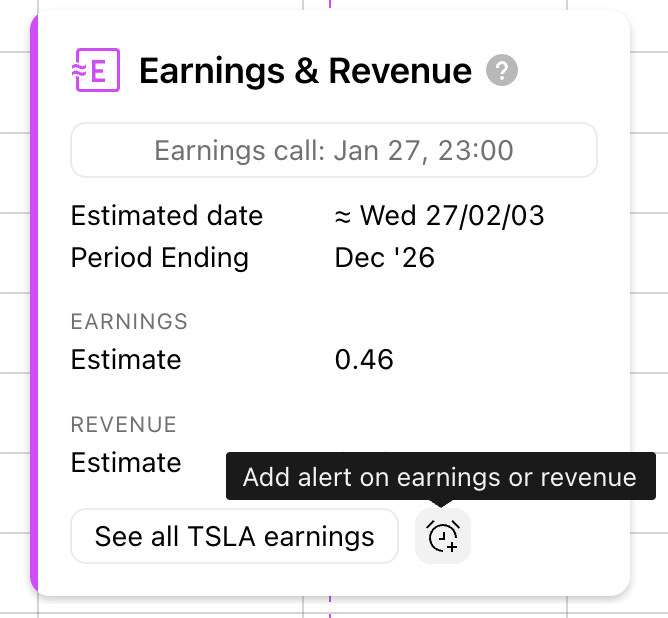
Set alerts for Earnings & Revenue directly from the chart.
Note: Earnings & Revenue alerts are exclusively available for stock instruments.
To set these up, simply click on the Earnings icon located at the bottom of your stock chart and choose your alert conditions.
Available Conditions for Basic EPS & Revenue:
When setting up an alert for Basic EPS or Revenue, you can choose the following trigger conditions:- New report: Triggers immediately when new financial data is published.
- Beats estimates: Triggers when the actual value exceeds market estimates by a user-specified percentage (set to 1% by default).
- Misses estimates: Triggers when the actual value falls below market estimates by a user-specified percentage (set to 1% by default).
- Greater / Less than: Triggers manually based on a specific numerical threshold that you define.