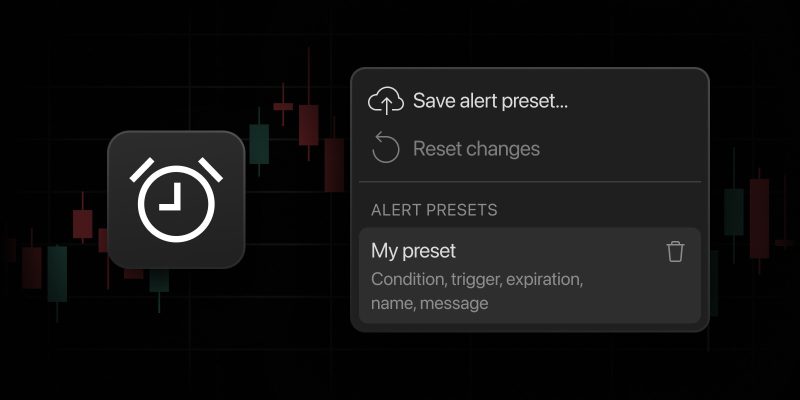
Setting up alerts is a core part of any trader’s workflow. But, repeating the same configurations every time can be time-consuming. To make your life easier, we’ve designed alert presets. They let you save your alert settings as reusable templates, so you can apply them instantly whenever you need them. It’s fast, efficient, and keeps your workflow consistent.
Setting up a preset
Creating your own alert preset is straightforward. In the alert dialog, configure your alert settings as usual. Once everything is set, click the preset button next to the close (✕) button. From the menu that opens, select Save alert preset.

This opens the preset menu, where you can name your preset and choose what should be saved. Presets store all your core configurations, so you don’t have to reapply them later. It includes:
- Conditions: Series, indicators, operators, bands, and timeframe.
- Behavior: Trigger frequency and expiration settings.
- Customization: Alert names and message templates.
- Notifications: All preferences (App, Email, Sound, etc.) from the Notifications tab apart from Webhook URL.

Once saved, your preset is always available from the same menu. You can apply it instantly when creating a new alert, saving valuable time. Keep in mind that you can store up to five alert presets. If you need to make changes, simply delete the existing preset using the bin icon and save an updated version.

Remember that you can always revert to the original settings by clicking Reset changes.
Why alert presets matter
Alert presets are built to help you focus on what truly matters: analysis and decision-making. By reducing repetitive setup and keeping alert behavior consistent across symbols and markets, presets can help you trade more efficiently and with greater confidence.
We hope this update will make your workflow more streamlined and help save time. Let us know what you think — your feedback helps us move the platform forward.
Team TradingView