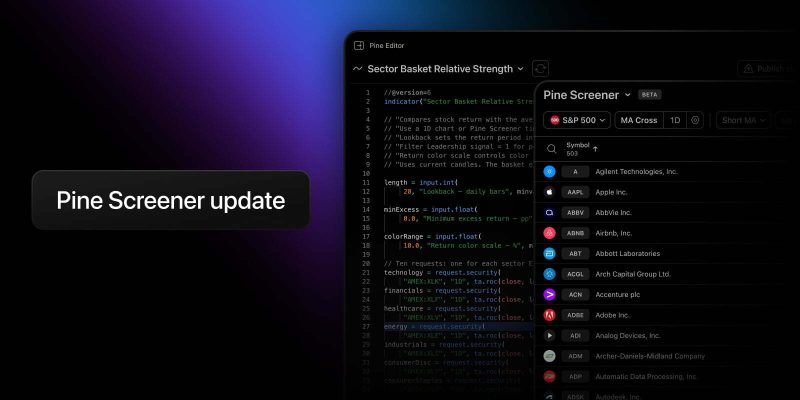
Pine Screener lets you run your own Pine Script® indicators across hundreds of symbols at once. Until now, there was a catch: a script could make no more than 5 request.*() calls in the screener, while the same script on Supercharts could make up to 40. Many indicators that worked perfectly on the chart had to be trimmed down or rewritten before they would run in the screener.
That limitation is now gone. Pine Screener now supports up to 40 request.*() calls per script — the same limit as the chart.
What changed
Every time a script asks for data it doesn’t already have — a value from another timeframe, another symbol, an index, financials — that is one request.*() call. Pine Screener used to allow 5 of them per script. Now that limit has increased to 40.
This matches the standard Pine Script limit on Supercharts, allowing you to use more complex indicators in Pine Screener without modifying their code to meet the previous restriction. The “works on the chart, fails in the screener” problem is gone.
What you can do now
More requests means more context per symbol in a single scan. A few things that were hard or impossible with 5 calls:
- Scan across timeframes. Combine conditions from different intervals in one script – say, a weekly uptrend, a daily RSI reading, and a 4-hour volume spike — and filter for symbols that pass all of them
- Compare against a benchmark. Pull in an index or another symbol and use it in your conditions — for example, to find stocks outperforming the S&P 500 over the last month
- Run your heavier indicators as they are. Multi-timeframe dashboards, scripts that check several lookbacks, indicators built from libraries that make their own requests — the ones you previously had to simplify or keep a separate “screener version” for
Nothing changes in how you work: add the indicator to your favorites on the chart, select it in Pine Screener, set your filters, and run the scan.
Things to know
- The limit counts separate request.*() calls, the same way the chart does. Identical calls with the same arguments count as one; calls inside imported library functions count toward the limit
- Requested timeframes still need to be from the screener’s supported list: 1, 5, 15, 30 minutes; 1, 2, 4 hours; 1 day, 1 week, 1 month
- Everything else about Pine Screener remains the same. You can find the full list of requirements in our Pine Screener article
If you cut requests from a script to fit the old limit, now is a good time to put them back.
This update was inspired by your feedback – thank you for that. Head to Pine Screener, try the script you had to leave on the chart, and let us know how it goes.
Team TradingView