Crypto Coins Screener: discover hidden gems
With the Crypto Coins Screener, you can literally access the entire crypto universe, allowing you to scan, sort, and filter coins according to your specific investment needs. The screener is designed to help you navigate thousands of cryptocurrencies efficiently so you can find the most promising opportunities.
CONTENTS:
- What is the Crypto Coins Screener?
- How to access the Crypto Coins Screener
- How to use the Crypto Coins Screener
What is the Crypto Coins Screener?
Solid analysis begins with focusing on what deserves your attention and filtering out coins that do not align with your strategy. The Crypto Coins Screener makes this effortless. You can apply diverse filters, build custom watchlists, and create personalized data tables to track performance, key metrics, and technical indicators.
While cryptocurrency attracts attention for its potential for high returns, it inherently carries higher risk for your portfolio. That is why thorough, objective analysis is critical when engaging with these volatile assets.
TradingView always recommends taking your time for in-depth research — and we provide all the tools you need to help you achieve your goals.
How to access the Crypto Coins Screener
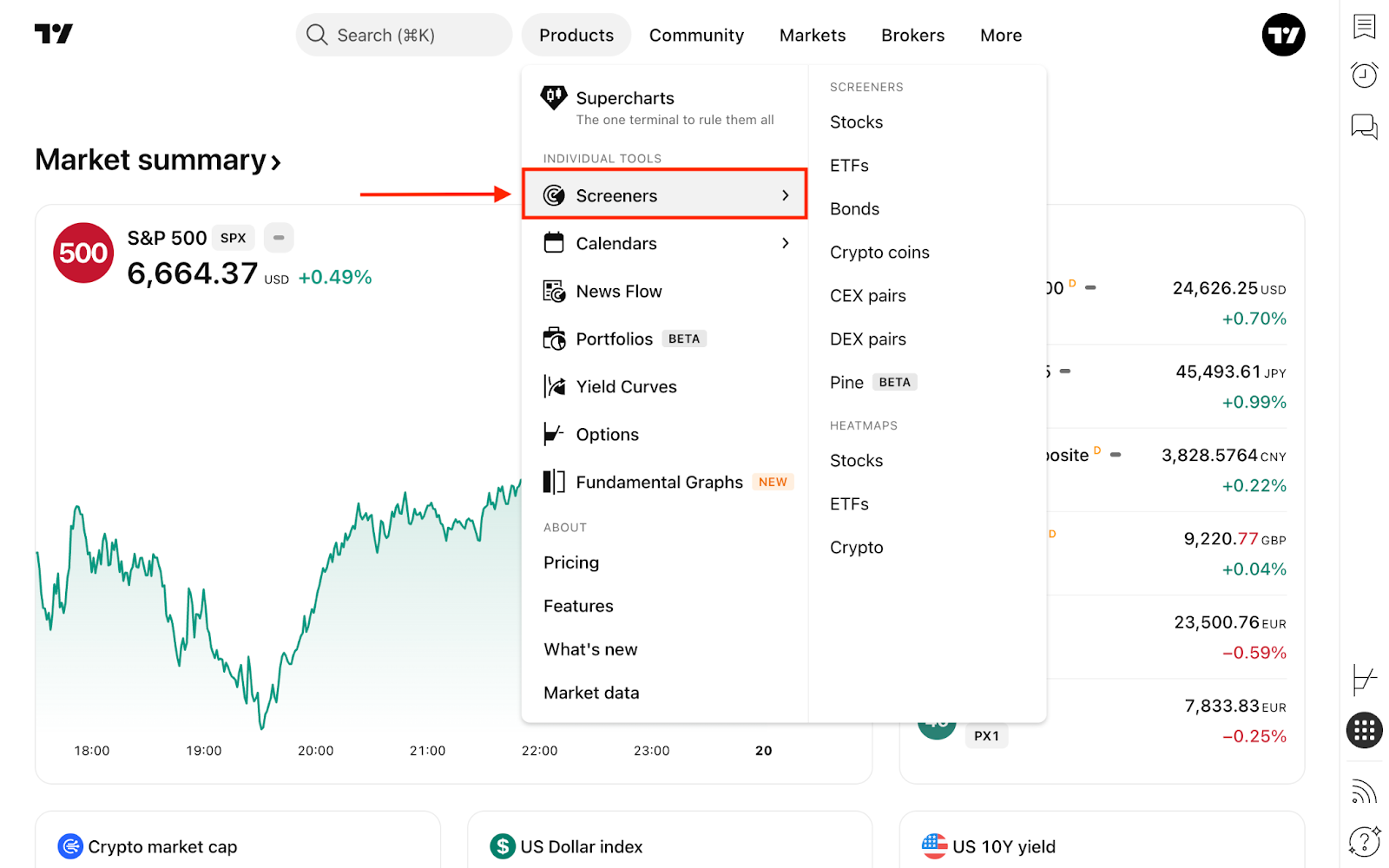
From the main page, click the Products dropdown in the top navigation menu, hover over Screeners, and select Crypto coins.
Alternatively, you can access it directly from Supercharts. On the right-hand toolbar, click Products → Screeners. If another screener is currently active (like the Stock Screener), simply click its name at the top and switch to the Crypto Coins Screener.
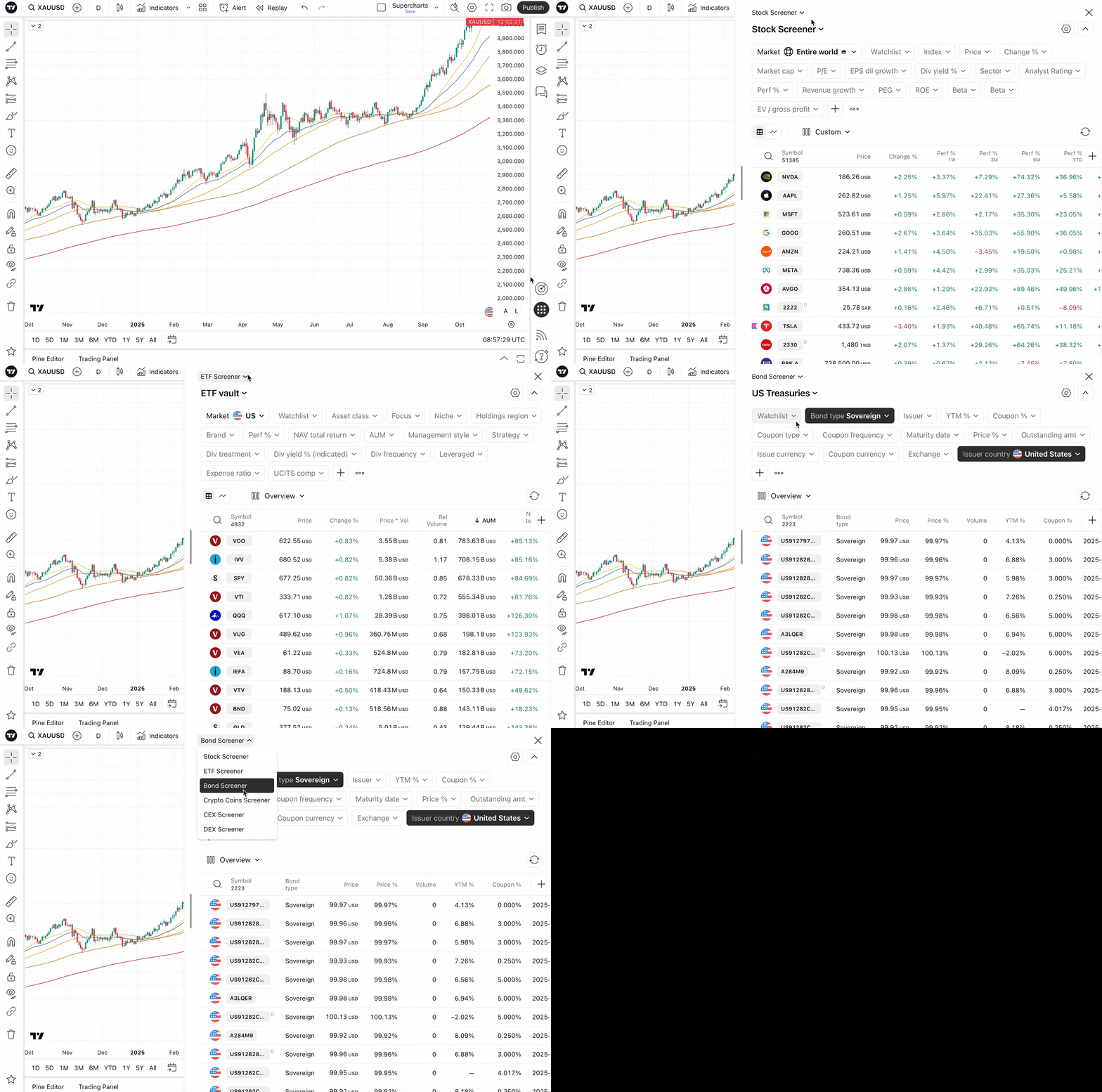
Both options lead to the exact same tool with identical functionality. Choose whichever workflow you prefer, then filter, scan, and pick the coins that interest you most.
How to use the Crypto Coins Screener
When you open the screener, you will see the entire Crypto universe. By default, the list is sorted by Rank — a cryptocurrency's overall position based on calculated market capitalization, adjusted by an internal prioritization system that accounts for asset reliability and popularity.
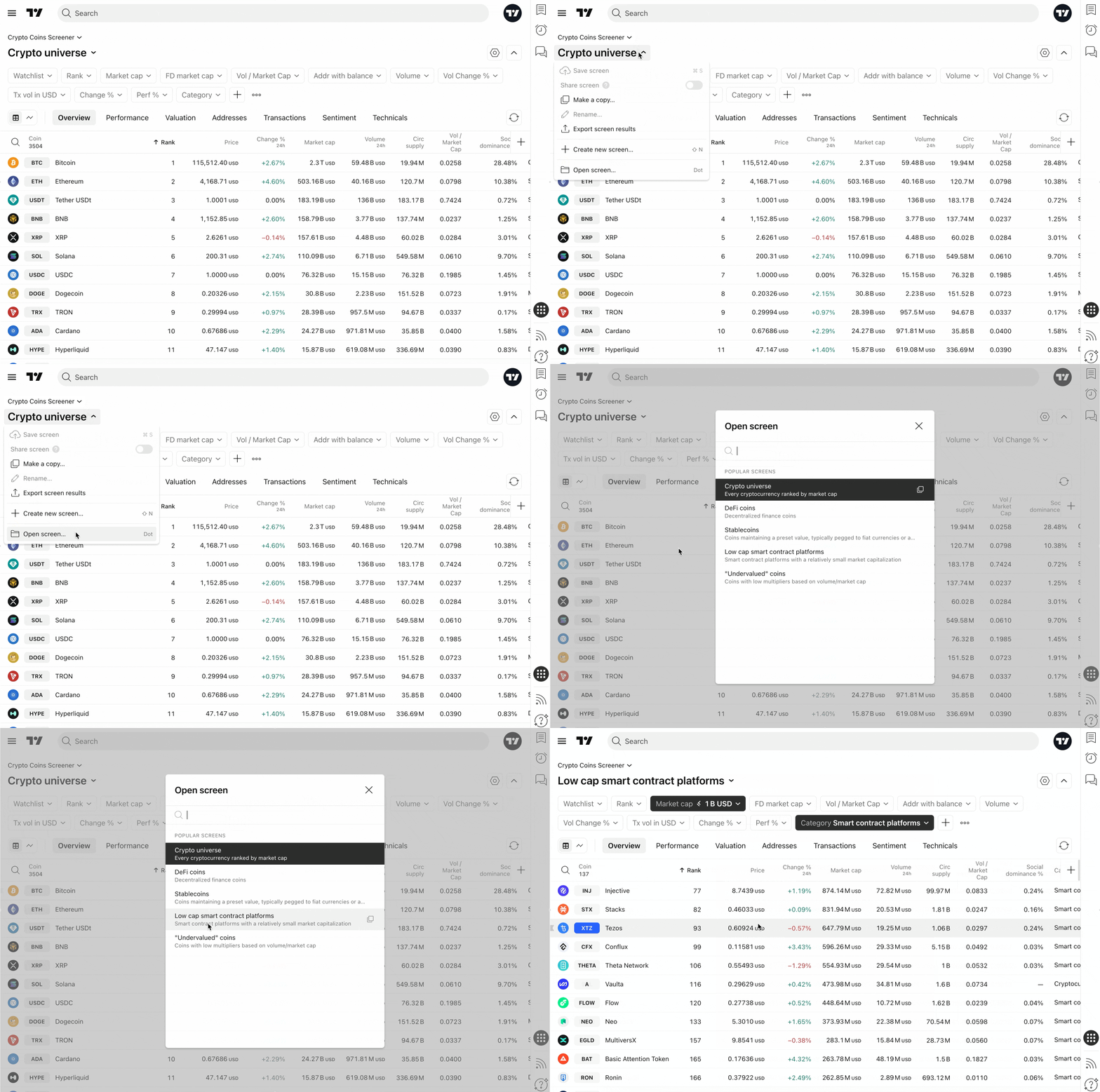
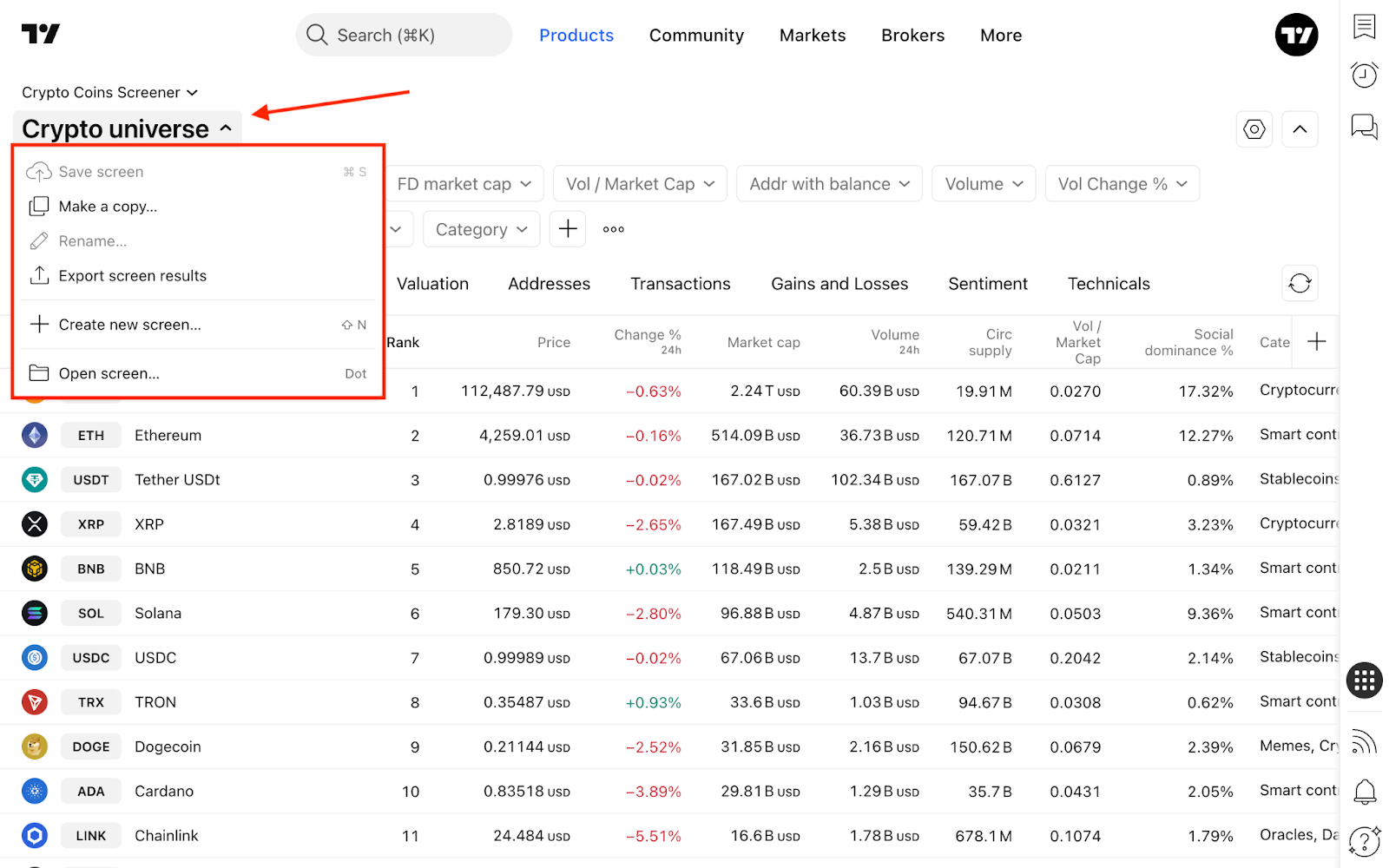
You can easily change this sorting method or apply default filter sets to customize your discovery process. To do this, click the current screen name (e.g., Crypto universe) in the top-left corner and select Open screen…
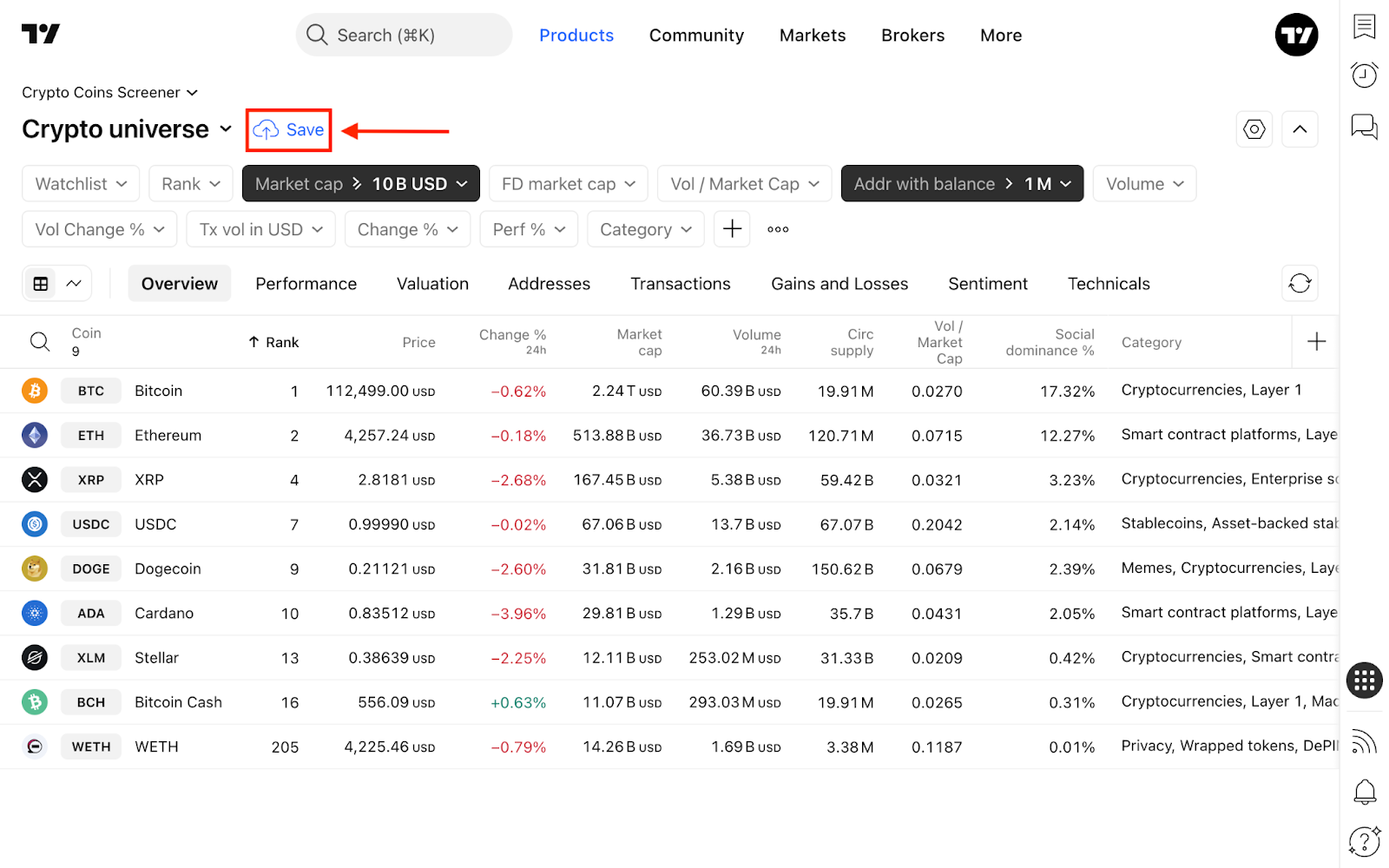
Like all TradingView screeners, you can create and save your own screens for future analysis. Simply set your desired filters, click the blue Save button, and give your template a name.
In this same dropdown menu, you can access recently used screens, export your results as a CSV file, or start a completely new screen.
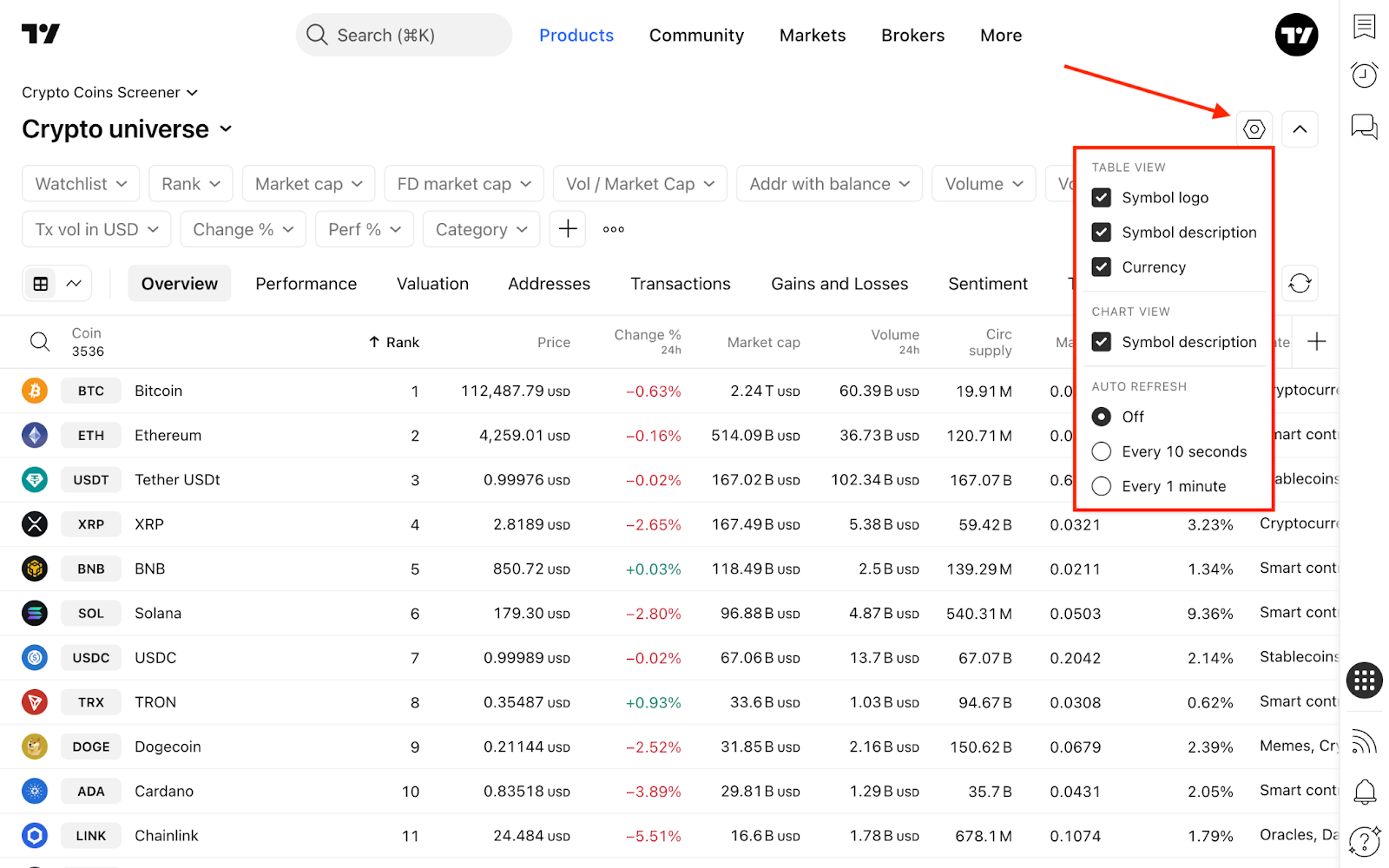
On the right side of the screen, you will find the Screener settings. Here you can customize visual preferences (such as toggling symbol logos, descriptions, and currencies) and adjust the auto-refresh rate.
Once your screener is perfectly configured, click the Hide filters button to collapse the top panel, maximizing your workspace to view and analyze more coins at once.
Filters
Filters are specific conditions a coin must meet to appear in your table. You can select and adjust these criteria in the filter editing dialog.
To add new filter conditions, click the + button or press Shift + F.
- Coin info: General information, such as price, trading volume, and category.
- Market data: Historical data covering gains, losses, and volatility.
- Valuation: Specific metrics designed for crypto valuation analysis.
- Holders: Insights into wallet addresses, their balances, and overall profitability.
- Transactions: On-chain data tracking average transaction sizes, coin volumes, and the total number of transactions.
- Sentiment: Community sentiment based on social media dominance and opinions across various platforms.
- Technicals: Technical indicators that can be applied directly as filtering parameters.
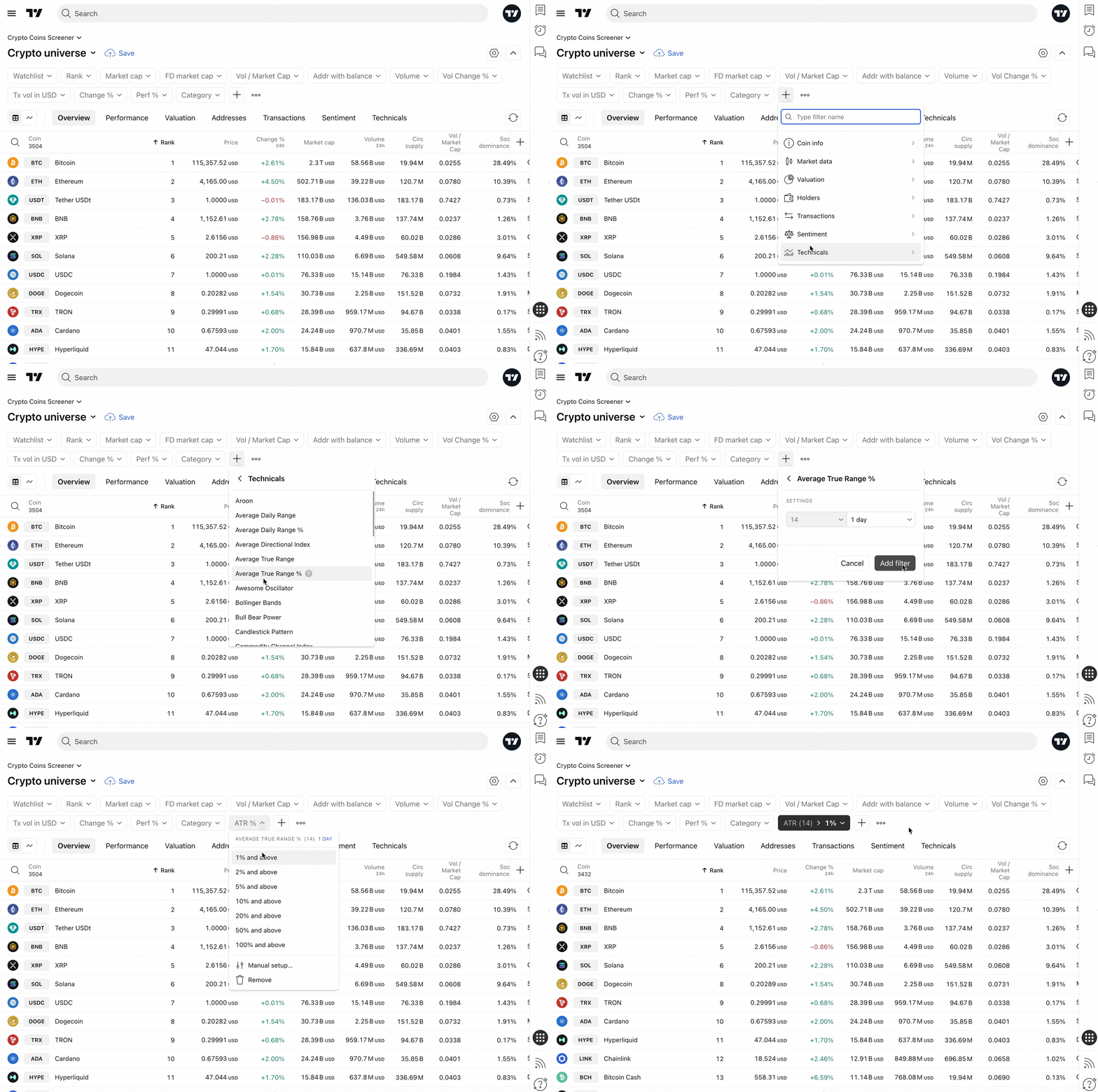
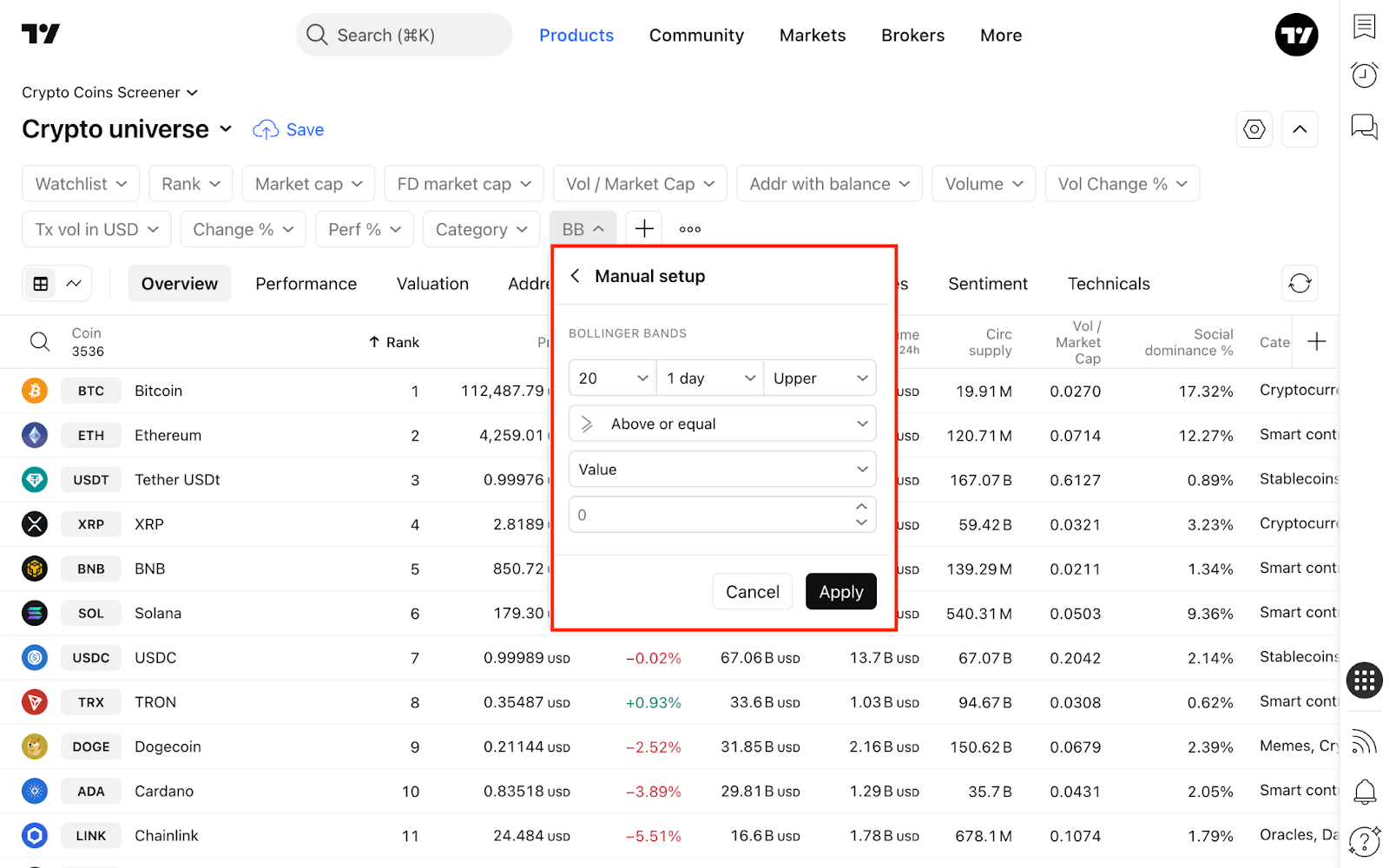
For many technical indicators — such as RSI, Stoch RSI, Momentum, EMA, SMA, and Keltner Channels — you can access an expanded set of customizable parameters to fine-tune your scan.
Column sets
Below the filters, you will find column sets. Each set groups data relevant to a specific type of analysis. You can always add a custom column set using the + button on the right.
Here is a breakdown of the default column configurations:
- Overview: Key snapshot metrics, including rank, price, market cap, and circulating supply.
- Performance: A historical view of the coin's profitability and losses over time.
- Valuation: Advanced metrics including the number of coins outstanding and coin velocity.
- Addresses: Network activity metrics, such as daily active addresses and new funds added.
- Transactions: Network usage data showing the total number of transactions, volume in both coins and USD, and the largest individual transfers.
- Sentiment: Social dominance, social volume, and current market sentiment readings.
- Technicals: A broad overview of oscillators, moving averages, and momentum indicators.
Oh, and one more crypto thing…
In addition to built-in sentiment analysis, the TradingView community is a powerful resource for crypto traders. Community trade ideas unite people through a shared interest in finance. You can read the latest market insights, join active discussions, and post your own views to make informed investment decisions with the support of traders from all over the world.
Also read: