How to trade with leverage in Paper Trading
By using leverage, you can trade larger position sizes than your actual account balance holds. This can be especially useful if you are an active trader seeking higher returns with smaller capital outlays. However, leveraged strategies carry significantly higher risk, making Paper Trading an ideal tool to practice under conditions that closely resemble real markets.
CONTENTS:
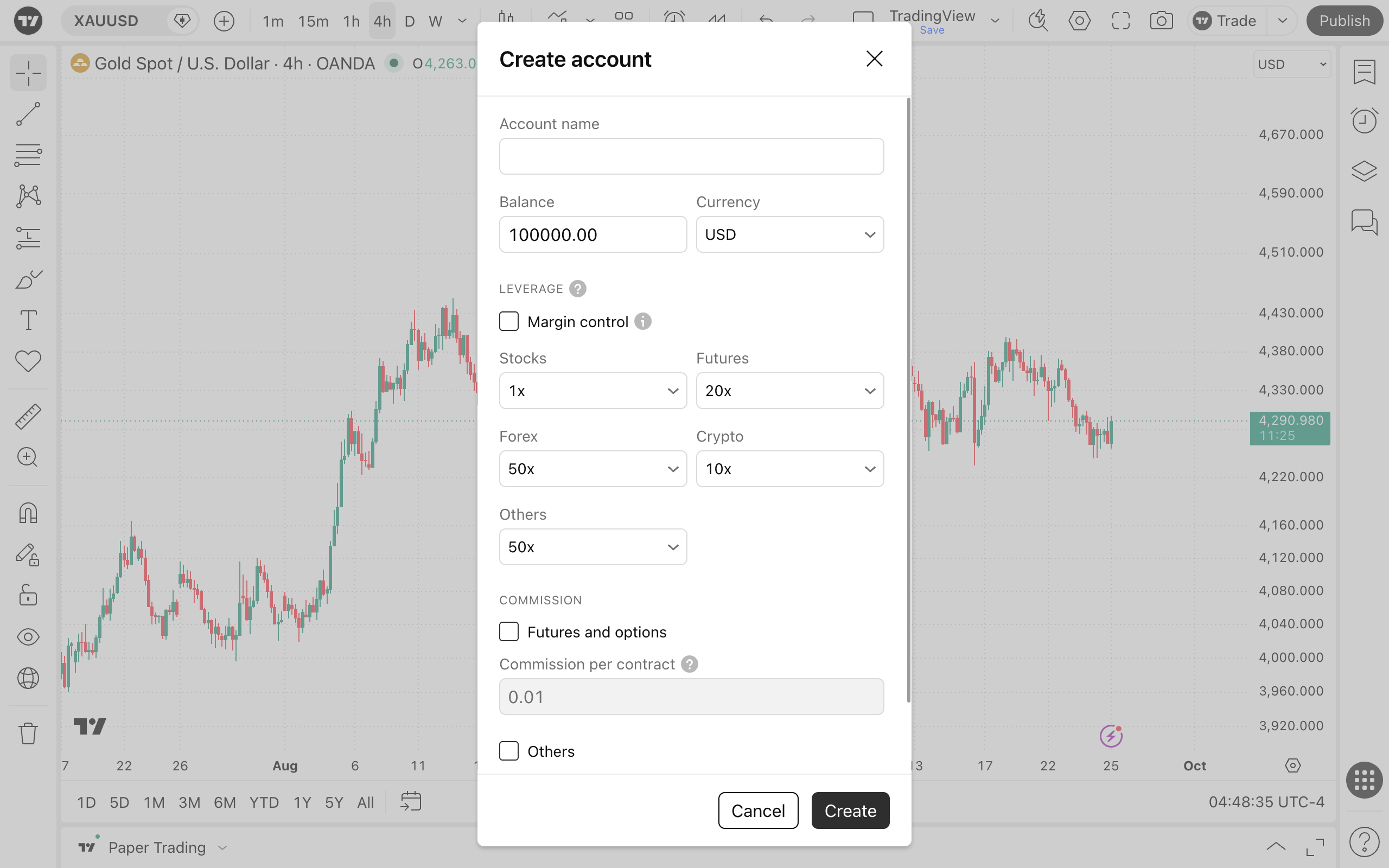
To help you start simulated margin trading immediately, your Paper Trading account comes pre-configured with default leverage values commonly used by real brokers and exchanges. For example, the default margin requirement for E-mini S&P 500 futures is 5%, which corresponds to a default leverage of 20x.
Note: TradingView does not provide real margin trading or brokerage services. We only simulate the mechanics of real brokers to help you refine your trading strategies in a completely risk-free environment.
Setting up leverage by asset class
You have full control over your leverage settings across different financial markets:
- Asset class customization: You can set specific leverage ratios for each asset class individually by selecting a value from the dropdown list for that market (e.g., Forex, Futures, Stocks).
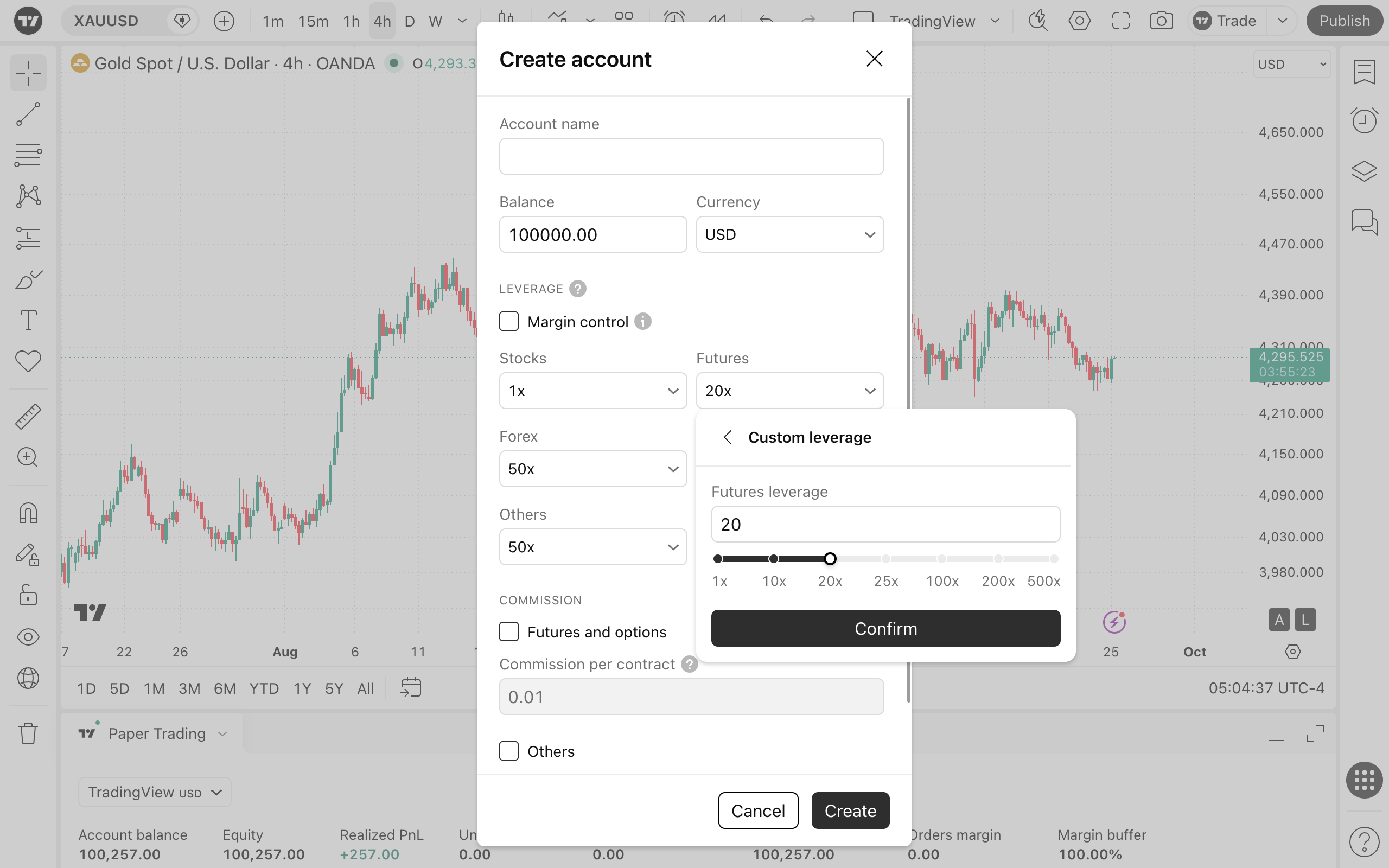
- Custom leverage: You can also set a custom leverage multiplier to test various risk management strategies and see what level of exposure fits your trading style.
- Account-wide application: Once configured, your selected leverage will automatically apply to every order placed within that account. You can adjust or change your leverage settings at any time in the account settings menu.
Key margin details in the order ticket
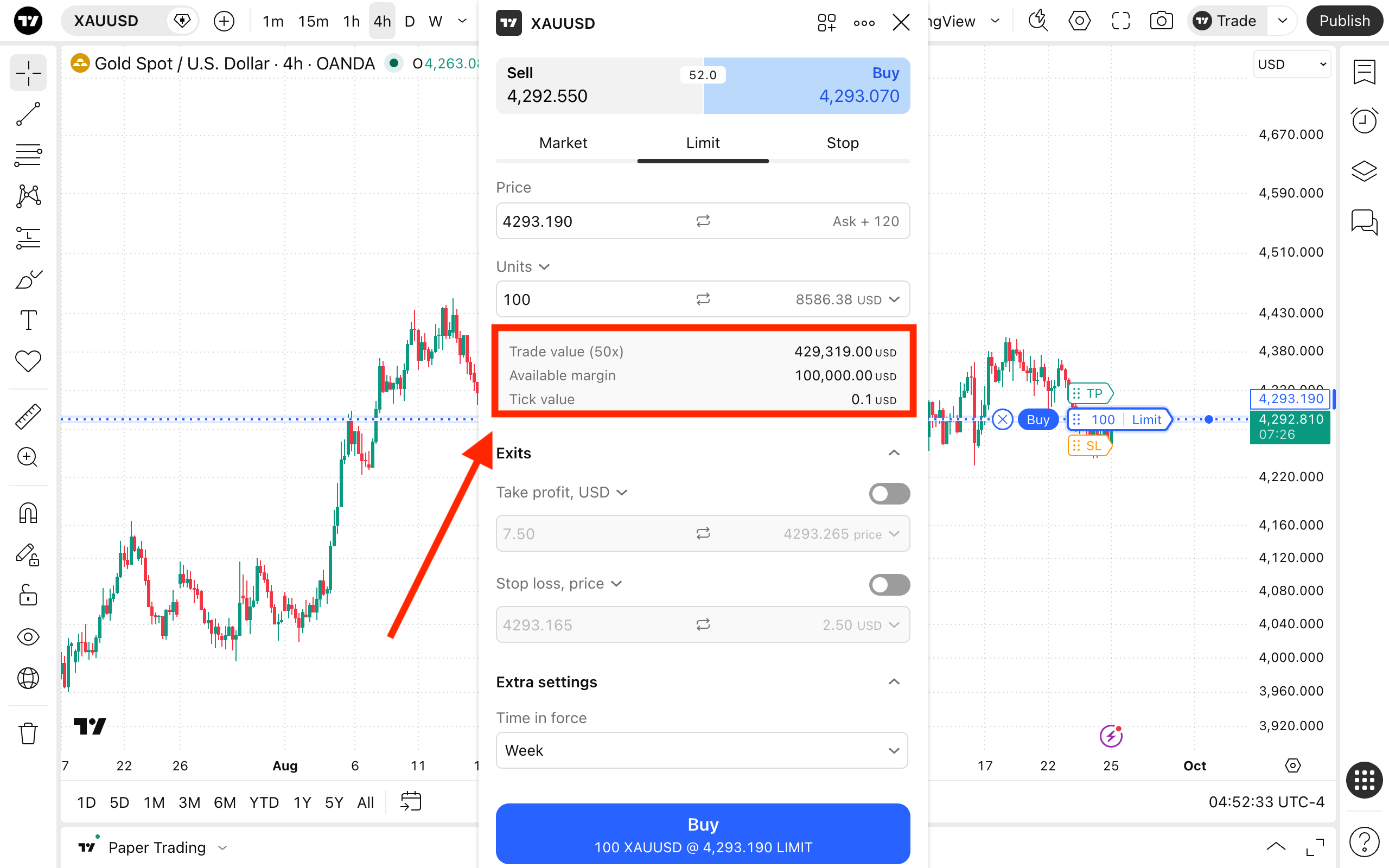
Before executing a trade, the order ticket provides a clear breakdown of your position requirements:
- Trade value: The total notion value (full cost) of your planned position.
- Available margin: The total amount of unencumbered funds in your account that can be used as collateral.
- Tick value: The monetary value of the minimum price increment for the selected asset.
Execution requirement: At the time of order execution, if the required margin for the position exceeds your available margin, the order will not be executed.
Tracking account margin
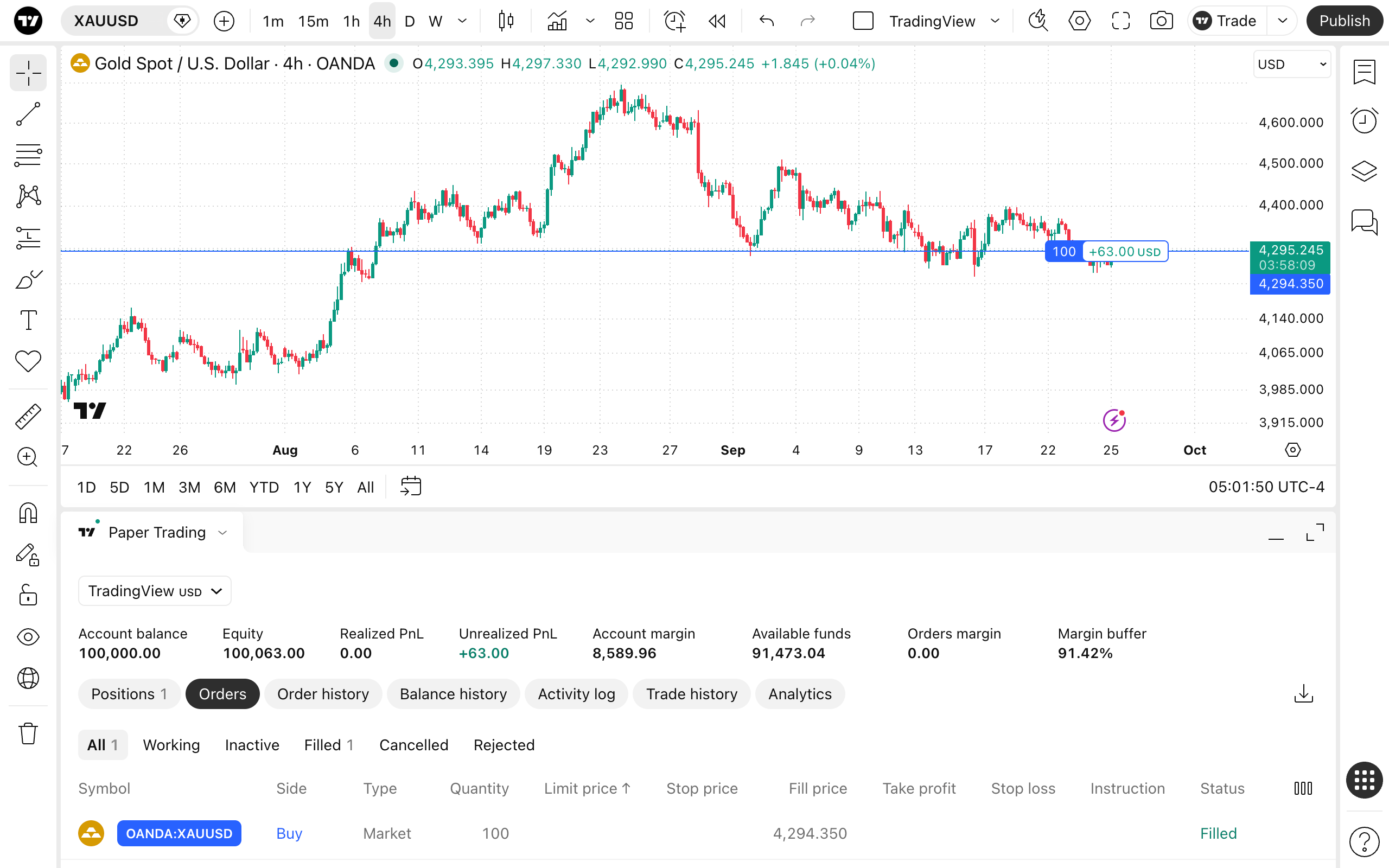
Once your trade is open, you can monitor how much of your capital is tied up as collateral. Go to the Account Manager tab at the bottom of Supercharts and check the Account margin metric. This shows the exact amount of funds being used to keep your active positions open.
Also read: