What is a limit order
A limit order is a buy or sell order that is executed only when a price reaches a specified level or better. It gives you more control over the transaction and is a perfect choice when securing a specific price matters more than speed.
CONTENTS:
Limit order overview
A limit order allows you to buy or sell an asset at a predetermined price. It is executed only if the market reaches that price or a more favorable one. Once placed, they end up in the order book and get executed based on their direction:
- Buy limit: The maximum price you're willing to pay
- Sell limit: The minimum price you're willing to accept
These types of orders protect you from sudden price changes in the market. But there is no guarantee that a limit order will be filled, as the market price may never reach the specified price.
Execution of a limit order also depends on order's place in the queue. If the market reaches the predetermined price, the order may or may not be filled, depending on the amount of available liquidity at that level. First are executed orders that are placed earlier.
Limit vs market order
Unlike market orders, limit orders are better suited for planning trades in advance and help in avoiding slippages.
Limit
- Allows price control to avoid overpaying or selling too low
- Better for planned trading with clear entries and exits
- Works in both regular and extended hours
Market
- Less price control
- Inapplicable for low-liquidity markets
- Risky during non-regular hours or high volatility
Limit order duration
The length of time a limit order stays active depends on your settings or the broker's policy. By default limit orders are set as day orders, meaning they are valid only during regular market hours and are automatically canceled at the end of the trading day if not filled.
Some brokers offer good-till-cancelled (GTC) limit orders, which remain open until the trade is executed or the order is manually canceled. However, to avoid unintentionally executing outdated trades long after they were placed, most brokers apply time limits. These limits are usually specified in fixed 30-day intervals.
How to place a limit order
To place a limit order on TradingView, click the "Trade" button in the top-right corner of Supercharts and select your broker or Paper Trading.
After a broker is connected, you can place an order the following ways.
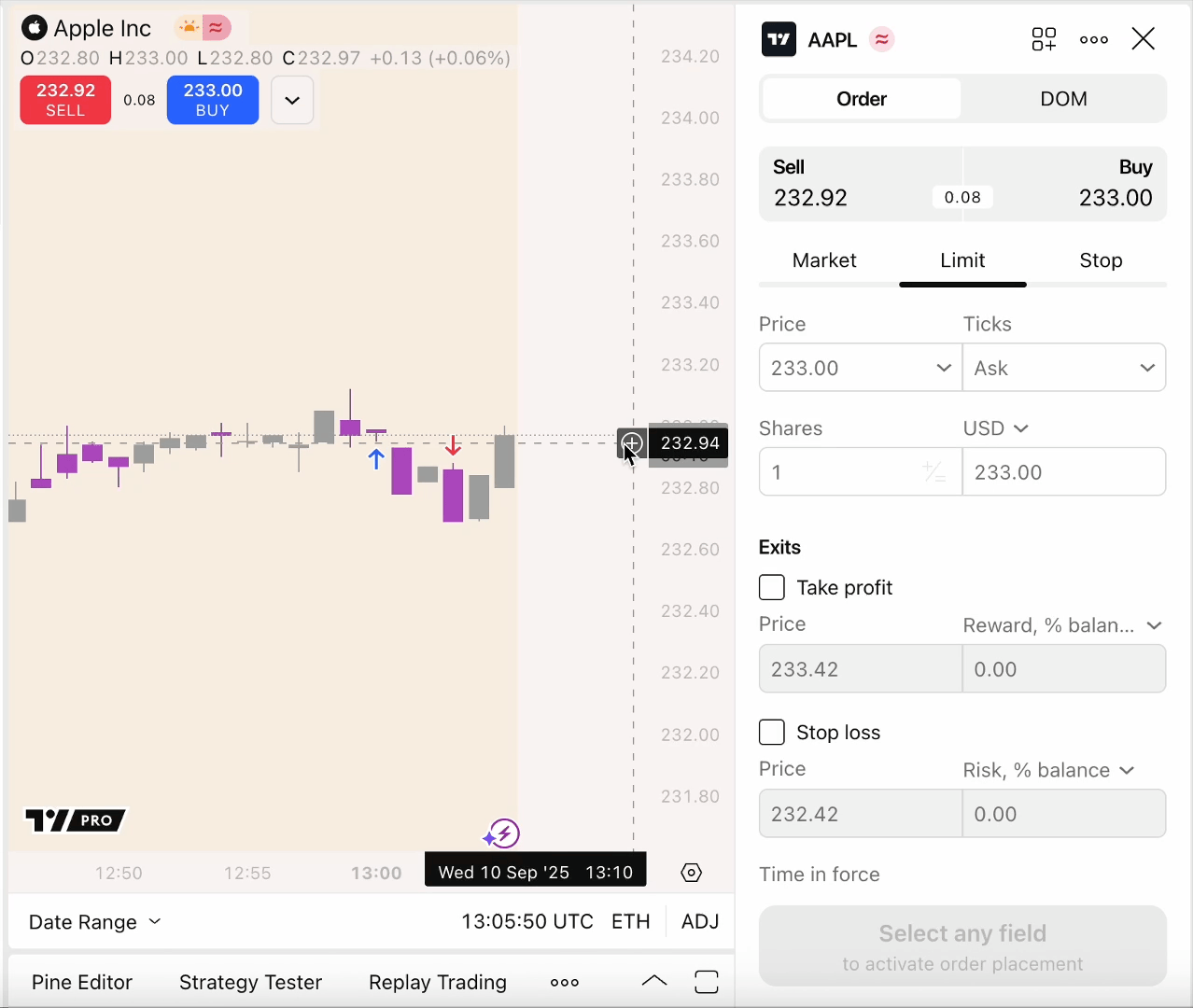
Via the order ticket
Click the "Trade" button again and select "Market."
- Choose whether it's a buy or sell order
- Enter the quantity, which is the number of units you want to trade
- To manage risk and reward, you can enable take profit and stop loss
- Once all details are set, click the "Buy" or "Sell" button to place the order
Using the shortcuts
- Enable one-click trading in the chart settings
- Create an order preset with a limit order
- Click Shift + B for buy orders and Shift + S for sell orders
Limit order in a nutshell
Limit orders instruct a broker to buy or sell an asset at a specific price or better. Instead of continuously monitoring the market, you can place them to execute at your desired price level and manage risk by defining acceptable entry or exit prices in advance.
Also read: