Community Competitions: main functionality
Community Competitions are Paper Trading competitions created by TradingView users. Anyone on an eligible plan can launch a competition, invite other traders, and compare results on a shared leaderboard. All trading is simulated, so there is no real money involved.
CONTENTS:
- What are Community Competitions?
- How to find a competition
- How to join and trade
- How the leaderboard works
- How to create your own competition
What are Community Competitions?
A Community Competition is a contest between traders who want to compete with others and test their skills using Paper Trading. The creator sets the rules: dates, assets, starting balance, leverage, commissions, and margin control. Participants trade with virtual funds under the same conditions, and the leaderboard shows who performed best.
TradingView provides the platform and tools. It is not the organizer of these competitions, does not verify the rules set by creators, and does not award prizes.
How to find a competition
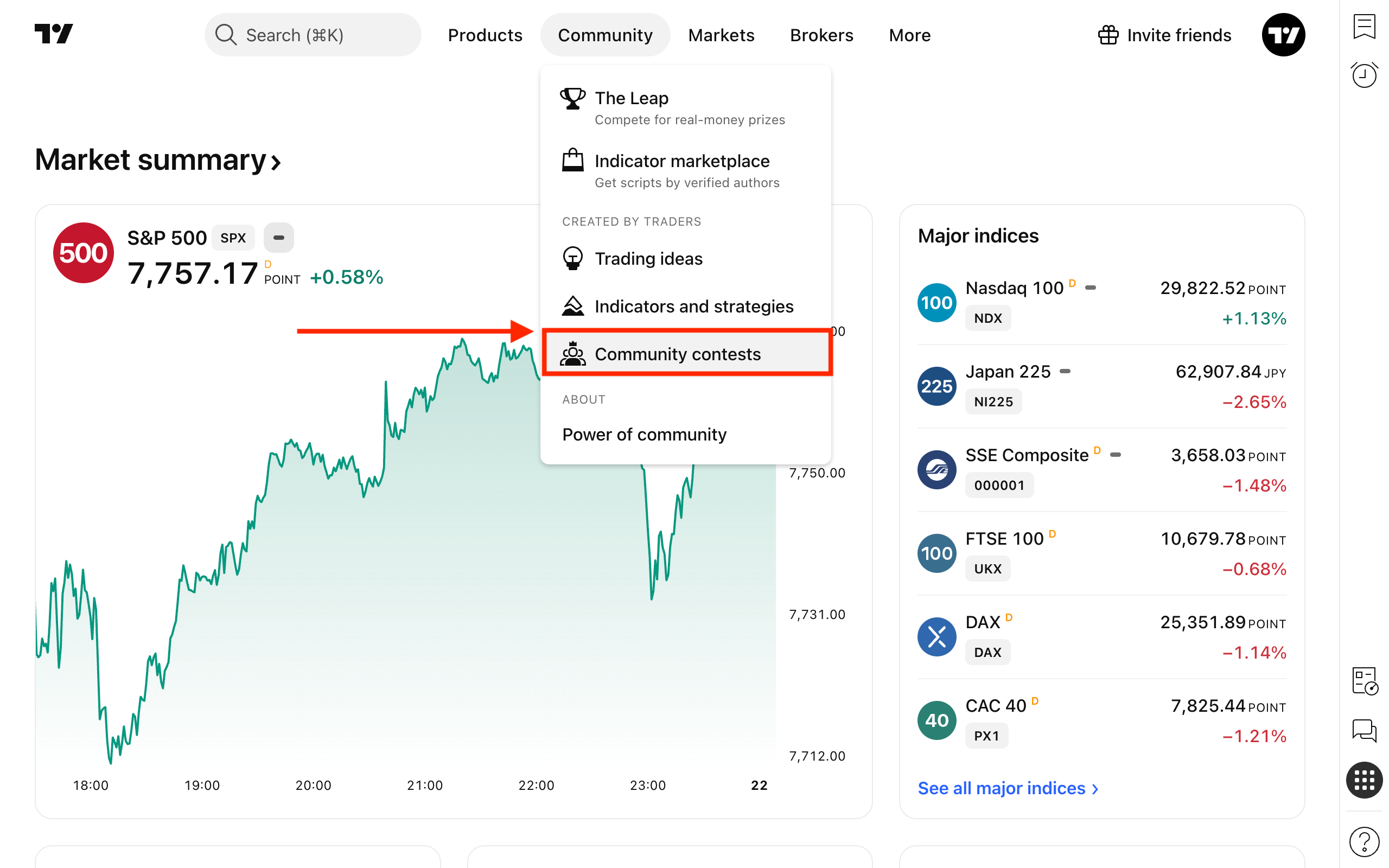
Open the Community dropdown in the main menu and select Community contests.
- Explore: Shows public competitions that are upcoming or live. You can filter them by status and asset type, or search by name.
- My contests: Shows competitions you joined or created, including completed ones.
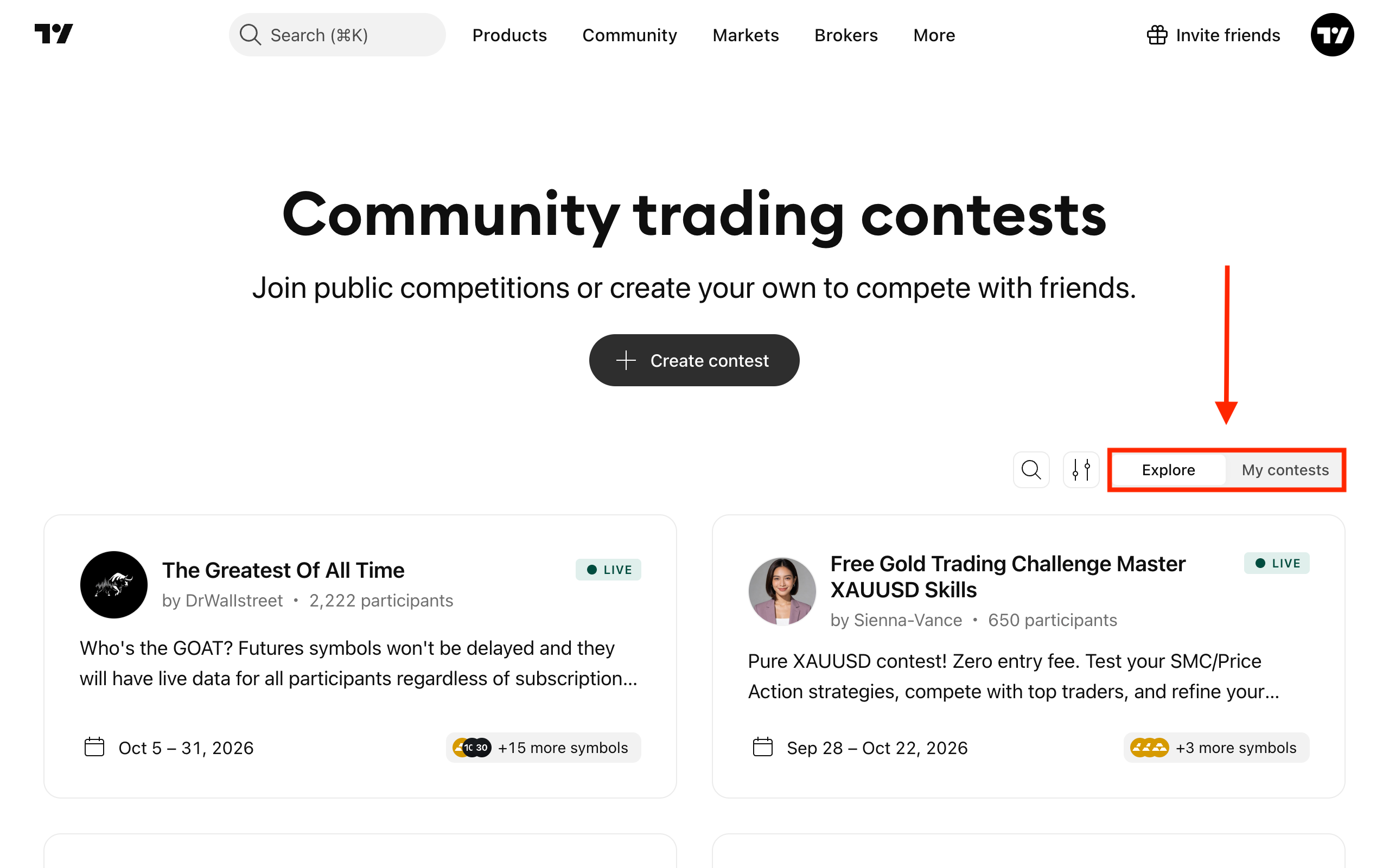
Some competitions are available by link only. They are not shown in Explore, and you can open them only through the link the creator shares.
How to join and trade
1. Open the competition page and check the overview: dates, starting balance, margin control, assets and leverage, and commissions.
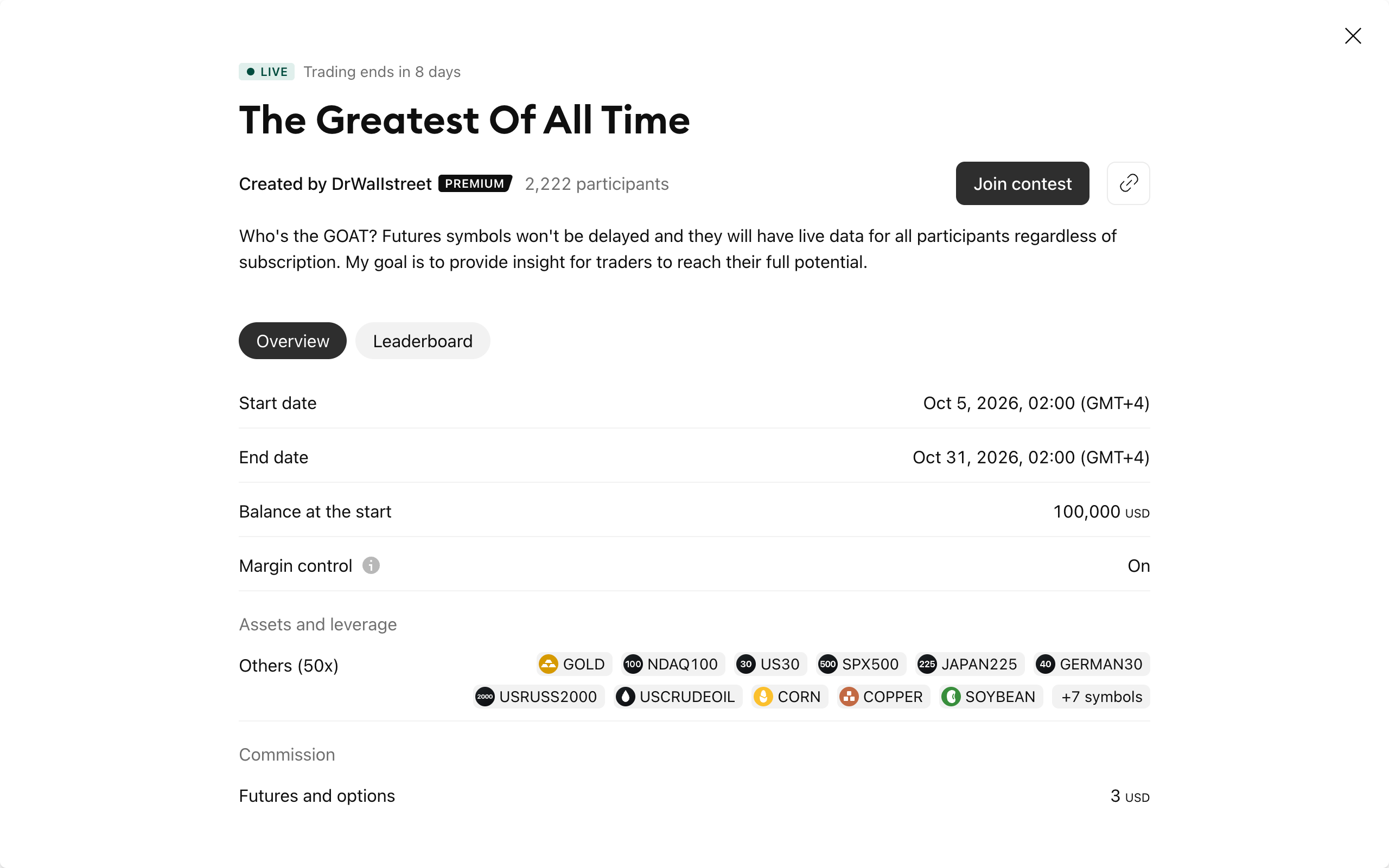
2. Click Join contest. You will need a TradingView account to do this. Joining a contest is free on any plan.
3. Click Trade now and you'll be forwarded to Supercharts with a separate Paper Trading account created for this competition. The account has the same name as the competition.
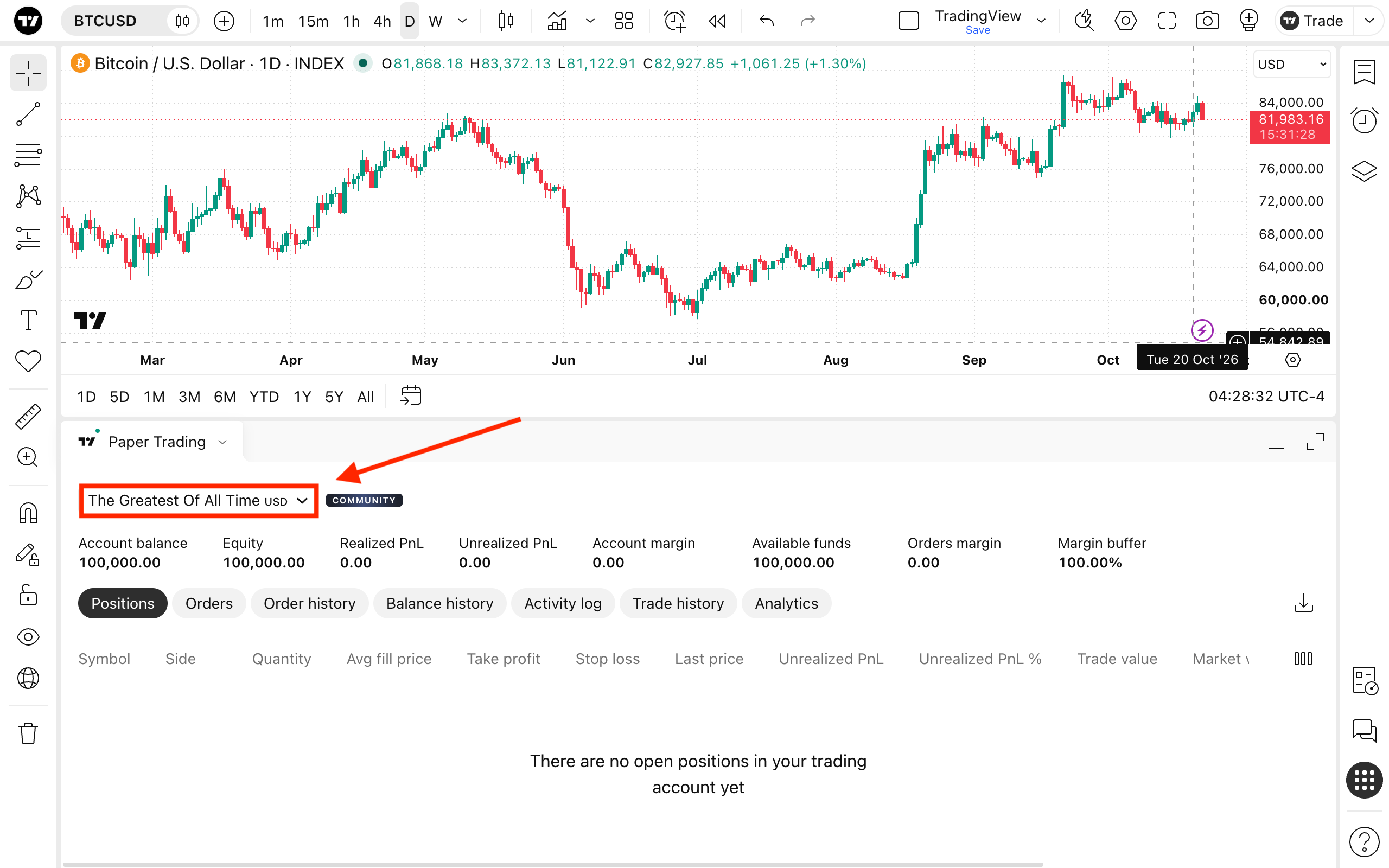
The competition account settings are fixed by the creator and cannot be changed. Your other Paper Trading accounts are not affected.
To return to the competition page from Paper Trading, click the Community label next to the account name.
How the leaderboard works
The leaderboard ranks participants by realized profit. It shows position, username, profit in percent and profit in the competition currency. If you are a participant, your own position is pinned above the list.
When a competition ends, trading stops, open orders are cancelled, open positions are closed, and the final leaderboard is fixed. Completed competitions stay available for 21 days, and then they are deleted.
How to create your own competition
Users on Essential, Plus, Premium and Ultimate plans, including eligible trials, can create competitions. Click Create contest on the Competitions page, fill in the details and share the link. You automatically join your own competition and trade alongside the participants.
Creators cannot offer prizes or use competitions for commercial purposes. See the Community Competitions Terms for details.
Community Competitions in a nutshell
Community Competitions let you test your strategy against other traders without risking real money. Join a public competition from Explore, accept an invitation from a friend, or create your own and invite your audience. Always check the competition overview before joining, and read the Community Competitions Terms.
Also read: