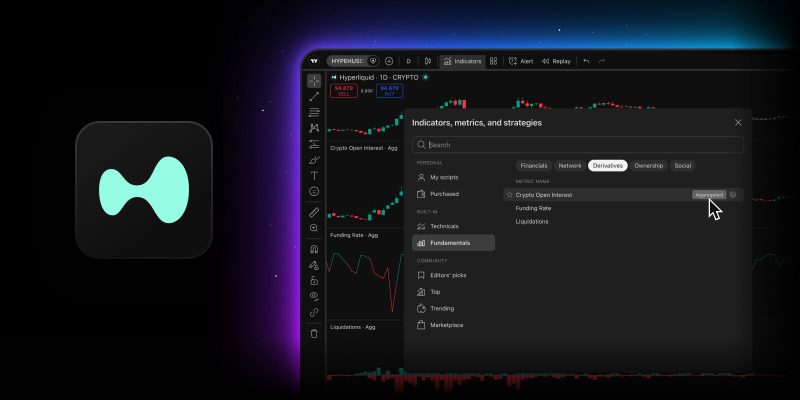
Looking at derivatives data one exchange at a time can make you miss the bigger picture — that’s where aggregated metrics come in handy, combining data from multiple exchanges into a single number. Today, we’re expanding those metrics with Hyperliquid data, so you can see even more of what’s happening behind the scenes. The change affects more than 170 crypto assets across three aggregated metrics:
- Crypto open interest
- Funding rate
- Liquidations
What changed
Previously, these metrics didn’t account for activity on Hyperliquid. Given its size as the largest derivatives DEX, adding its data can noticeably change the numbers traders use to gauge positioning and market activity. Bitcoin’s open interest, for example, rose by roughly a tenth, and liquidations climbed by up to a fifth for most assets. For a handful of assets, these metrics exist for the first time — their derivatives weren’t previously listed on any exchange in the aggregate.
Note: Open interest and funding rate include Hyperliquid data since September 2025, while liquidations since May 2025.
How the aggregated metrics are calculated
Open interest and liquidations for each derivative are converted to dollars and then summed, giving a total across all exchanges. Funding rate works differently: it’s a weighted average, using each exchange’s open interest as the weighting factor.
The set of exchanges behind each metric also varies. Open interest and funding rate draw from nine exchanges: Binance, Bitget, Bybit, Coinbase, Deribit, HTX, Kraken, OKX, and Hyperliquid, while liquidations come from six: Binance, Bybit, Deribit, HTX, OKX, and Hyperliquid.
Where to see the metrics
Indicators
Open any crypto instrument and go to Indicators → Fundamentals → Derivatives. Turning on Aggregated switches the metric to its combined value across all exchanges. A Non-aggregated toggle appears only on futures contracts from exchanges with available data, and shows the indicator for that contract’s own exchange instead.
Screener
In the Crypto Coins Screener, the metrics sit under the Derivatives tab: open interest, OI change % 24h, OI/Vol 24h, funding, liquidations 24h, long liquidations 24h, and short liquidations 24h. You can also use them as filters, with some supporting additional intervals — 15m, 1h, 4h, and 12h.
Heatmap
In the Crypto Coins Heatmap, you can use derivatives metrics as the color setting, coloring the map by open interest or liquidations instead of price change.
Symbol pages
The Key stats block on a crypto asset’s Overview tab now shows open interest with its 24-hour change, 24-hour liquidations, and the current funding rate at a glance. A separate Derivatives tab collects the full derivatives picture for that coin and breaks each metric down by exchange.
We hope this update makes your crypto research more thorough and informative. As always, let us know what you think — your feedback helps shape what we build next.
Team TradingView