CEX Screener: discover crypto trading pairs, centralized
You can trade cryptocurrency on numerous exchanges available worldwide, and each offers unique opportunities. With the CEX Screener, you can discover the best venue to trade your favorite coins. Additionally, you can compare tens of thousands of different crypto pairs—all gathered in one place, filtered, and sorted according to your exact needs.
CONTENTS:
- What is the CEX Screener?
- CEX Screener vs DEX Screener
- How to access the CEX Screener
- How to use the CEX Screener
What is the CEX Screener?
There are thousands of cryptocurrencies in existence. Many of them trade as base/quote trading pairs across multiple exchanges (e.g., BTC/USDT), resulting in tens of thousands of individual pairs. These pairs can be crypto-to-crypto (e.g., BTC/ETH) or crypto-to-fiat (e.g., BTC/USD). Because market conditions differ from one exchange to another, the exact same pair can show varying prices, trading volumes, and spreads.
The CEX Screener helps you compare the trading parameters of a specific crypto pair across different exchanges. This is especially helpful for finding arbitrage opportunities or when looking for unique altcoins that may only be available on a select few platforms.
With this tool, you can scan and compare trading pairs by basic attributes (exchange, base/quote currency, symbol type), market data (e.g., 24h volume, price), and technical indicators.
CEX Screener vs DEX Screener
The core difference between the CEX and DEX Screeners is what they scan: pairs listed on Centralized Exchanges (CEXs) versus Decentralized Exchanges (DEXs). Each screener is tailored to different types of traders, as these platforms have distinct strengths, regulatory structures, and operational approaches.
- CEXs operate under stricter regulations governing accepted funds, available coins, and KYC procedures. They excel at providing deep liquidity, advanced tools, and fast execution, making them ideal for active traders. They are also more selective with listings, which can offer some protection against pump-and-dump schemes.
- DEXs face fewer regulatory constraints, offering unrestricted access, self-custody, and early exposure to emerging tokens. However, this comes at the cost of lower liquidity, wider spreads, and less overall protection.
| Feature | Centralized exchanges (CEXs) | Decentralized exchanges (DEXs) |
| Onboarding & Fiat | Easier to buy crypto with fiat currency and withdraw funds. Supports credit cards and bank transfers. | Direct fiat onboarding is rare; requires existing crypto to trade. |
| Asset Custody | The exchange stores your coins. No need to manage private keys or set up wallets. | Full control over your assets and private keys via non-custodial wallets. |
| Trading Conditions | Generally offer higher liquidity, tighter spreads, and less slippage for popular pairs. | Lower liquidity and wider spreads on average, with higher slippage risks. |
| Access & Privacy | Requires KYC identity verification. Customer support is available if account issues occur. | Trade directly from a wallet without registration. Higher privacy and permissionless access. |
| Tools & Execution | Faster trade execution. Offers advanced tools like limit/stop orders, margin, and derivatives. | Access to automated market maker (AMM) pools to earn fees, but introduces impermanent loss risk. |
| Token Availability | Selective listings protect against some scams but limit access to brand-new tokens. | Provides access to newly launched or niche tokens before major centralized listings. |
When choosing between the two screeners, it all depends on your trading needs. Many traders use both simultaneously, tracking unique metrics for different investing styles.
How to access the CEX Screener
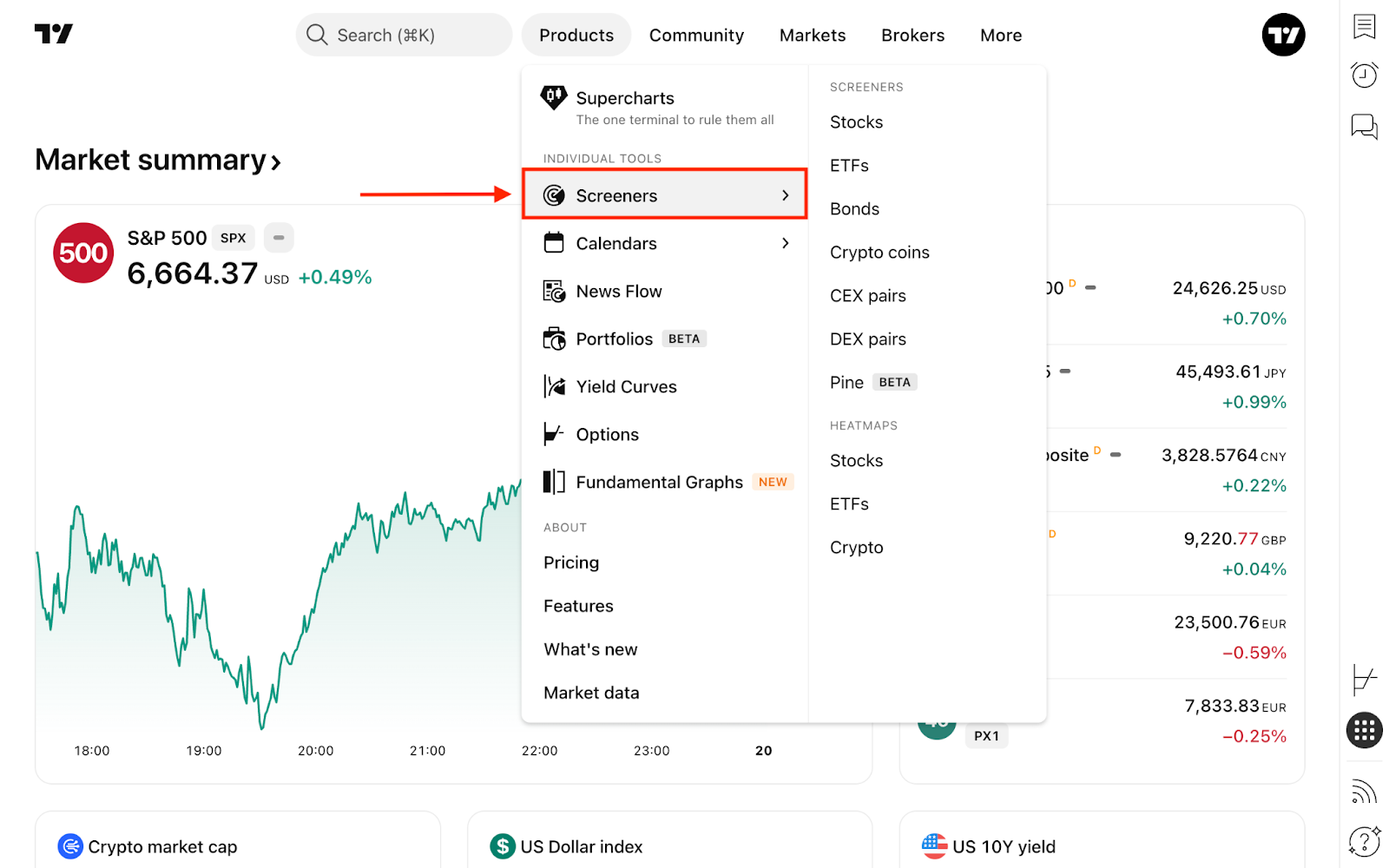
From the main page, click the Products dropdown in the top navigation menu, hover over Screeners, and select CEX pairs.
Alternatively, you can access it directly from Supercharts. On the right-hand toolbar, click Products → Screeners. If another screener is currently active (like the Stock Screener), simply click its name at the top and switch to the CEX Screener.
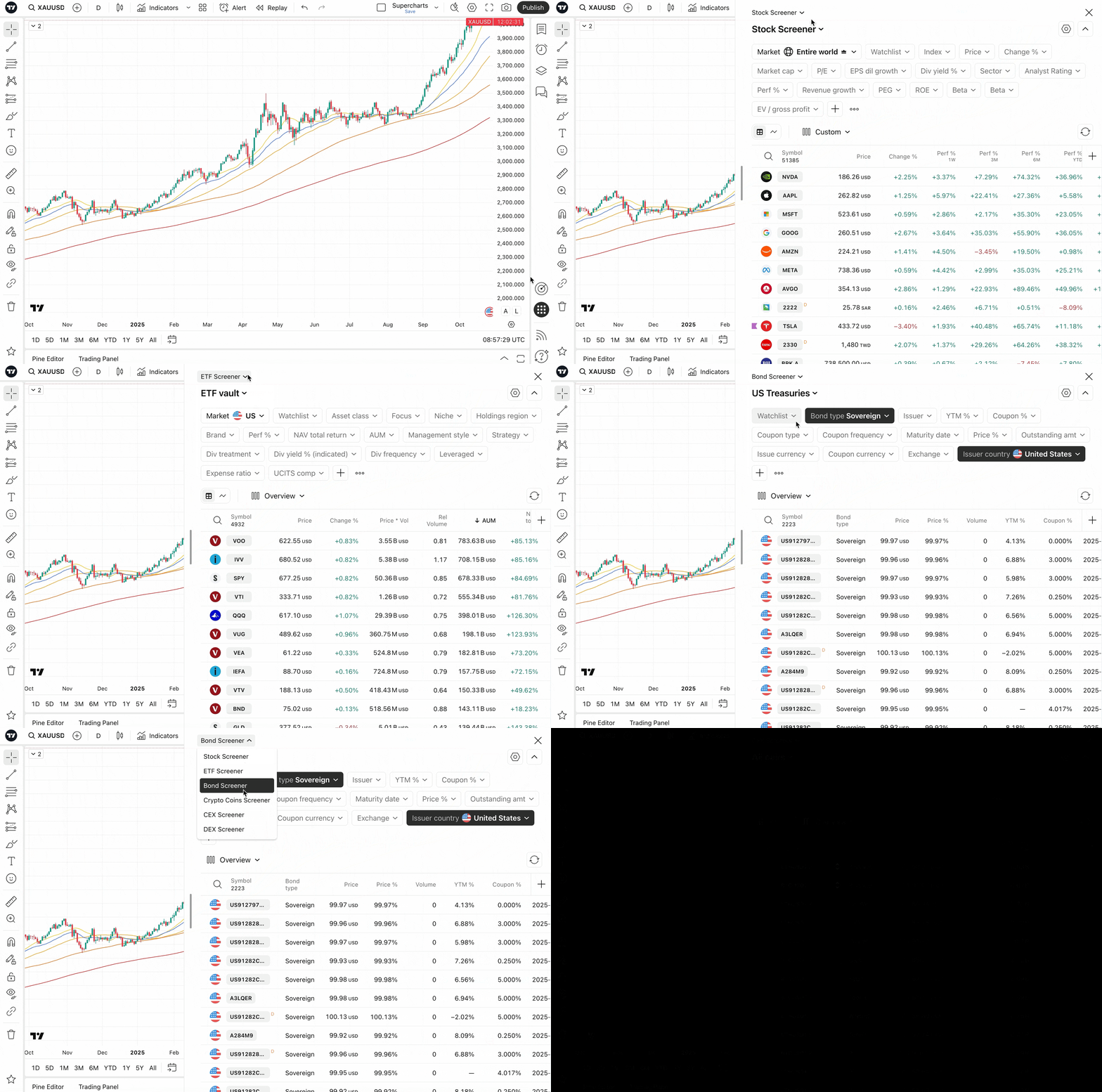
Both options lead to the exact same tool with identical functionality. Choose whichever workflow you prefer, then filter, scan, and pick the pairs that interest you most.
How to use the CEX Screener
When you open the screener, you will see all crypto pairs available on TradingView that trade on major centralized exchanges. Every crypto on our platform is listed here, sorted by default by their trading volume over the previous 24 hours.
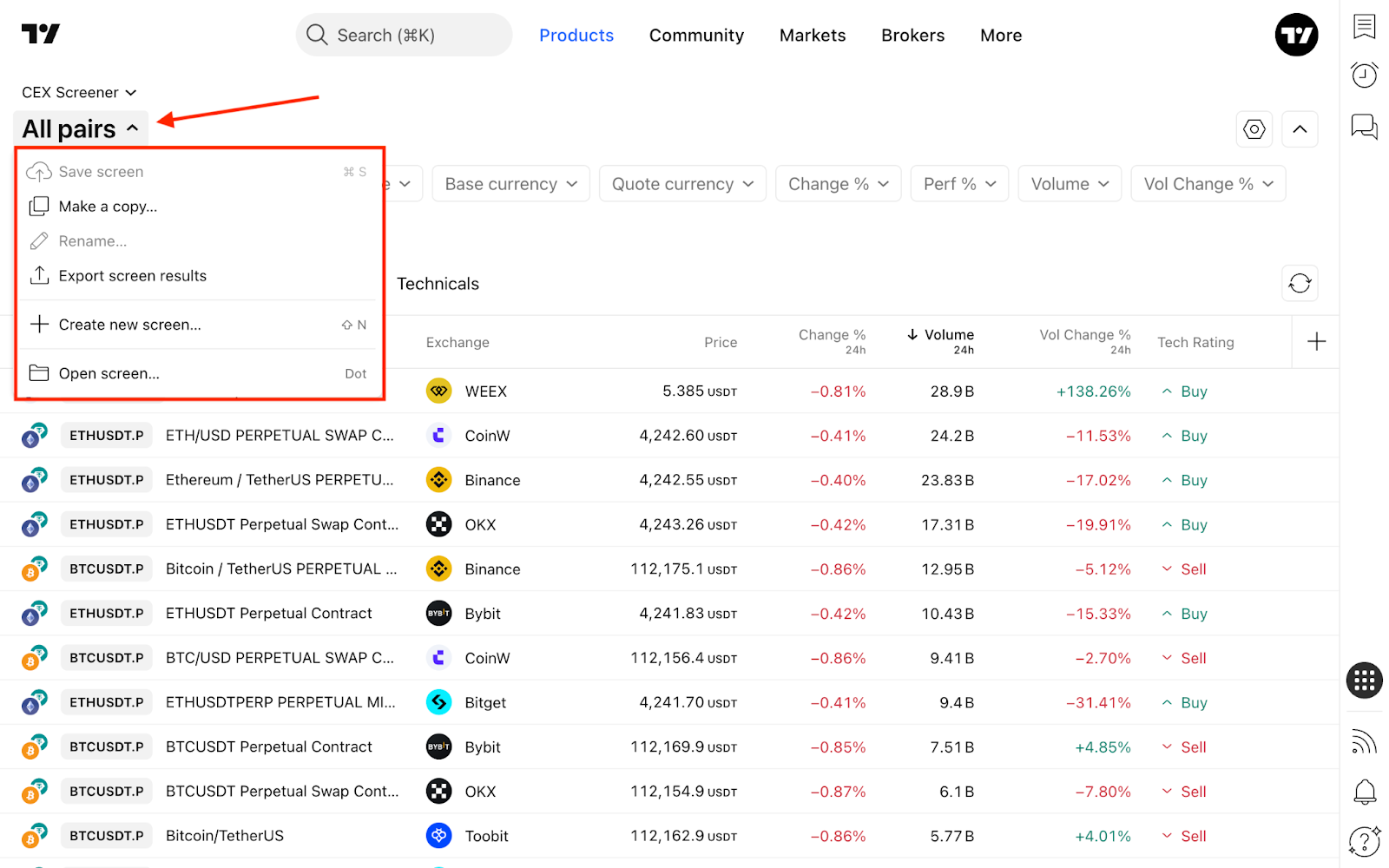
You can easily change this sorting method or apply default filter sets to customize your discovery process. To do this, click the current screen name (e.g., All pairs) in the top-left corner and select Open screen…
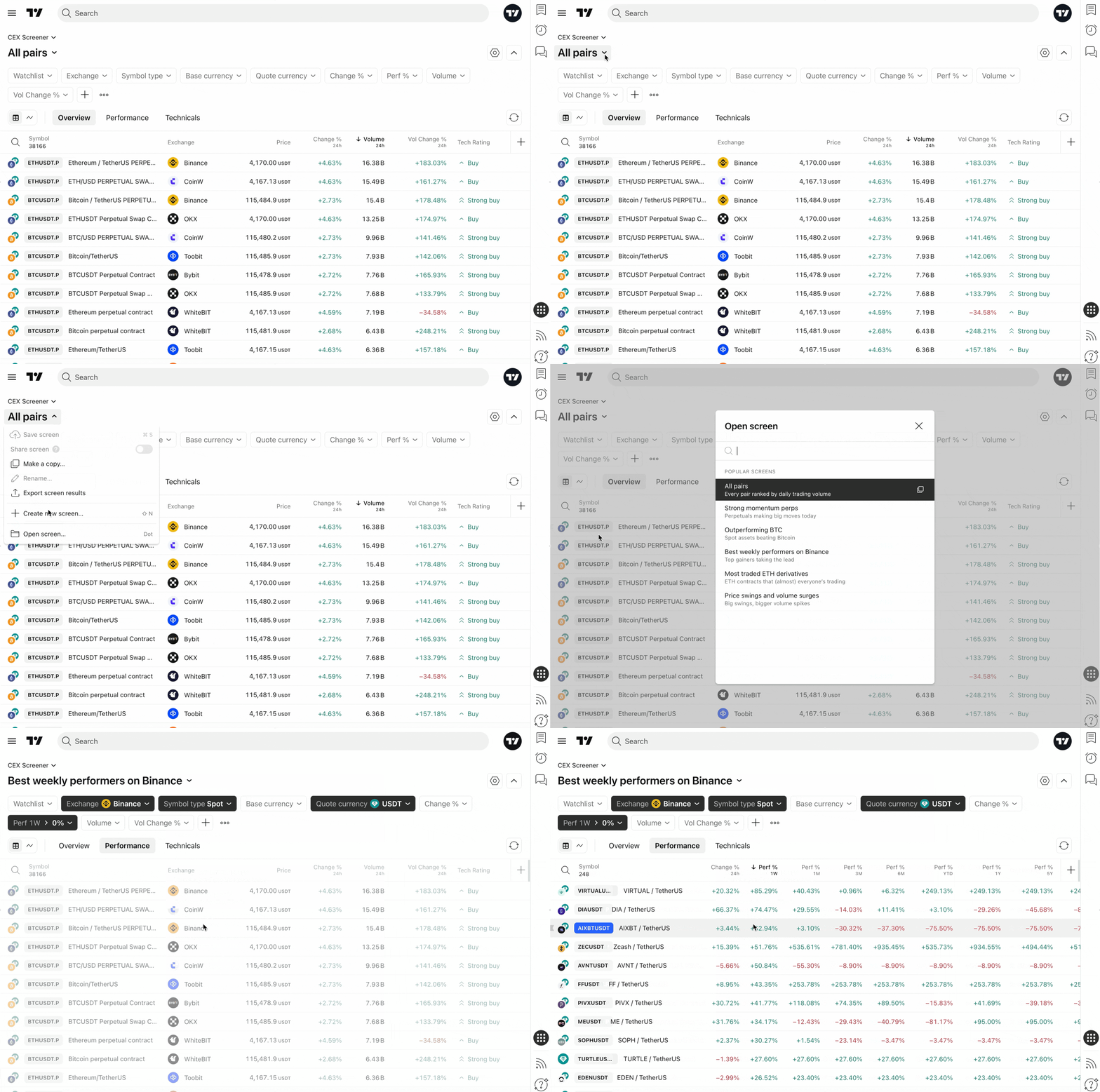
Like all TradingView screeners, you can create and save your own screens for future analysis. Simply set your desired filters, click the blue Save button, and name your template.
In this same dropdown menu, you can access recently used screens, export your results as a CSV file, or start a completely new screen.
On the right side of the screen, you will find the Screener settings. Here you can customize visual preferences (toggling symbol logos, descriptions, and currencies) and adjust the auto-refresh rate.
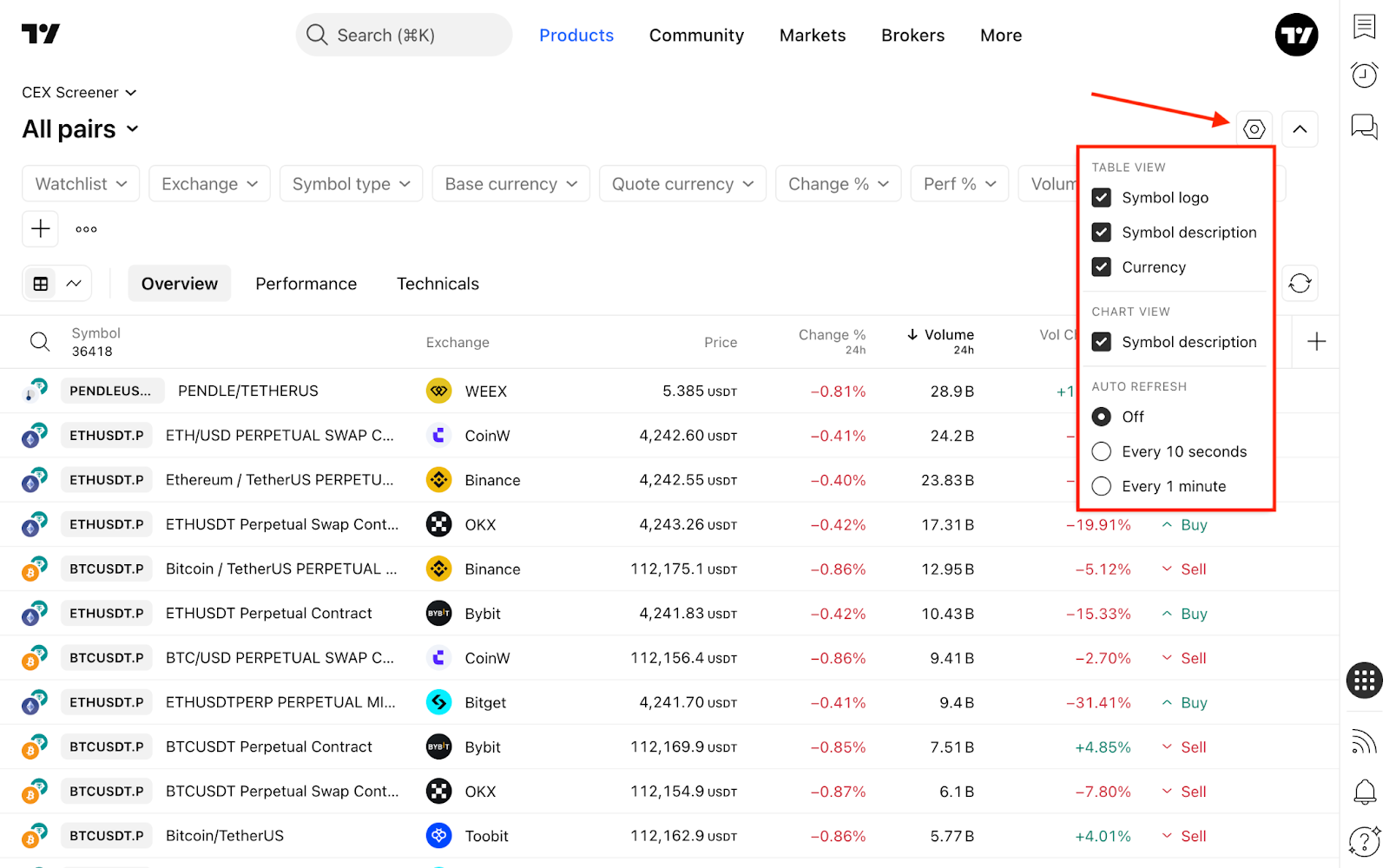
Once your screener is perfectly configured, click the Hide filters button to collapse the top panel, maximizing your workspace to view and analyze more pairs at once.
Filters
Filters are specific conditions a crypto pair must meet to appear in your table. You can select and adjust these criteria in the filter editing dialog.
To add new filter conditions, click the + button or press Shift + F.
- Security info: General information about the base and quote currencies, the exchange, and the symbol type.
- Market data: Core metrics covering price action, trading volume, gaps, and volatility.
- Valuation: Metrics showing fully diluted market cap and standard market capitalization.
- Technicals: Technical indicators that can be applied directly as filtering parameters.
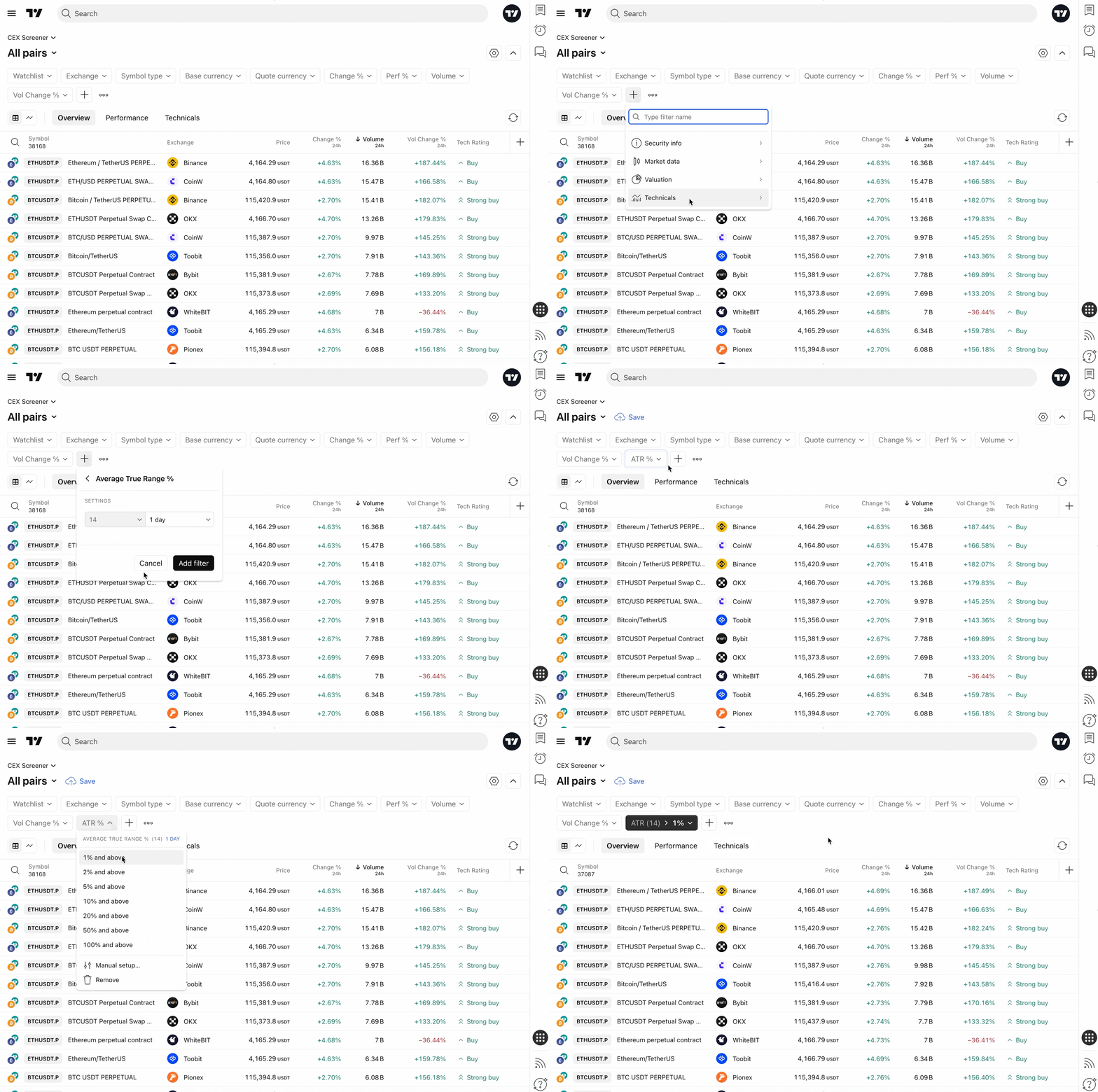
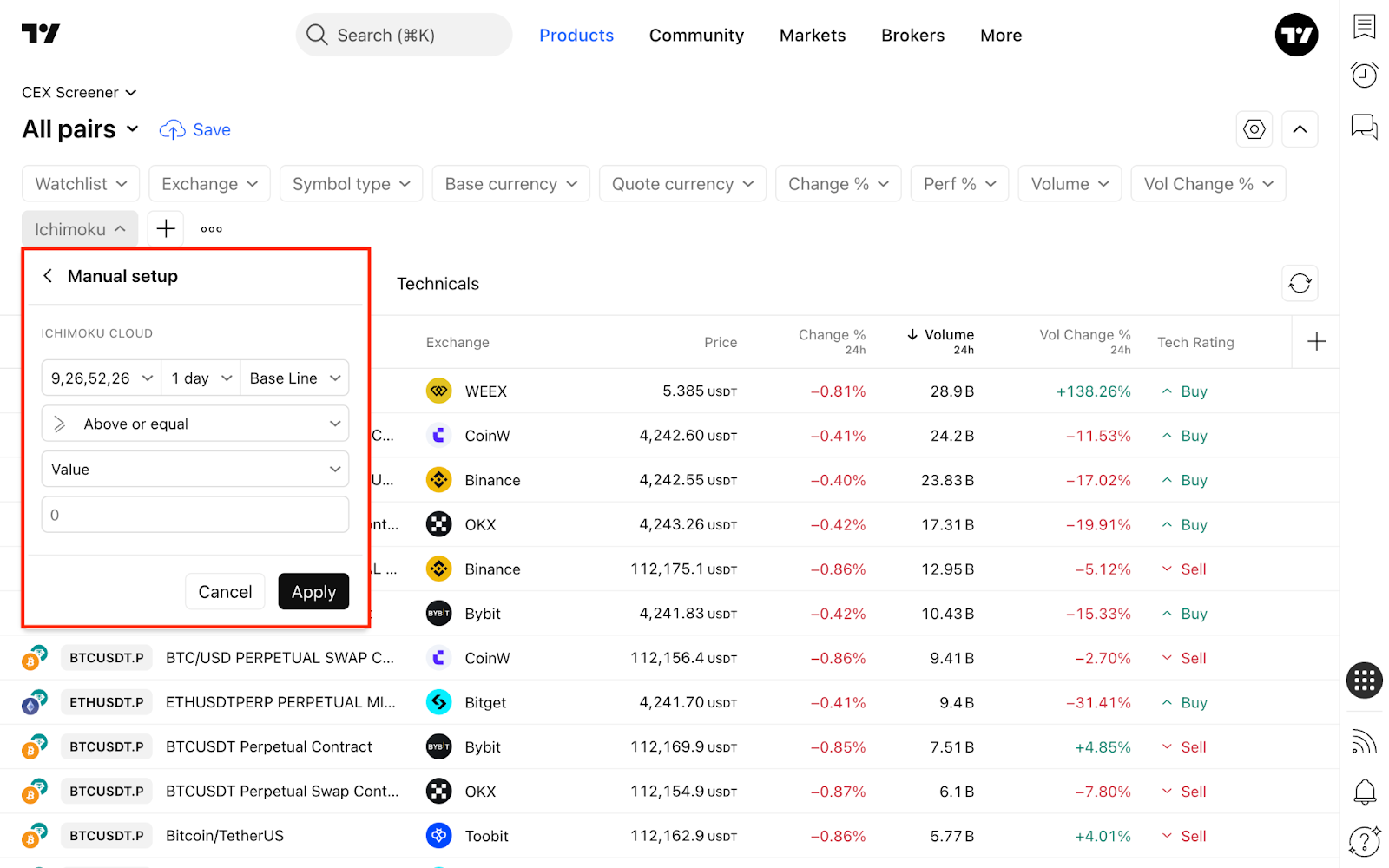
For many technical indicators — such as RSI, Stoch RSI, Momentum, EMA, SMA, and Keltner Channels — you can access an expanded set of customizable parameters to fine-tune your scan.
Column sets
Below the filters, you will find column sets. Each set groups data relevant to a specific type of analysis. You can always add a custom column set using the + button on the right.
Here is a breakdown of the default column configurations:
- Overview: Key CEX data, including the exchange name, current price, trading volume, and technical rating.
- Performance: A historical view of the pair's gains and losses over time.
- Technicals: A broad overview of oscillators, moving averages, and momentum indicators.
Oh, and one more centralized thing…
On TradingView, we collaborate with many major CEXs and brokers so you can trade directly from Supercharts. This gives you incredible flexibility regardless of how many platforms you use. You can connect multiple exchange accounts, switch between them seamlessly, and utilize all of TradingView's advanced tools for successful trade execution.
Also read: